
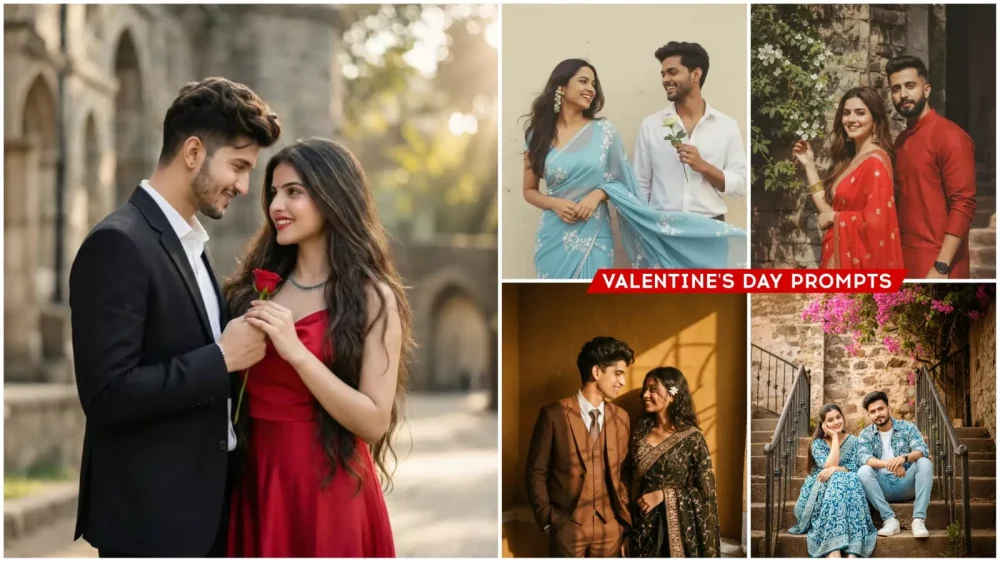
Valentine’s Day Ai Photo Editing Prompts – Valentine’s Day will arrive on February 14th, and everyone will surely want to create their own Valentine’s Day photos. You’ll notice that people post a variety of creative photos on that day, and you should know this. The current trend on social media involves people creating their own photos using Chat GPT or Google gemini. Even professional photos like that wouldn’t even imagine such a photo could be created. With that in mind, I decided to teach you some new trending editing techniques in this article, using which you can create this viral video. All the Valentine’s Day-related photos I’ve created in this article are for couples, and couples can create them. You can also add an imaginary girlfriend. I’ll explain how to do that later.
Breakdown Of This Editing
Look, this photo is one of the best proper couple photos. I’ll explain how it works. Look, this photo shows a couple sitting in a park. These photos are shown in all the different styles. You don’t have to shoot photos to create them. What happens here is that if you have a normal photo of you and your partner, you can convert it into such a photo using Gemini or Chat GPT with simple prompts. That’s what happens. I’ve provided photos and prompts in all the different styles here. You can create your own photo in exactly the same style. You just need to copy the one you think is right, and then you’ll be told the process of how to create it.
How To Create Image With Valentine’s Day Ai Photo Editing Prompts
How to create these viral photos is quite simple. You need to understand one thing clearly. For example, if you want to create these viral photos, you need to have a photo editor; I’ve already provided the prompt in the article. Secondly, open either the Chat.gpt or Google Gemini application. The process is done with either application, and you’ll notice that Google Gemini isn’t giving you as good results right now. That’s why most people are using Chat.gpt. I’ve provided a link to Chat.gpt. Clicking on it will take you directly to your browser. First, you’ll need to sign up for Chat.gpt. After that, you’ll see an option to “Create Image.” Select it, then click the “Plus” option and upload a selfie. The selfie should be one that clearly shows your face. You shouldn’t be wearing a mask or glasses; you should have a normal face. Then, all you have to do is paste your prompt in whatever style you want and click generate. Just wait a few seconds. This will create your photo with perfect results.
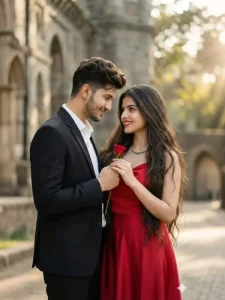
A cinematic luxury portrait of a stylish couple standing close together, the man gently offering a red rose to his partner. Both smiling softly. Korean glass skin glow, brightened smooth flawless skin texture on both faces.
Luxury outfits man in tailored black coat, woman in elegant red silk dress. Soft natural daylight, dreamy bokeh background, ultra-realistic skin details, cinematic color
grading, 85mm lens, f/1.8, HDR, 4K, romantic
mood, vertical 9:16.Korean glass skin effect, luminous glow, even skin tone, soft brightening, realistic pores, natural smooth texture, no plastic look
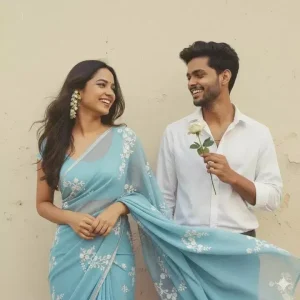
Create a retro Vintage-inspired image, grainy yet bright - based on the reference picture. The girl should be draped in a perfect red Pinterest-style aesthetic retro saree and boy should standing beside her in maroon shirt smiling at her, having a rose in his hand, The vibe must capture the essence of a 90s movie brown haired baddie, with shiny hair and a small white flower tucked visibly into her hair, enhanced by a windy, romantic atmosphere. Both are standing against a solid wall. Create two deferent images with deferente pose.
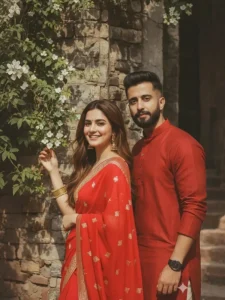
Create a grainy retro vintage of a young woman standing front of wall with wearing bright red saree, luxury formal bracelet, hair like long brown hair.plucking flowers from a flowering vine by one hand another hand at head looked in cemera. face 100% match from uploaded image, young boy looking at camera in red indian kurta shalwar face 100% match from uploaded image, boy her husband romantic moment ,windy environment hd sharpen resolution with sunlight and soft shadows.
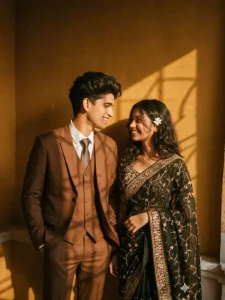
Create a Pinterest-style aesthetic with a retro saree and 3-piece suit, evoking a 90s movie feel, looking eachother smiling. The couple should wear black and brown outfits, with a flower tucked in the girl’s hair, standing against a deep wall with sunlight shadows in golden tones. I want same face for both with no alteration 100 percent same face.
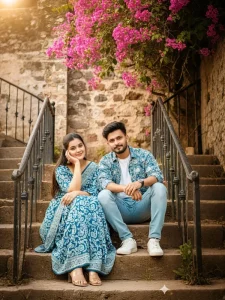
8K ultra-realistic outdoor couple portrait on rustic stone steps. Same young woman from the reference image (exact face), long dark hair, wearing a blue-and-white patterned saree and clear-strap block heels. Beside her sits a handsome young man in a matching blue-white patterned casual jacket, white T-shirt, slim light-blue jeans, and white sneakers. Soft smiles, close sitting pose; woman’s hand near temple, man leaning slightly toward her.
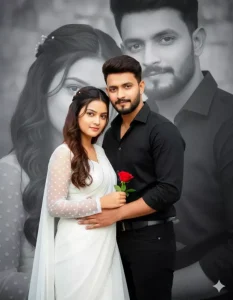
“Ultra-realistic cinematic couple portrait; a woman in a white saree with sheer polka-dot sleeves and soft flowing pallu, standing close to a man in a black modern shirt and black pants; she holds a single red rose while he gently holds her waist; both are looking directly at the camera with sharp natural faces and a soft romantic expression woman has long wavy hair with tiny floral clips; full-body shot; background features large black-and-white faded portraits of both in a
dramatic double-exposure style; smooth lighting, crisp details, elegant mood.”
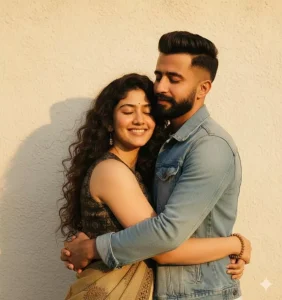
A realistic, retro vintage, bright yet grainy Pinterest-style image of the same subjects (faces exactly retained), embracing tightly, eyes closed, radiating love. Their hair and clothes are gently blown by wind, standing against a textured solid wall with warm golden highlights. The scene evokes motion, nostalgia, and emotional depth.
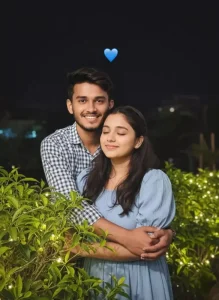
"A cute young couple taking a night-time selfie outdoors. The boy is wearing a blue and white check shirt and smiling while hugging the girl from behind. The girl is in a light blue puff-sleeve dress, eyes closed, smiling happily. They are standing near green plants with small lights, and a blue heart emoji is above them in the dark background. Bright and candid romantic moment, natural lighting with a flash."
How To Customize Editing Using Prompt
Now, you’ll likely have a question: “Hey, you’ve taught me how to create a photo. It’ll be exactly like the one I’ve provided here, and many people create similar photos, and they’ll look like a complete copy.” Now, let me explain. You can customize the elements in this if you want. I’ll show you how. First, when you use the prompt to generate, notice that the clothes for both the boy and the girl are described here. Their Holi celebrations are described. The background details are also shared with you. Now, if you want, you can completely change the style of their clothes. This will change the style of your entire photo. If they’re sitting, you can make them stand. You just need to add whatever you want. For example, if the clothes are red, you might want to change them to black. Just type “black” there, and your photo will be ready with the black color. In this way, you also get the option of customization there.
Some Pro Tips For You
Let me share a pro tip for you. Many people here complain that when they use Gemini or Chat GPT, their faces aren’t matching. They’re seeing different results. What can we do about this? There’s one thing you can do about it. For example, whenever you generate a photo, you should use a good selfie. There should be no mask on your face. You should be standing in a completely normal position. Your face should be facing straight ahead. After that, if your photo is correct, if it’s still not matching, then there’s another condition. You’re using Google Earth. You should select the Pro model in the model field. What it does is it gives perfect results. It generates things exactly like our face. You have to do the same thing in Chat GPT as you do here.


