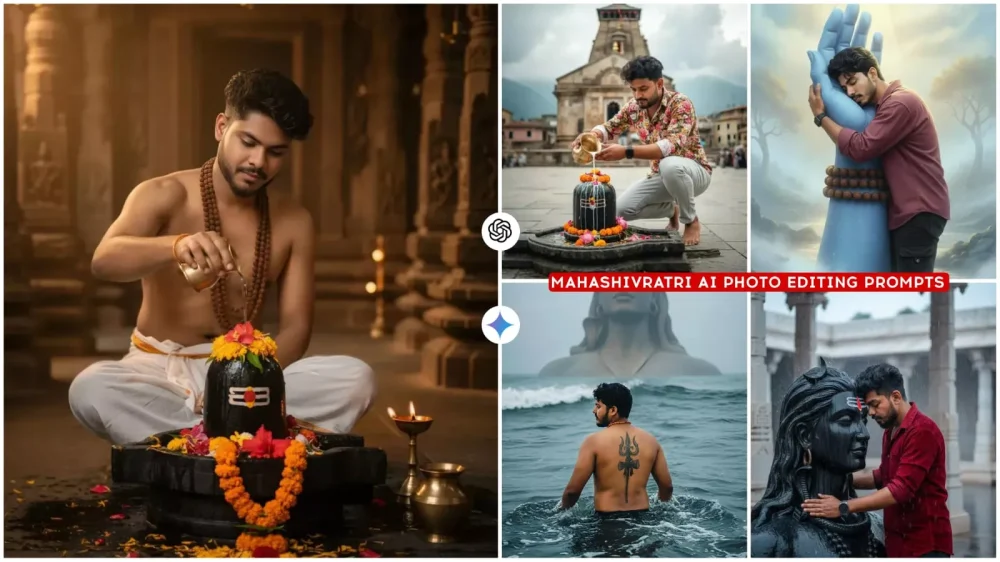
Mahashivratri Ai Photo Editing Prompts – Lord Shiva has two festivals a year: Mahashivratri and the month of Sawan. You’ll notice that his devotees display their devotion in their own way during these two festivals. Those who are active on social media create and display beautiful photos of the deity there. This is the current era. You’ll see it now. So many realistic photos are going viral that you can’t believe such a thing could exist. You can convert that imagery into your own photos right now, and we’ll teach you some such editing techniques in this article. If you want to create different types of Mahashivratri photos, you can follow these steps here.
Full Breakdown Of This Editing
Here, in this article, you’ll see different types of photos created with Lord Shiva, and I’ll explain each one in detail. For instance, it’s important to understand that describing each photo individually would be a lengthy process. Therefore, I’ll try to explain it briefly. I can use a single photo as an example, and I’m sharing that. In all the photos created for Mahashivratri, you’ll see a connection with Lord Shiva. You’ll be seeking his blessings, either sitting in front of him or embracing him. There’s a large idol there, where you’ll be bowing your head before him. Some wall painting-like photos are also shown here. To create these photos, you’ll need to use Google Gemini or ChatGPT. You can decide for yourself which one will yield the most perfect results. I would suggest using both. Use the photo that provides the best results.
How To Create Image With Mahashivratri Ai Photo Editing Prompts
First, I’ll teach you how to create this kind of photo. Then, I’ll explain the compression process. This process I’m describing will be available in Google Gemini and will be almost identical in Chatgpt. So, what you need to do is provide a link to Chatgpt. You can click on it. But before that, you need to select a prompt. Copy the appropriate prompt; a button has been added to copy it. Then, click on the Just button. You’ll be taken to Chatgpt. First, you’ll need to log in. Create your ID, or you may not have already created one. Then, select the Create Image option. You can choose your favorite image from the list. Then, paste the copied prompt into the image. Click the Generate button. This should take at least 1 to 2 minutes. This will give you a perfect result. Chat GPT is currently providing good results. That’s why I mentioned it if you’re using Gemini. You can get good results there too, but use the Pro version.
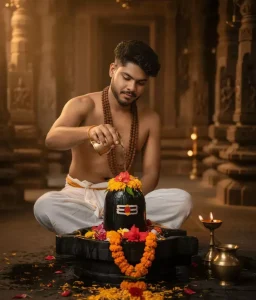
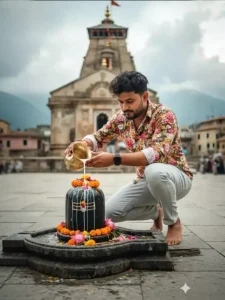
Ultra-realistic, cinematic 8K image of a young man sitting cross-legged inside a traditional Hindu temple. He is wearing a white dhoti, bare chest showing, Rudraksh mala on neck, Abhishek on decorated Shivling with flowers, brass kalash and diya placed near the idol, flower petals scattered on the temple floor. Warm golden temple lighting, highly detailed atmosphere, spiritual and devotional mood."
Ultra-realistic cinematic portrait of a stylish young man standing against a dark minimal background with a soft golden sunlight beam casting dramatic shadows. He is wearing a crisp, elegant sage black suit and open button black silk shirt(blazer and wide-leg trousers) with one hand casually in his pocket and the other holding a bouquet of Black burningroses, smock, ashes, lite fire close to his chest.wear black glass. His hair is voluminous and slightly tousled, styled naturally with texture.
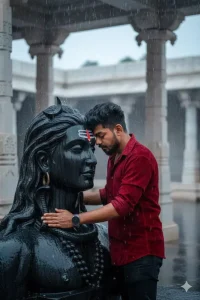
A hyper-realistic, 8k professional portrait of a beautiful young Indian man in red velvet shirt and black jeans gently embracing a massive, striking *black stone bust of Lord Shiva (Mahadev)*.
The man has a *vibrant red bindi and tikka* on her forehead which are clasped around the idol. The scene is set in an outdoor *temple courtyard* with white marble pillars in the background, during a *heavy monsoon rain. The stone bust is slick with water.Atmosphere:* Deeply spiritual, serene,
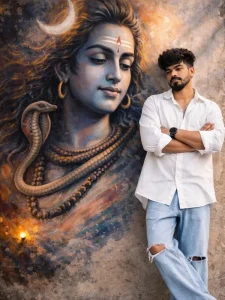
a full-body realistic wide-angle photograph of a stylish young man standing and leaning against a wall with his eyes closed and arms crossed and leg-crossed in a peaceful pose. behind him is a massive, vibrant mural of lord shiva face with looking at him. the man is wearing a loose oversized white bottom-down aesthetic shirt sleeve rolled, light blue wide-leg jeans with ripped knees with barefoot.he has voluminous, messy dark wavy hair with a clean taper fade on the sides.
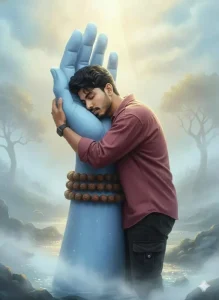
“Create an 16K ultra-realistic spiritual Dreamscape portrait of the uploaded man (face and body 100% identical to the image). He is wearing a maroon shirt and black cargo jeans.
He lovingly embraces a colossal, serene blue divine hand of Lord Shiva, adorned with a Rudraksha mala around the wrist.
The environment is soft, glowing, fog-filled, and heavenly with a peaceful divine ambiance.
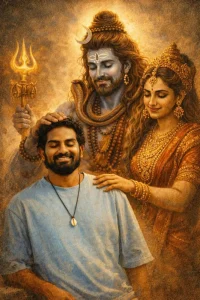
Merge the man/girl and God images so it looks like God is lovingly blessing him. Very important: Faces must look exactly like the above uploaded photosRetro vintage, grainy yet bright Pinterest aesthetic. Windy, dreamy, blessed mood. Both smiling, eyes closed. Warm golden-hour lighting with deep shadows and high contrast. Minimalist textured background, dramatic and artistic. The man/girl looks calm, happy, introspective; God radiates warmth and blessings."
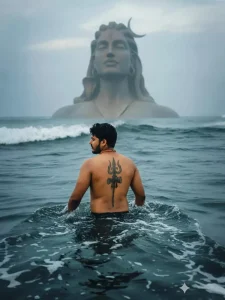
Create a hyperrealistic photograph of a young, athletic man( refrence image given)standing looking side wise waist-deep in dark, turbulent ocean water.He is shirtless and facing away from the camera, revealing his toned front Centered on his spine is a large, intricate, symmetrical Trishula (Lord Shiva's trident)tattoo. He wears a simple, orange-beaded necklace. In the vast, misty background, a colossal, dark stone statue of
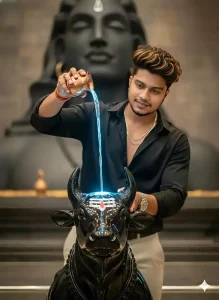
Cinematic photograph of a serene young man( same as reference, outfit same)performing (ritual pouring) on a highly polished, glossy black Shiva NANDI (with white tripundra marks).He is holding a small copper kalash with both hands pouring a stream of ethreal glowing water over the nandi. The scene is set in blurred comboitore famous Adi Yogi shiv. Realistic, Devine vibes.
Here, I’ll share a comparison between two prompts.
You should thoroughly understand them. Look, there are so many prompts. But I’ll share an ID with you to show what they might contain. The first prompt is a large statue of Lord Shiva. You’re embracing him, head-to-head, and it’s raining. It rains because of that. You’ll see this on Mahashivratri, too. It rains at times. Then, we have this photo, which is the second one. In it, you’ll see a completely different kind of photo of yourself. In it, you’ll see a painting of Lord Shiva on a wall. Next to it, a photo of you will be shown, standing there, dressed nicely, to the side. If you’re wondering, both have their own distinct visuals. One shows you connected with God, the other shows you in this way. You can create a painting here and stand there. It also looks quite professional.
Some Mistakes You Absolutely Must Avoid
Now, here are some mistakes you absolutely must avoid. Whenever you take photos like this, whether you’re using Gemini or ChatGPT, you need to be very careful when creating AI photos. When creating a photo, first select a photo where your face is clearly visible. Your face should be completely natural. You should have a simple, normal smile. Don’t take such a photo in a crowded area. Don’t use such a photo, even if you’re using any AI tool. Select the best model and then create your photo from that. This will result in the current best result at the time.