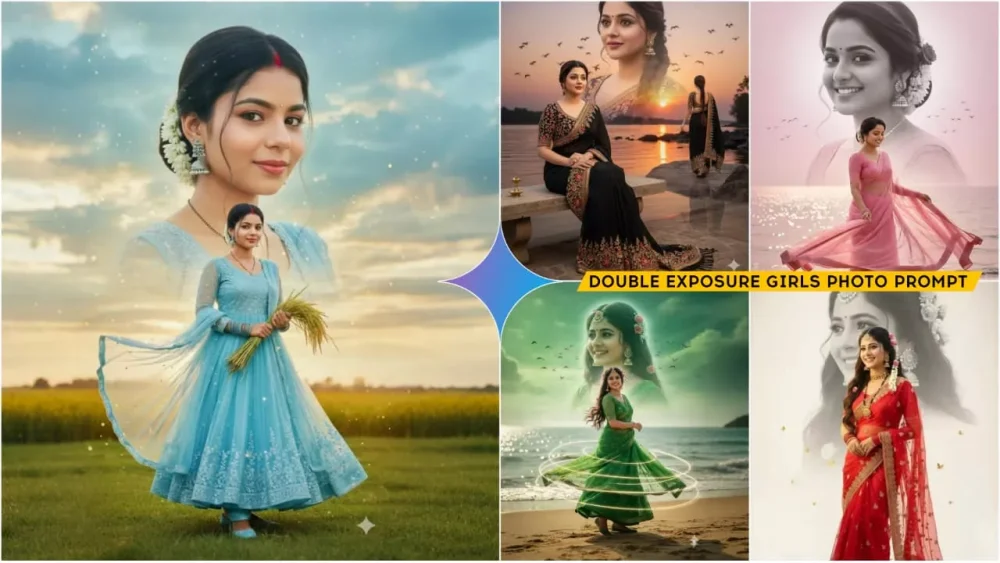
Google Gemini Double Exposure Girls Ai Photo Editing Prompts – Right now, dual-exposure photos of boys and girls are going viral, with everyone creating photos like this. If you want to create a photo like this, would you do it manually these days? Absolutely not. You’d probably want to do it using AI. In this article, I’m going to explain how you can create such viral photos using Google Gemini. Whatever is trending the most on Instagram, it will be the easiest to create. I’ll explain those steps to you right now. Follow them and create. You won’t face any problems. If you face any, please comment.
Details Of Google Gemini Double Exposure Girls Ai Photo Editing Prompts
What kind of creation is this photo that’s making it so popular? Look, there’s something about this photo that’s making it so appealing to people. Here, one photo appears on the top and the other on the bottom, where our full photo appears. Two photos are shown in a single photo. One shows a portion of the sky. That photo remains, and the portion shown below remains. You’ll be asked to create a similar one. I haven’t tried to separate them in this article. I’ve simply added the photos of both people here so anyone who wants to create one can easily create one by following these steps. Let me explain, and you just keep following.
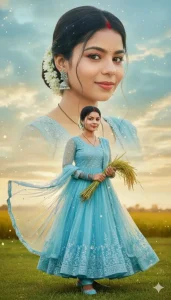
“Ultra-realistic cinematic full-body portrait of a beautiful Indian woman with her real face and expressions, wearing Blue net anarkali matching dupatta blue churi & juttis, mangalsutra, sindur, white gajra in bunBright expressive eyes, glowing makeup soft smile. Backgrounddreamy sky gradient with golden sunset clouds, cinematic light.Compositionlarge close-up face above, full-body on green grass below Poseholding fresh paddy stems, dupatta flowing. Effects sparkles, warm glow cinematic tone
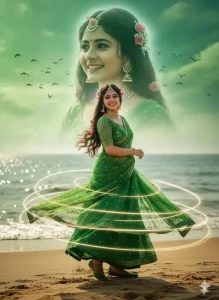
Ultra-realistic cinematic portrait of a beautiful woman with a warm smile, wearing green net sari, green net blouse, green juttis, and white gajra. She spins gracefully, standing on soft sand. Background: large glowing face, green gradient, calm ocean, sunlight reflections, lots of birds. Rose in hair parting with sindur, mangalsutra. Full-body + headshot, poster design. Keep uploaded face with full expressions.@_ai_editor_
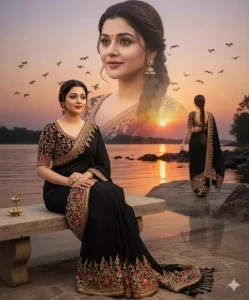
Ultra-realistic double-exposure portrait of a beautiful girl hairstyle long brown braided.
Face must remain 100% identical and consistent across all poses.
Outfit:  black sari with embroideries design with matching full sleeve blousse.
Include multiple

poses:  full-body  sitting, closeup face, and optional standing/walking pose.
Background: riverbank (nadi ke kinare) with soft sunset sky, flying birds, smooth gradient, cinematic lighting, subtle water reflections.
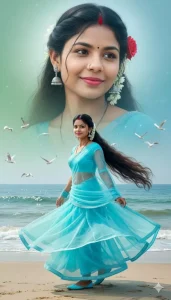
Al Prompt (with Sand): Ultra-realistic cinematic portrait of a beautiful woman with a warm smile, wearing cyan color net sari, cyan net blouse, cyan juttis, and white gajra. She spins gracefully, standing on soft sand. Background: large glowing face, cyan gradient, calm ocean, sunlight reflections, lots of birds. Rose in hair parting with sindur, mangalsutra. Full-body + headshot, poster design. Keep uploaded face with full expressions.
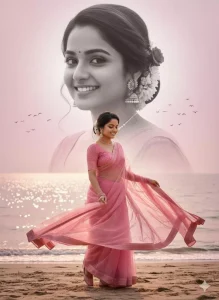
Ultra-realistic cinematic portrait of a beautiful woman with a warm smile, wearing Pink net sari, pink net blouse, pink juttis, and white gajra. She spins gracefully, standing on soft sand. Background: large glowing face, pink gradient, calm ocean, sunlight reflections, lots of birds. Rose in hair parting with sindur, mangalsutra. Full-body + headshot, poster design. Keep uploaded face with full expressions.@srgraphicgkp
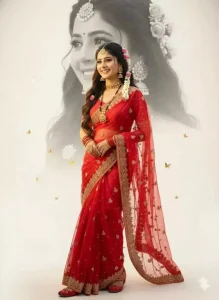
Ultra-realistic 8K photo of a beautiful Indian woman (use uploaded face, same expression), smiling, in red net sari, red blouse, red churi, red jutti, with mangalsutra, white gajra, sindur, and large ethnic earrings. Behind her, a black-and-white half face is slightly higher, softly blended with dreamy depth, tiny golden butterflies, on a warm glowing ivory-white background, realistic and elegant.keep uploaded fece in image with facial expressions.
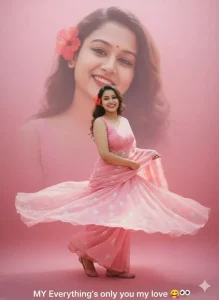
Ultra-realistic cinematic portrait of a woman with warm smile, in flowing long hair .light pink saree with floral embroidery and matching flats, spinning gracefully so dupatta flares. Behind her, softly glowing close-up of her own realistic face. Smooth pink gradient background, soft dreamy light. Full-body front, large headshot behind, poster style. Text: MY Everything's only you my love (keep uploaded face with expressions).
How To Make Perfect Travel Photo With Google Gemini
If you want to improve your travel photos a little with Google Gemini, I’ll share some ideas with you. Normally, if you post travel photos like this, they don’t look good. But if you use a little creativity, like applying a filter. Here, if you filter them, use the warm filter. If you have a full-length photo where the sky is slightly visible and not coming out properly, try using the sky replacement feature found in Google Gemini. Then, adjust the highlights a little. Keep it more vibrant. Adjust the vibrancy, as your travel photo should have some vibrancy and blur if possible. Add a little bit to your background. Also, adjust your skin tone. All of this can be done with Google Gemini. You just need to give it a command, a prompt to adjust this aspect in your photo, and it will fix that very feature in your photo.
How To Use Google Gemini Double Exposure Girls Ai Photo Editing Prompts
Let’s learn how to create these photos. First, you need to copy the prompt. After copying, you need to click on the Google Gemini button, which I’ve provided below. You’ll need to write it there. After clicking “Create Image,” you’ll be taken directly to Google Gemini, where you’ll need to paste the prompt. This prompt must be copied and pasted from there. Then, go to the “Plus” option and upload a photo. In some cases, the image will be generated from just one of your photos. For some prompts, you’ll need to use two photos. You’ll need to experience this yourself. Just like you use a prompt, upload one photo there and then click “Generate.” If it creates the correct image, then it’s fine. You can use that. If it’s having trouble, upload two photos of yours in different styles. Then, click “Generate.” This will create a truly amazing photo.
Conclusion
Look, there are some hidden tools of Gemini which even you might not be aware of. Like you might have seen or heard about Smart Return. In this, if you have pimples on your cheeks or your skin does not have any smoothness, it will smoothen it, adjust the caller tune of your photo, remove unwanted things from the background. If you want, it can also add blur effect to it. There are many more features, if I try to tell you about them, then a very long line will be formed. These are some smart tips which I have shared with you.