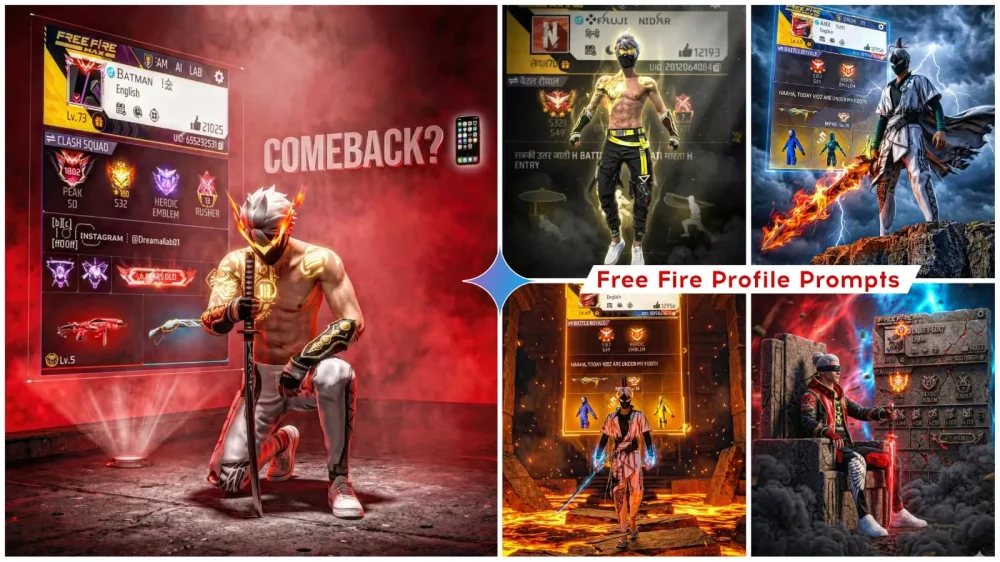
Free Fire Profile Ai Photo Editing Prompts – Currently, a trend is sweeping across social media that combines gaming and AI. Free Fire enthusiasts, in particular, are making extensive use of this trend. You will notice that Free Fire players are creating personalized profile pictures featuring their favorite in-game characters—images that are garnering immense popularity on social platforms. In today’s article, we will learn how to utilize AI tools—such as ChatGPT and Google Gemini—to create similar images ourselves, ensuring that our Free Fire characters look absolutely professional. We will explore the specifics of this AI photo editing technique, discover how to generate these images using ChatGPT, and learn how to achieve truly professional-quality results; we will also share various tips and tricks along the way.
Details Of Free Fire Profile Ai Photo Editing Prompts
Free Fire photo editing is a process where you combine various elements to create a unique image. Specifically, this procedure involves taking a real photograph of yourself and integrating it with your favorite in-game character and your game profile details. By blending these two—or potentially all three—elements, a professional-quality image is produced that looks as if it were officially created by the game developers themselves, even though it is actually something we create manually.
For instance, let’s say you have a favorite character—such as “DJ Alok” (though I don’t recall the exact name at the moment). You would then take a screenshot of your in-game profile, capturing your rank or other highlighted statistics. When we utilize these two assets—your real photo and the profile screenshot—and subsequently apply the appropriate prompt, the system generates a finished image featuring you alongside that character. In this image, the character might appear seated on a chair, with your game profile displayed prominently in the background. You can then share this result on social media platforms; it looks quite unique and distinctive. There are various styles available for this type of editing, which we have already shared within this article for you to utilize.
100+ Trending Ai photo Prompts
How To Create Ai Image With Prompts
Let’s walk through the complete process of creating this image. First off, you need to have your character ready—something you are already familiar with. If you play Free Fire, you’ll know exactly what I’m talking about; since you likely have a profile associated with your character, go ahead and take a screenshot of both your character and your profile. (While a screenshot of the character itself isn’t strictly necessary, do make sure to save the screenshot of your profile.) Next, you need to select an AI tool.
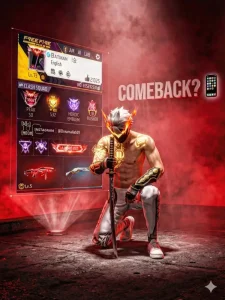
I am using ChatGPT here, but you can also use Gemini. Once that’s done, copy the prompt provided here. Simply copy the text for any one of the available styles and paste it into ChatGPT. Then, tap on the ‘+’ icon and upload your profile screenshot first. After that, look at the prompt text; you will notice that the text already includes a specific character name. Replace that name with your own favorite character. Finally, hit the ‘Generate’ button, and your image will be created and ready in just a matter of minutes!
Ahighwaly3D191roa9
3aiingこhaa012? ごoi iooi ii ジnン
sontilent oose knelhng headl iown
with Katana on grouih, Andl Bestle
him ad 331e "CoMBBAok?out 1se fohone amoji bestule hilm a hologeaohto showhg samins oroile with oleary visible, ile ts waarnga samte3s as uoloadesh, The baokgtround ts iark and
ohnematio, illedl with ihtok, gowing red tog andl dematlo yolumtetto rd tighiing, iigh oontkast, sk rasotion,
Uhnraal ingie 3 style, eatio 34
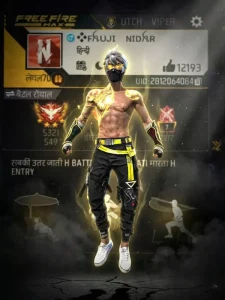
CREATE AN UDTRAFCINEMATC EXTRME LOW ANGLE SHOT, 8K RESOLUTION SCENE. USE THE UPLOADED CHARACTER PHOTO AS THE MAIN SUBJECT. THE GHARACTERAS IN A HOVERING HEROIC STANCE SLIGHTLY ABOVE THIE GROUND, WITH FISTS CLENCHED DOWNWARD, BODY TENSE POWERFUL, AND DOMINANT AS IF
CHARGED WTH ENERGY.
BEHIND THE CHARACTER, INCLUDE THE UPLOADED PROFILE IMAGE
AS A LARGE HOLOGRAPHIG SEMI-TRANSPARENT PROJECTON, FLOATING IN THE BACKGROUND, LT MUST REMAIN UNCHANGED, CLEARLY VISIBLE, AND FULLY READABLE APPEARING LKE A
FUITURISTIC DIGITAL DISPLAY.
DEEP BLACK SMOKING BACKGROUND ADD DRAMATC CINEMATIC
UGHTNG, VOLJMETRLIC LGHT RAYS, SUBTLE PARTICLES IN THE AIR
DEPTH OF FIELD, AND A RGH-CONTRAST ACTION-MOVE
ATMOSPHERE THE CHARACTER SHOULD BE SHARPLY IN FOCUS,WITH GLOWING EDGE HIGHLIGHTS AND A FAINT ENERGY AURA.
WHILE THE HOLOGRAM SOFTLY GLOWS BEHIND THEM.
SryLE SHOULD FEEL LIKE A HIGH-BUDGET SCI-FI ACTION MOVE
POSTER ULTRA-DETAILED, REALISTIG TEXTURES, SHARP FOCUS, EPIC
SCALE AND
DYNAMIC 3:4
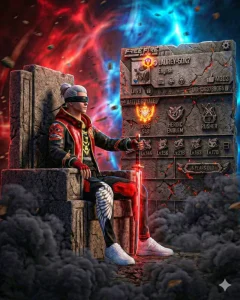
Ultra-realistic cinematic portrait ofa gaming character side view
side look, (same face as reference) siting firmly on a grand, stone chair, one hand resting on the hilt of a glowing sword placed
vertically with an camera angles, His posture back straîght,
vlewer. The background has a mix of red and
electric blue lighting, with floating dust and
motion suggesting chaos, Styles afnematie
profile and saratch and like stone type of profile and a visible
power shot, 8K detail, dark contrast, dramatic
Tools and also smoke in the ground dark smoke and
lighting, His dress unchanged from reference image and beside
the character add Gaming profile with 3d style and fire on the
with high quality, in the ratio 3.4
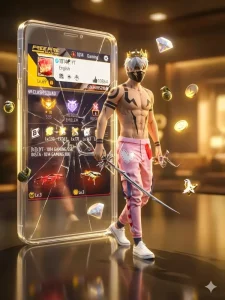
A hyper-realistic 3D cinematic render of a cool, stylish young male video game character walking forward, stepping out of a giant, glowing, transparent glass smartphone screen. The character wears a same dress as uploaded. The giant glass screen behind him left side 3d style is a cracked and displays an Free fire max profile interface,. Floating in the air around the character and the screen are glowing 3D, The setting has a dark, reflective floor with warm, golden, cinematic lighting in the background. 16k resolution, highly detailed, photorealistic in the ratio 3.4
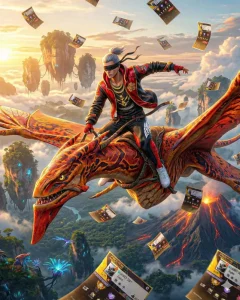
Ultra-high-resolution cinematic fantasy shot inspired by the world of
Pandora (Avatar), a powerful Toruk flying at extreme altitude above the
floating landscapes and volcanic regions of Pandora, wide aerial
perspective with dramatic depth, vast sky and clouds, glowing mour
mountains, lava-touched terrain and bioluminescent environment visible
below, strong sense of height, speed and motion.
NEW POSE;
Place ME riding the Toruk in a FORWARD-LEANING COMMANDING POSE,
upper body slightly leaned forward with confidence, both hands gripping
the reins frmly, Iegs Iocked and stable on the Toruk's back, strong
heroic posture suggesting control and dominance, wind powerfully
flowing through clothes, cinematic sense of motion and scale
Character appearancen
A character rider with a wears a same dress as uploaded, contrast
against,
3.4
From above, countless sheets of paper are falling through the air,
captured,Each paper has a clearly visible, high-resolution texture
showing the uploaded
image, fully readable and sharp. The profile must appear unchanged and distinctly recognizable on every sheet.Lighting should be dramatic and cinematic — golden hour or
soft overcast direct create image
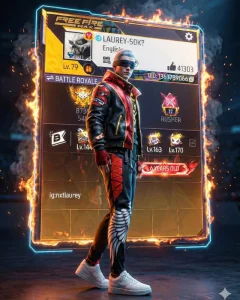
Create an ultra-realistic hyper-detailed 3D cinematic render ofa male gaming character Keep the exact same face, hairstyle, body type, and outfit as the
reference image (no changes in dress or colors)Poses The character is standing confidently in the center with side look and side view, body slightly
angled, one foot forwardl, One hand relaxed by his side,the other slightly clenched as if ready for action.
Expressfon intense and dominant, eyes locked toward
camera,
Background Directly behind the characten, placea
massive futuristic SD gaming profile display panel, The panel should look Iike atloating metallic holographio
board with depth and tthickness (not flat)
glowing slightly, and layered with real 3D depth.
Susround the proffle boardl with subtle controfe
flames on the edges and Iight smoke drifting around
Sparks tlying lghtly in the background but not covering
the profiles
매ghting warm orange glow from fire edges t cool blue
cim light outlining the characten
Soft spotlight on face
UItra realistic textures, Unreal Engine 5 quality
render, SK resolution, depth of fieldl, sharp focus
on character and profile board, epio esports
showcase vibe, Instagram viral poster aesthetie
In the ratio 3,4
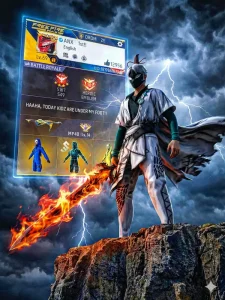
“Epic adventure warrior standing on the edge of a cliff above clouds. Wind blowing cape dramatically, Sword planted into ground. Lightning in background sky.
Extreme low angle shot from below the cliff edge, Ultra realistic details, sharp jawline, intense eyes, cinematic storm lighting, high
contrast, AAA game character design.”
ar-3:4 placed the uploaded profile behind
the character 3D glowfng floating in the sky
fully visible without hiding any things, no blur, no watermark, 8k resolution remove unwanted weapon pets from him, the
character looking at right direction in
instance dominate pose dynamic . He
holding a flaming gaint sword , don't miss
the extreme low angle point of view
maintain it.
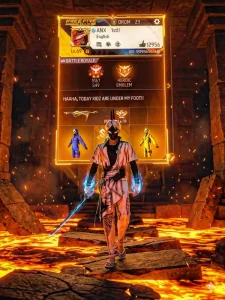
Epic adventure game character walking
inside an ancient lava temple. Molten
lava flowing around broken stone
platforms.Character holding a glowing ancient sword, armor reflecting orange lava light, Sparks and ash floating in air.Camera extreme low angle close to ground, dramatic shadows, cinematic fire lighting, ultra realistic, AAA game trailer style, 8K detail." ar--3:4, placed
the uploaded profile behind the
character 3D glowing fully visible
maintain exact text, name , icons
symbols, everything , no blur. The profile
floating at hefght , Don't miss the
extreme low angle point of view
maintain it.
What Exactly Can You Incorporate Into This Edit?
Well, you can even include your own photograph. If you are feeling a bit creative, you can replace the default character with your own photo—making a few minor adjustments in the process—to create a realistic-looking image of yourself; you can then place your Free Fire character in the background behind you. Furthermore, the background itself features a complete battlefield-style aesthetic. You will find authentic Free Fire effects—specifically, a unique, smoke-filled backdrop that captures the distinct atmosphere of the game. You may also choose to display your profile details—including your level, rank, and stats—within the image; alternatively, simply by looking at the sample photos provided here, you should be able to get a good idea of the various possibilities available to you.
Here Are Some Tips For Writing Prompts:
Whenever you are utilizing a prompt of this nature—specifically one where you are incorporating your own character (i.e., adding your own face)—ensure that you include a command to render a realistic face. You should also specify “Ultra HD 4K” quality. Next, you need to define the visual aesthetic based on the desired image; in this instance, the style is “Free Fire Style”—so be sure to include that in your text. Subsequently, you must clearly describe the user interface (UI) elements of the profile. I have already provided a screenshot of the specific UI to be used here; however, if you wish to generate the image in a different style, you can simply provide a detailed description of that alternative style to generate the corresponding result.