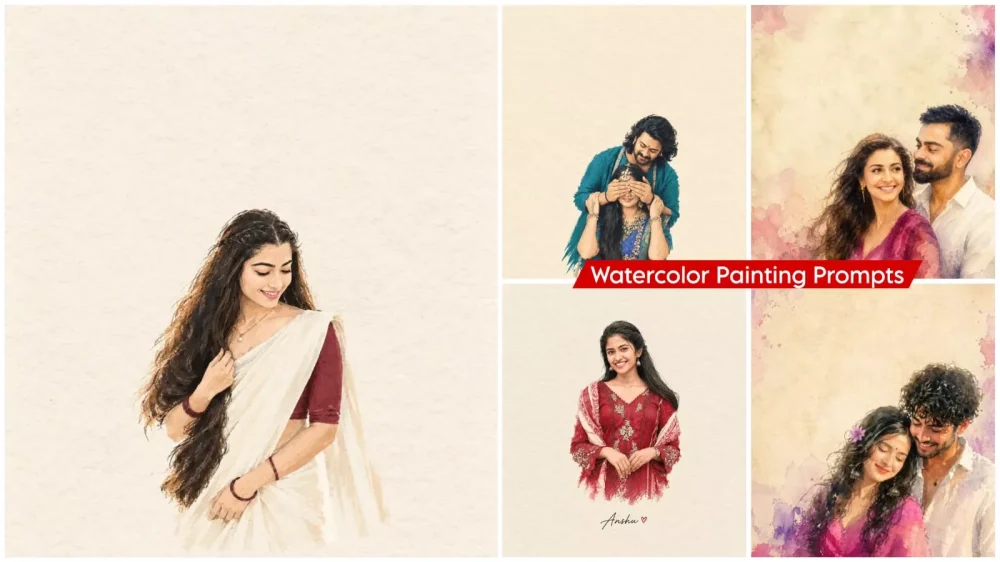
Watercolor Painting Style Ai Photo Editing Prompts – This is the essence of photo editing. It has completely revolutionized the creative process. You can now effortlessly transform any ordinary photograph into a watercolor painting—without possessing any actual painting skills. Traditionally, creating such a piece would require the expertise of a skilled painter or demand that you master the craft yourself; however, to replicate the viral trend currently sweeping across Instagram and YouTube—producing results that look absolutely identical—you no longer need to learn how to paint. All you need is an understanding of AI. In this article, we will explore in detail how you can utilize ChatGPT and specific prompts to convert any photograph into a watercolor painting—a style that is currently garnering immense popularity among people.
What Is Watercolor Ai Photo Editing?
Watercolor AI photo editing is a technique that transforms your images into watercolor paintings. It features soft colors and a distinct brushstroke aesthetic, creating a completely natural impression—as if the photograph were actually hand-painted with a brush. In reality, however, we are generating this effect using AI. The edges appear slightly blurred, lending the image an artistic quality that closely resembles a genuine, traditional painting. We will create this entirely using AI and also guide you on how you can create your own versions.
Update – This watercolor trend is currently going viral. People are creating different types of photos using it. If you want to create a professional photo like this, we’ll explain it to you in this article. You can use it to create your own photos with better results.
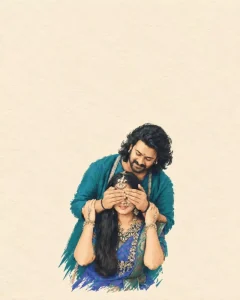
Extract the most recognizable visual elements from the original photograph and rainterprat them as a minimalist hand-drawn papar-coverillustration, Preserve:The most recognizable subjectEssential silhouette and proportionsKay pose or gesture Important objectsThe core narrative relationship between people and objects Highly simplity the image.Removeunnecessary details and retain only the visual information needed for immediate recognition, Use; Delicate, slightly imperfect hand-drawn Lines A small number of bold, clearly defined carylic-style plat color shapes Rough paper texture Visible handmade brush marks Slightly irregular, organio edges Subtle imperfections that make it feel genuinely handmade The main illustrated subject should be small, cantared, and carefully composed, occupying approximately 10-20% of the bottom half.Leave a large amount of negative spass around the illustration. The Bookground should primarily resemble: Rough white paper Warm off-white paper Pale natural paper Minimal editorial book-cover stook Use only a few Lines or small color shapes to suggest the surrounding environment, COLOR PALETTE Extract the dominant colors directly from the original photograph.Compress the palette into no more than 4 main colors, Keep the colors restrained, sophisticated, and harmonious. Use bold but controlled flat color blooks. Avoid excessive color variation, Preserve subtle paper grain and handmade brush texture.The illustration should visually feel like a simplified color interpretation of the photograph, TYPOGRAPHY A small amount of simple typography may Be included when appropriate, Possible elements: A short title Keyword Object name Location Year Number Short phrase Taxt should be minimal, understated, and editorial,Typography should naturally interact with the large areas of negative space and the small illustration, evoking: Pirt book covers Independent publishing Contemporary editorial designThoughtful children's picture booksDo not fores text into the composition if it does not naturally fit the photograph. VISUAL LANGUAGE The Final poster should feel: Quist Postio

Transform the uploaded photo into a minimalist hand-drawn paper-cover illustration. Preserve the subjects' facial identity, essential facial features, pose, proportions, silhouette, and family interaction accurately. Simplify unnecessary details using delicate imperfect hand-drawn lines, bold flat acrylic-style color shapes, visible brush marks, and slightly irregular edges. Use a background with plenty of negative space. Keep the family composition small and centered in the Center of the frame. Extract the dominant colors from the original image and use no more than 4 harmonious colors. Quiet, poetic, refined, editorial, handmade aesthetic. Use a background with plenty of negative space. Keep the family composition small and centered in the Center of the frame. Extract the dominant colors from the original image and use no more than 4 harmonious colors. Quiet, poetic, refined, editorial, handmade aesthetic.warm off-white textured paperwarm off-white textured paper4:5 Ratio.

Transform the uploaded photo into a minimalist hand-drawn paper-cover illustration. Preserve the subjects' facial identity, essential facial features, pose, proportions, silhouette, and family interaction accurately. Simplify unnecessary details using delicate imperfect hand-drawn lines, bold flat acrylic-style color shapes, visible brush marks, and slightly irregular edges. Use a warm off-white textured paper background with plenty of negative space.Keep the family composition small and centered in the lower 20% of the frame.Extract the dominant colors from the original image and use no more than 4 harmonious colors. Quiet, poetic, refined, editorial, handmade aesthetic.4:5
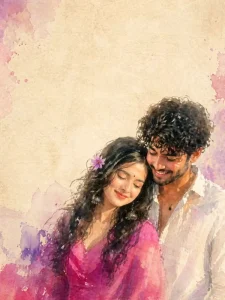
A romantic impressionist watercolor painting of a young couple standing close together in an intimate pose. The girl has long dark flowing hair with a small purple flower tucked near her ear, wearing a bright magenta dress that softly blends into the watercolor texture. The boy is dressed in a simple white shirt. The painting style is loose, blurry, and emotional, with soft brush strokes, smudged edges, and a dreamy unfinished look. The watercolor effect should feel expressive and fluid, with gentle color bleeding and natural paper texture visible. Background is minimal - plain textured beige paper like vintage parchment, with large empty negative space above the couple. The couple is positioned at the bottom-right corner of the frame, leaving wide space for text. Soft pastel watercolor splashes in purple and pink appear subtly around the edges.
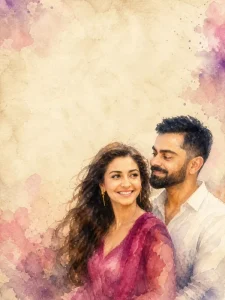
Illustrate an image of A romantic, dreamy portrait of a young couple standing back-to-back, captured in a soft watercolor painting style. The woman wears a flowing pink traditional dress with delicate floral textures, her long wavy hair gently blowing in the wind, adorned with a small flower. She has a calm, confident expression, looking slightly toward the viewer. The man stands beside her in a simple white shirt, with a relaxed posture and a warm smile, looking off into the distance. The background is minimal and artistic, with a warm beige textured canvas, blended with soft pink and purple watercolor splashes around the couple, creating a magical and emotional atmosphere. Lighting is soft and golden, giving a sunset glow effect. The overall composition feels romantic, elegant, and cinematic, with fine brushstroke details and a slightly painterly finish.
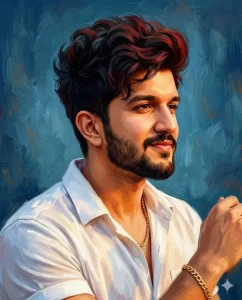
Ultra-detailed 22K UHD cinematic oil painting style portrait of a stylish man, classic hand-painted digital oil painting artwork with rich, textured brush strokes and a warm blue artistic background. Pose: Side profile portrait, head slightly turned to the side with a confident soft smile, calm and powerful personality. Look: Thick, stylish hair with black and red mixed tones, full beard and mustache, strong masculine facial structure. Outfit: Stylish white half sleeves shirt with a slightly open collar, simple gold accessories. Lighting: Soft cinematic lighting with warm highlights and deep shadows, enhancing facial depth and texture. Style: Highly detailed, painterly finish with visible brush strokes, dramatic depth, and a premium fine-art look.
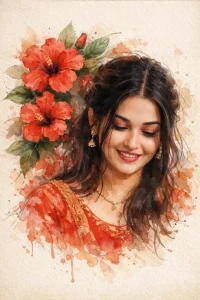
A stylized digital watercolor illustration of a young woman with soft, realistic facial features and expressive eyes, black hair loosely tied back with strands falling around her face. She wears a red traditional dress with subtle gold detailing and delicate jewelry. Large red hibiscus flowers and green leaves surround her head and shoulders, blending into the background like ink and watercolor splashes. The composition is slightly tilted, giving a dreamy, poetic feel. Fine sketch lines, paint
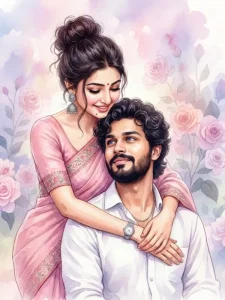
A high-quality digital watercolor painting of a romantic young couple. The woman stands behind the man, leaning forward to embrace him with her arms wrapped gently around his chest and shoulders. She has dark hair styled in a messy high bun with loose strands framing her face, a small red bindi, and large intricate silver jhumka earrings. She wears a soft pink traditional sari with embroidered borders and a silver watch on her left wrist. She is smiling softly, looking down
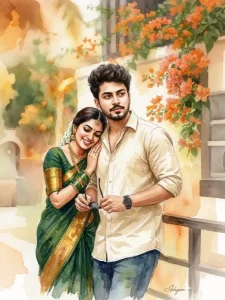
A high-quality watercolor painting of a young South Indian couple in a romantic, candid pose. The man has wavy dark hair, a groomed mustache, and wears a cream-colored linen shirt with a wristwatch. The woman is leaning affectionately on his shoulder, wearing a traditional dark green and gold silk saree, glass bangles, temple jewelry, and jasmine flowers in her hair. Use soft, blended brushstrokes with a warm amber and ochre color palette.
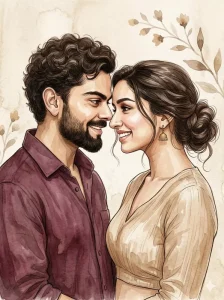
A romantic watercolor-style digital illustration featuring a young couple in an intimate close-up. The woman Body: Curvy hourglass figure. Size-Type: Large bust, has dark hair styled in a messy low bun with loose strands and small gold earrings, smiling warmly as she leans toward the man. The man has thick curly hair, a trimmed beard and is wearing a wine-colored shirt, smiling back at her. Their faces are very close with loving eye contact. The artwork uses soft painterly brush strokes, subtle ink outlines, warm muted beige and brown tones, and a minimal textured background with delicate floral elements., giving a premium, luxury feel ar3:4
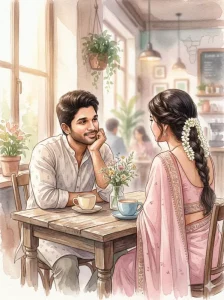
A soft watercolor illustration of a young South Indian couple sitting at a cozy café table. The man with a gentle smile is resting his face on his hand, looking lovingly at the woman. The woman is wearing a pastel pink saree with jasmine flowers in her hair, seen from the back. Two cups of coffee on the wooden table, small flower vase between them Warm natural light, dreamy romantic mood, hand-painted watercolor style, delicate brush strokes, pastel color palette,cinematic composition, high detail, aesthetic illustration.ar3:4
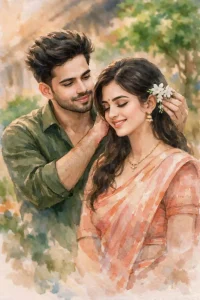
Create a soft, romantic watercolor-style portrait of a South Indian couple in a temple setting. The man is gently placing jasmine flowers behind his girlfriend’s head in a loving and affectionate way. The man with stylish messy hair ,looking lovingly at the woman. Warm natural light█ dreamy romantic mood, hand-painted watercolor style, delicate brush strokes, pastel color palette, cinematic composition, high detail, aesthetic illustration.Maintain the exact face identity, skin tone,
What You Need To Do This Editing
Let me tell you exactly what items you are going to need. First of all, select a standard photograph to use as a reference. It is crucial that you choose a photo with proper facial lighting; this editing method will not work if your face is cut off at the edge, appears blurred, or if the overall image quality is poor. In such cases, you will instead require a specific “prompt” to generate the image. We have already provided numerous prompts within the accompanying article, which you are free to utilize. Next, you will need to employ an image generation tool; for this purpose, we will be using ChatGPT. We will also guide you through the process of using this tool to create professional-quality edits.
How Do You Select The Right Photo?
If you want to create a high-quality image, the first step is to choose the right source photo—one in which your face is absolutely clear. Your face should be positioned precisely in the center of the frame, and the lighting—both on your face and throughout the entire image—must be excellent. The background should not be cluttered or overly busy; specifically, the presence of a crowd in the background could cause issues during the image generation process. You will achieve better results if you use a high-resolution photograph. While low-resolution images may still work, the final output might exhibit slight distortions or inconsistencies in the facial features.
How To Generate Image With Watercolor Painting Style Ai Photo Editing Prompts
How to Generate a Photo: If you wish to create a high-quality image, you absolutely must understand this process—after all, if you aim to produce a professional-grade photo, you need to know exactly how it’s done. First, select a prompt corresponding to a specific style or category. Pay close attention to the options available: is it for a couple? For a single individual? Is it designed for a male or a female subject?
You must keep these distinctions in mind so that you can generate a photo that is perfectly tailored to your specific requirements. If you decide to use a prompt intended for a male subject, proceed to copy it. Next, scroll down and click on the “Create Image” button, which will redirect you directly to ChatGPT. Once there, begin by pasting the prompt you copied. Then, locate and click on the “+” icon. From there, upload your desired photo; after pasting the prompt alongside it, initiate the generation process. Simply wait a short while, and your professional-quality photo will be easily created and ready for use.
Conclusion
You can do this Instagram trending editing very easily. I’ve explained all the steps, including how they’re created, and you just need to follow them and create them as quickly as possible. Now, tell us what your results were. If you found them good, let us know. If there are any shortcomings, you can ask us about them in the comments.