How To Make Ai Hulk Video – You’ve probably seen those funny Hulk videos that are going viral. Let me tell you, you can create videos like that too. People will tell you to make them this way or that way, but I’ll show you a completely free method to create the story for your video. The most important thing is creating the story, and I’ll show you a very simple way to do it. You can create a perfect story with this method, and the results will be so amazing, you’ll be surprised. You can generate videos just like the ones that are going viral, and it’s completely free. And you can create these videos with just a simple prompt. I won’t be explaining the process of generating photos; I’ll directly show you the process of creating the video.
Details Of How To Make Ai Hulk Video
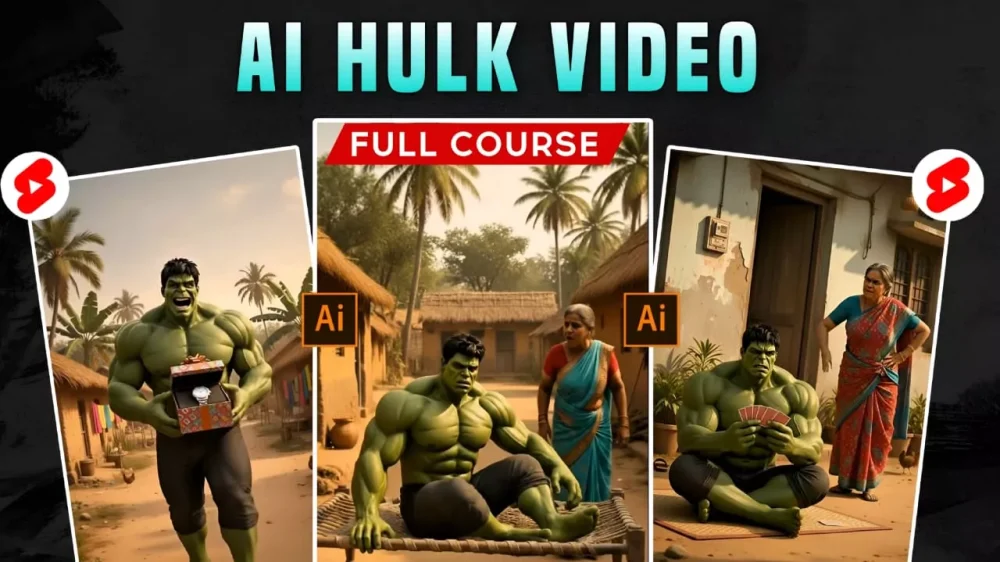
In this video, I’ll show you how the entire Hulk character is created. Now, this character is inspired by a movie, and that character is then adapted here in an Indian style. This means some ancient elements are added to it, which makes it look quite unique, and that’s why audiences are crazy about it. Everyone wants to watch these kinds of videos, from children to adults. They find these videos very entertaining, and this is going to be a great category for you if you want to start a YouTube channel. These types of videos are going viral right now, so I can tell you how you can generate such videos and what the process will be.
trending ai video / photo prompt
How To Generate Story And Video Prompts?
Let me explain. Here’s what you’ll do: I’ll give you a prompt. You’ll copy it, then go to GPT and paste it there. After pasting it into ChatGPT, you’ll see some text that says “Paste your story here.” You need to cut that text and write your own story in its place. How do you write the story? Let’s understand with an example. You’ve probably seen that mostly emotional stories are created here. I’ll tell you how you can explain your story. You can tell it something like this (don’t just use this example, though): Hulk has a car, and it gets stolen. His mother says, “Hulk, son, the car has been stolen.” So Hulk says, “What should I do now?” His mother says, “Go and file a complaint at the police station.” You can continue the story further according to your own ideas.
This was just a small example to show you that you can write about things that happen in real life, or anything you can think of. Write those things there, and it will give you a perfect story plus its prompts. The prompts will be in the form of dialogues, so you’ll get different prompts for different scenes. Copy the prompt for the first scene, and then we’ll understand the process of generating the video.
Prompt :-
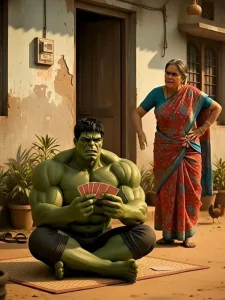
This is the opening image of a viral YouTube Short where Hulk is the main character. The story goes like this: PASTE YOUR STORY. Now write a unique story with the same word count and tone, and also convert it into a video by dividing the story into 8-second dialogue-based scenes. For each scene, create a Gemini Veo 3 video prompt.

Instructions: Video prompts must be in English, but dialogues must be written in Hindi (Devanagari script only). Each scene’s dialogue must match exactly what the character speaks in that scene. The main character must remain the same in all scenes. If a new character appears, describe that character in detail within that scene’s prompt. Hulk must be shown as a muscular bodybuilder. All scenes must be realistic, cinematic, and 4K quality. Every video prompt must clearly include: Dialogue (Hindi only), Location, Camera, Lighting, Audio, Mood, etc.

Do not overthink—keep the same emotional tone, just make the story new and unique.
How To Generate Video
Now, after you’ve copied the text, you’ll find a “Create Video” button. Click on it. This is the Google Flow website, where you’ll need to sign up. Then you’ll find a “New Project” option. Click on that. After clicking, you’ll need to select the “Text to Video” option. Paste the prompt you copied and click “Generate.” It will only take a few seconds, and your Hulk video with the dialogue will be perfectly ready. You won’t encounter any other problems. There’s one more thing: if you want to maintain a consistent character, here’s what you need to do. I’ll explain this process further.
How Do You Maintain A Consistent Character?
There’s an option for that. For example, if you have a character in your previous video that you want to keep consistent, you need to take a screenshot of that character’s image. You can even take a screenshot with the background. Then, go back to the same platform. Where you previously used the text-to-video feature, you’ll now use the frame-to-video option. Go to the plus icon and upload that screenshot. You’ll then paste the second prompt, the one describing the character you want to include. Simply paste it and generate the video. Your video with the consistent character will be ready.