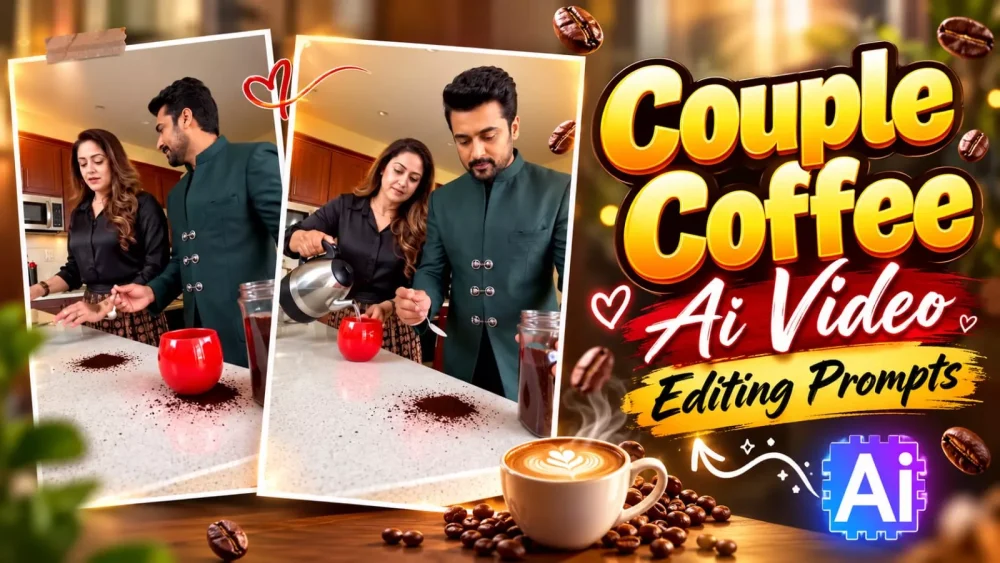
Couple Coffee Making Ai Video Editing Prompt – There is no shortage of new trends on Instagram. You will notice that something new is constantly emerging, and fresh trends keep appearing. People create engaging videos based on these trends. If you also want to go viral on social media by creating a video based on a current trend, this article will show you how. It provides a detailed, step-by-step guide on how to easily create a video with high-quality editing—the kind that has a great chance of going viral. I will walk you through the entire process, step by step; simply follow the instructions provided to create your own.
Couple Coffee Making Ai Video Editing Prompt
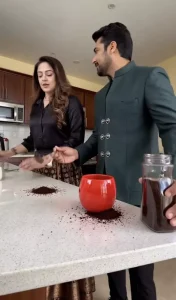
This is a rather funny trend. It typically involves two people—they could be a couple, or perhaps friends; you can choose whoever you’d like to feature in your video. In the scenario, one person takes a spoonful of coffee from a container and tries to put it into the other person’s vessel. However, the second person shifts their vessel away, causing the coffee to spill onto the desk. The first person then tries to pour it into a container on the other side, but the same thing happens—the coffee ends up spilling onto the desk again. These videos are quite engaging to watch and are very popular. If you follow these steps, you can easily create a viral video of this kind.
Process Of Creating This Ai Video?
These videos are created by replacing the character; you can use tools like Google’s gemini (or similar platforms) for this purpose. A crucial point to remember is that whenever you use a reference video, ensure you mute any music or sound present in it. If you don’t, the system might pick up that audio, which can interfere with speech generation and cause the video creation process to fail. Please make a note of this. The procedure is essentially the same for both options, so you can follow the same steps regardless of which tool you choose to use.
RECAST THE REFERENCE VIDEO using the 2 reference images provided.

INPUTS:
@video = Reference video (provides MOTION, TIMING, CAMERA and POSITION only)
@image1 = Person who will appear on the LEFT side of the frame
@image2 = Person who will appear on the RIGHT side of the frame

TASK:
In the reference video, replace the LEFT person entirely with @image1.
Replace the RIGHT person entirely with @image2.
Keep every action, gesture, movement, expression timing and body motion
exactly as in the reference video.

IDENTITY LOCK:
Face, hair, skin tone, body shape, and outfit from each @image ONLY.
@image1 face, hair, skin tone, body shape, outfit = locked. No deviation.
@image2 face, hair, skin tone, body shape, outfit = locked. No deviation.

NO CROSS-CONTAMINATION:
Do NOT mix features between @image1 and @image2.
Each character must remain fully distinct in every frame.

FACE LOCK — CRITICAL:
Each character's face must come ONLY from their @image reference.
Do NOT blend, merge, or borrow any facial feature from the reference video people.
@image1 face = only from @image1. @image2 face = only from @image2.
Reference video faces = completely blocked. Zero face bleed. Zero facial mixing.

HAIR LOCK — CRITICAL:
Preserve exact hairstyle, hair colour, and hair length from each @image ONLY.
Reference video hair = completely ignored.

OUTFIT LOCK:
Preserve each @image character's exact outfit, accessories, jewellery, glasses,
face paint, footwear and every clothing detail from their reference image.
Do NOT replace, simplify, or alter any clothing element.
Reference video outfits = completely ignored.

BODY SHAPE LOCK:
Match each @image character's body proportions exactly to their reference image.

ZERO REFERENCE VIDEO INFLUENCE — ABSOLUTE:
Do NOT take ANY appearance element from the original people in the reference video.
This includes face, skin tone, hair, eye colour, outfit, body type,
facial structure, or any physical feature.
The reference video provides MOTION and POSITION ONLY — absolutely nothing else.
All visual identity comes EXCLUSIVELY from @image references.

POSITION LOCK:
@image1 always stays on the LEFT, @image2 always stays on the RIGHT,
exactly matching the original positions, scale and spacing in the reference video.

BACKGROUND LOCK:
Background, location, props, lighting, colour grade and camera movement
= UNCHANGED from the reference video. Do not touch.

TEMPORAL CONSISTENCY:
Both characters must look identical across every frame.
No face flickering. No identity drift. No partial reversion.

TEXT LOCK:
Do NOT add any subtitles, watermarks, captions, or text overlays.
Output video must be completely text-free.

GLOBAL OVERRIDE — ALL SCENES ALL CUTS:
Apply this recast to EVERY frame and every cut of the video.
@image1 and @image2 WIN over the reference video people. Always. No exceptions.
NO REVERSION to the original reference video people at any point. EVER.
How To Generate Video?
To create this video, you will need the reference video that we have already provided in this article; please save it, as we will use it to generate the content. Once you have saved it, open the Google Gemini or Google Vids (Google Flow) website. Create a new project and upload the reference video. You will also need the reference photo—which we have also provided—so be sure to upload both files. Once you initiate the generation process, it will create an excellent video for you, yielding a high-quality result.
Conclusion
If you want video editing on any social media trend, or photo editing, you can contact us again and again. You can ask us if we have learned such editing skills. We will definitely tell you how you can easily edit such social media videos. What will be their results and how will you get good results?