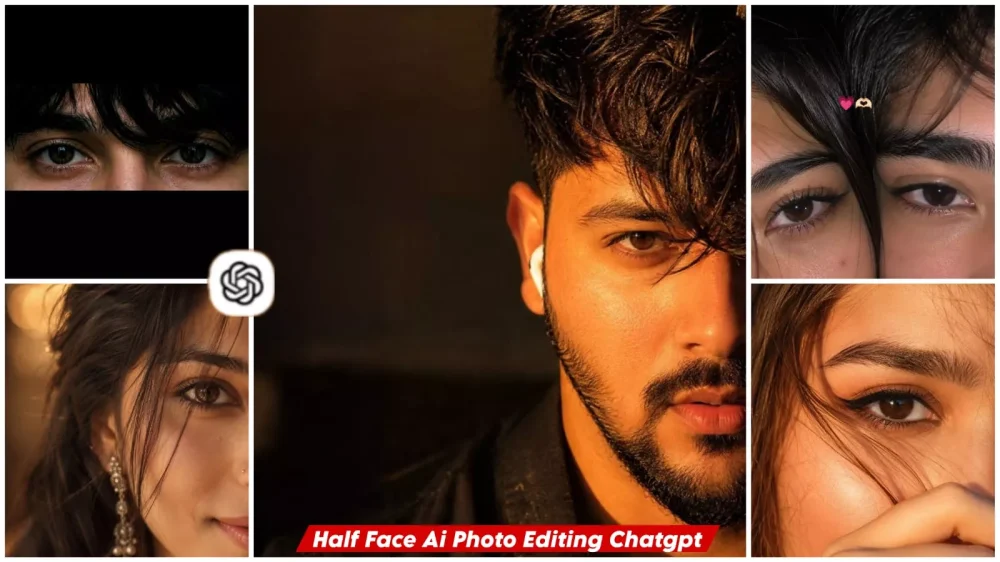
Half Face Ai Photo Editing Prompts – You have likely seen such photos going viral on social media recently—images where people showcase just half of their face, creating a somewhat cinematic, dark, studio-style look. These photos are often transformed into viral videos by adding song lyrics to them. In this article, we will explore the entire process of creating these striking half-face photos, which are highly popular and frequently used as profile pictures (DPs). We will cover how easy it is to create them and walk you through the steps involved. If you are interested in learning how to do this, read on.
Why Are “Half-face” Photos Appealing To So Many People?
You see, there is a rule in photography that it isn’t always necessary to show the entire subject. Even showing something partially can leave a strong impression on the viewer. In these half-face photos, only one side of the face is visible, illuminated by the lighting. It captures the viewer’s undivided attention for a few moments—and that is the reason why. Such photos are particularly captivating on social media, with many people choosing to use them as their profile pictures (DPs); they simply appear more impactful.
Which Styles Of Half-face Portraits Are Currently Going Viral?
You’ll see various types of photos trending in this category. The most viral style is the “black shadow” portrait, where half the face is visible against a dark background. Then there are warm-toned photos featuring golden lighting, as well as styles using neon lights. I have tried to include these specific styles—I’m certain you’ll love them. Do take a look and share your thoughts with us on which one you liked the best.
Update – I’m updating this article so you can see another new trading edit. This one is going to be the most viral one yet. I’ve shared a lot of edits in the office, so I’m adding it here.
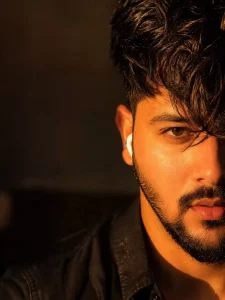
Ultra-realistic cinematic close-up portrait of a handsome young man, half face visible, thick messy wavy hair covering one eye, brown eyes, sharp eyebrows, natural beard and mustache, soft lips slightly parted, white wireless earbud, warm golden hour sunlight on face, dramatic shadows realistic skin texture and pores, shallow depth of field, blurred indoor background 85mm lens f/1.4, sharp focus, high contrast, photorealistic DSLR photography, Instagram aesthetic, ultra-detailed.
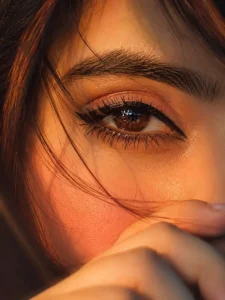
Use the uploaded reference image. STRICT EYE IDENTITY LOCK:

Preserve 100% the exact same eye-identical eye shape, iris color, pupil, eyelids, eyelashes, eyebrow, skin texture, pores, and facial proportions. Do not beautify or alter any eye details.

Ultra-realistic cinematic macro close-up of a single deep brown eye filling the frame, warm golden-hour sunlight, natural glossy catchlights, soft nude eye makeup, thin black winged eyeliner, thick natural eyebrow, ultra-detailed skin with realistic pores, a few loose hair strands crossing the face, hand softly covering the lower face, shallow depth of field, luxury beauty editorial photography, Canon EOS R5, 85mm lens, f/1.4, HDR, photorealistic, 8K, ultra-sharp, masterpiece, true-to-life colors.

Negative Prompt: changed eye, different iris, different eyebrow, altered eyelashes, beautified eye, extra eye, blurry, soft focus, plastic skin, cartoon, anime, CGI, low quality, low resolution, distorted face, Al artifacts, watermark, text, logo.
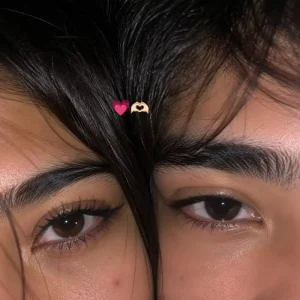
Use 100% of both faces above the image uploaded
Must look exactly like a real iPhone front camera flash selfie uploaded to Instagram, not an Al-generated image. Preserve natural imperfections, realistic skin pores, sensor noise, slight blur, imperfect framing, and authentic smartphone camera artifacts. Create an ultra-realistic candid smartphone selfie of two young people with only the upper half of their faces visible, framed extremely close to the camera. Their faces are pressed together naturally, creating an intimate, cozy composition. The left person shows one eye with long natural eyelashes, while the right person has soft messy black bangs partially covering one eye Warm hazel-brown eyes with realistic reflections, natural skin texture with tiny pores, faint acne marks and subtle imperfections. Soft black hair with loose strands falling across the face. Low-light indoor environment with a phone flash, soft overexposed highlights, slightmotion blur, shallow depth of field
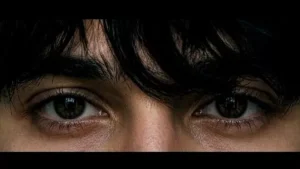
Use my uploaded reference photo as the ONLY identity reference. STRICT IDENTITY LOCK — preserve my exact face, eye shape, iris size, eyelids, eyelashes, eyebrows, skin tone, nose bridge, forehead, hairline, messy bangs, facial proportions, and every tiny facial detail with 100% accuracy. Do not beautify, alter, reshape, de-age, or change anything about my face.

Create an ultra-realistic, cinematic extreme close-up of only my eyes and the upper nose bridge, matching the reference composition exactly. Keep the same horizontal crop (approximately 16:9), the same framing, the same camera distance, and the same perspective. My messy black hair should naturally fall over my forehead and partially cover the eyes exactly like the reference. Maintain the same intense direct eye contact with the camera.

Lighting should be soft, moody, low-key, with subtle film grain, muted colors, realistic skin texture, natural pores, and gentle shadows. No beauty filter, no AI-looking skin, no over-sharpening, no extra contrast. The final image should feel like a real DSLR macro photograph with a premium aesthetic and authentic cinematic color grading.

Negative prompt: do not change my identity, face shape, eyes, eyebrows, hair, hairstyle, expression, skin tone, camera angle, crop, framing, lighting style, or proportions. No makeup, no smoothing, no HDR, no fantasy effects, no accessories, no text, no watermark, no blur, no artifacts. Output in the exact same landscape aspect ratio and crop as the reference image.
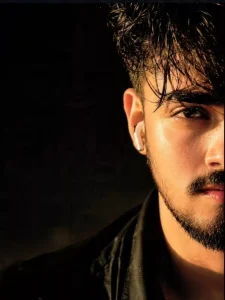
A luxury editorial-style, ultra-realistic close-up portrait of a confident young man, framed so that only the right side of his face is visible. His sharp brown eye looks directly into the lens with calm intensity, while thick, tousled black hair naturally falls across his forehead. A neatly trimmed full beard and mustache complement soft, natural lips with a subtle sheen. Warm golden-hour sunlight streams from one side, sculpting the face with cinematic highlights and deep shadows in rich amber hues. Every skin pore and beard strand is rendered with lifelike precision. He wears a black shirt with a single white wireless earbud in the visible ear. The background is dark, creamy, and heavily blurred, creating strong subject separation through an ultra-shallow depth of field. Captured as if on a professional full-frame DSLR using an 85mm prime lens at f/1.4, with razor-sharp eye focus, HDR detail, premium editorial color grading, natural tones, dramatic contrast, photorealistic 8K quality, and an exceptionally refined, masterpiece-level finish.
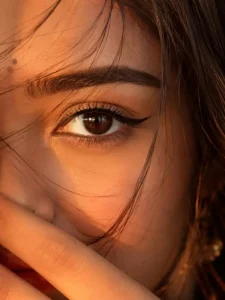
Ultra-close cinematic portrait of a young woman, only half of her face visible, warm golden-hour lighting, soft amber tones, loose dark hair strands falling across her face, deep brown expressive eye in sharp focus, subtle natural makeup, small nose piercing, glossy natural lips, long dangling silver earring, dreamy and intimate mood, shallow depth of field, creamy bokeh background, soft shadows, high skin texture detail, photorealistic, DSLR photography, 85mm lens, f/1.4, warm color grading, moody aesthetic, editorial beauty shot, ultra-realistic, 8K quality.
Ratio 3:4
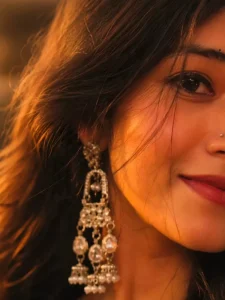
Ultra-close cinematic portrait of a young woman, only half of her face visible, warm golden-hour lighting, soft amber tones, loose dark hair strands falling across her face, deep brown expressive eye in sharp focus, subtle natural makeup, small nose piercing, glossy natural lips, long dangling silver earring, dreamy and intimate mood, shallow depth of field, creamy bokeh background, soft shadows, high skin texture detail, photorealistic, DSLR photography, 85mm lens, f/1.4, warm color grading, moody aesthetic, editorial beauty shot.
What Makes A Good “Half-face” Photo?
Many of you might think that simply cropping the image to show half the face is enough, but the visible half needs to be clearly defined. The lighting should look completely natural, and the background should be kept simple—ideally a solid color. Also, avoid using unnecessary filters on your face; people often apply filters via Instagram or other apps after taking the shot, which can make the image look unnatural. Finally, the focus of the photo should be on the eyes—if the viewer’s gaze is drawn to the eyes, your photo is perfect. It is these small details that transform a picture into an impactful one.
How To Create This Image?
Let’s understand how to create this photo. You simply need to follow a straightforward process, which we will cover in this article. First, open ChatGPT and upload your photo by clicking the plus (+) icon; you can use any photo as a reference—specifically, one that clearly shows your face. After that, hit ‘Generate.’ It will create a fantastic image for you, matching the style of the prompt you copied. You will get a result that aligns perfectly with that style. I am sharing these details because I have tried this process myself.
Conclusion
We hope this editing tutorial has been helpful to you. I have explained all the editing details here. If you have any questions about specific aspects, please let us know in the comments; we will keep bringing you various types of content to help you create even better photos.