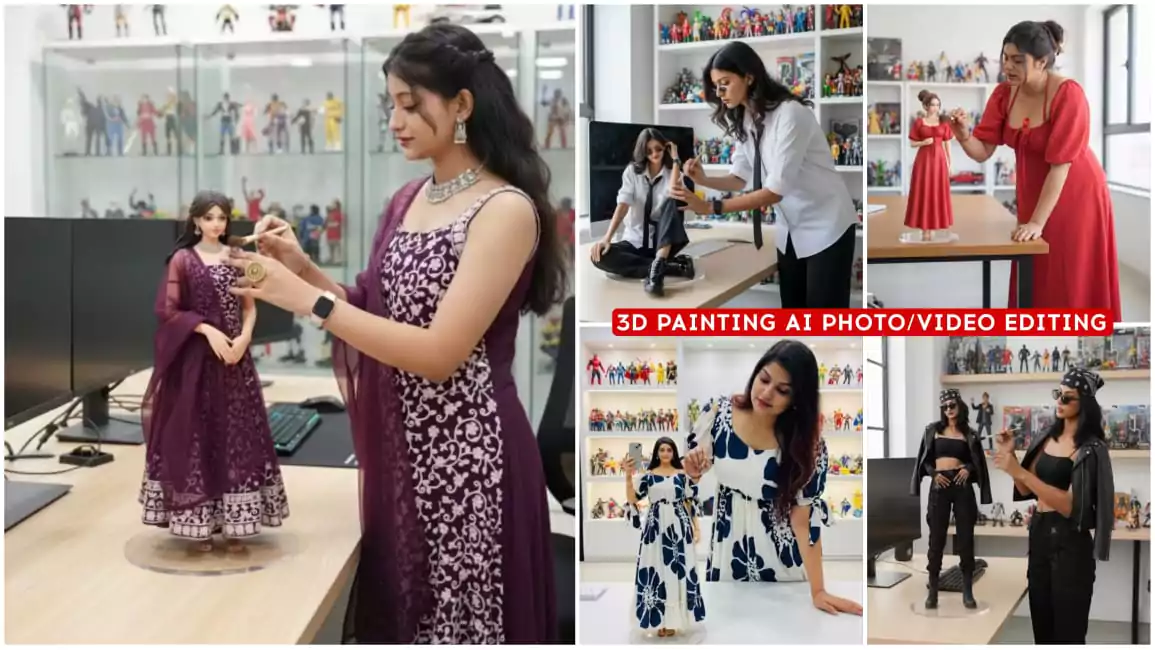
Google Gemini 3D Painting Ai Photo Editing – After 3D action figures, such 3D painting videos are becoming very viral and now if you want to create it, then here I am going to explain to you how to make such photos and videos because normally most people will teach you to make such photos. But on our website, you will also be explained to create videos along with how you can convert it into a video. How you can make it a photo. You will get all the details in this article itself, so if you read this article carefully once, then your editing is solved hundred percent and your video is created in a completely viral type.
Google Gemini 3D Painting Ai Photo Editing
Now if you want to do this editing, then what will you see in this editing. How will you see editing in it. I will tell you all the things. He looks like you and he is absolutely perfect. I live like you and he is painting his own 3D model with a brush. He is making some changes in it and it is going viral so now many people were commenting to make it. That brother teach us editing of this, so many people were saying that teach us photo editing, many people were saying. I am going to tell us about the video, how you can do both the things and in a completely free way, which is a very simple and free way, with the help of that we will make and teach you too.
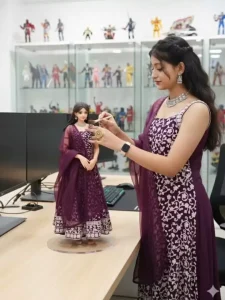
Create a 1/7 scale commercialized figurine of (the character in the picture), realistic style, in a real environment. Figurine placed on a computer desk. has a round transparent acrylic base. Next to the desk is the real person in the picture, in the real life size with the same attire as in the picture and the figurine, cleaning the figurine carefully with a fine brush. in a modern styled studio room, brightly lit. With some collection of toys and action figures in the background.
Create Your Photo & Video
For this, first of all you will have to use your prompt, so here two prompts will be provided. One for photo and one for video, see the photo form will be a little bigger. It will have all the details of the photo and the video one will be just for movement, that is to add movement in the photo. Which website will be used for both. I will explain that to you. For one we will use google gemini in which we will generate the photo. For the second we will use Google Gemini, here we will use pixverse ai. In this we will generate our video. Photo to video has to be generated in this.
The person is painting on the figuring model using brush
How To Use Google Gemini 3D Painting Ai Photo Editing ?
Now how do we generate our photo for this. Now look, to generate the photo, first of all you are given the photo prompt here. You just have to select it and copy it after selecting it. After that you will find a button called Create Your Image below. You have to click on it. After clicking on it, you will go to another website called Google Gemini. After going to this website, first of all you have to sign up with your Gmail. that paste the prompt there. pasting, you have to click on the plus option. if you want to upload a photo there, then you have to upload your full photo there. Here half photo will not work, upload full. It will generate your photo with absolute perfection. Then after that click on the generate option and your photo will be generated and ready.
How To Create Video ?
Now when it comes to generating the video, how do you generate the video? To generate the video, you have been provided a prompt of a video. You have to copy it and then you will find a button below it. Click on Create Your Video. By clicking on it, you will go to the website. Where you have to generate the video, first of all you have to sign up with your Gmail ID and you will get some credits. You will generate your video with this credit. Then below you will find an option to upload an image. You will get the option to write,
then on the image option, you have to upload the same image. Which you have just generated from Google Gemini. After that you have to paste it. Then click on the generate option. It will take 20 credits and it will generate your video in a few seconds. Whatever kind of video is going viral here, you will get to see exactly the same video there.
Overall
In this way, you can generate trending images and videos and as I explained to you, you can easily create such viral images, so I hope you liked this kind of editing and you must have edited it well. Now it is up to you how much creativity you use and how you complete your editing?