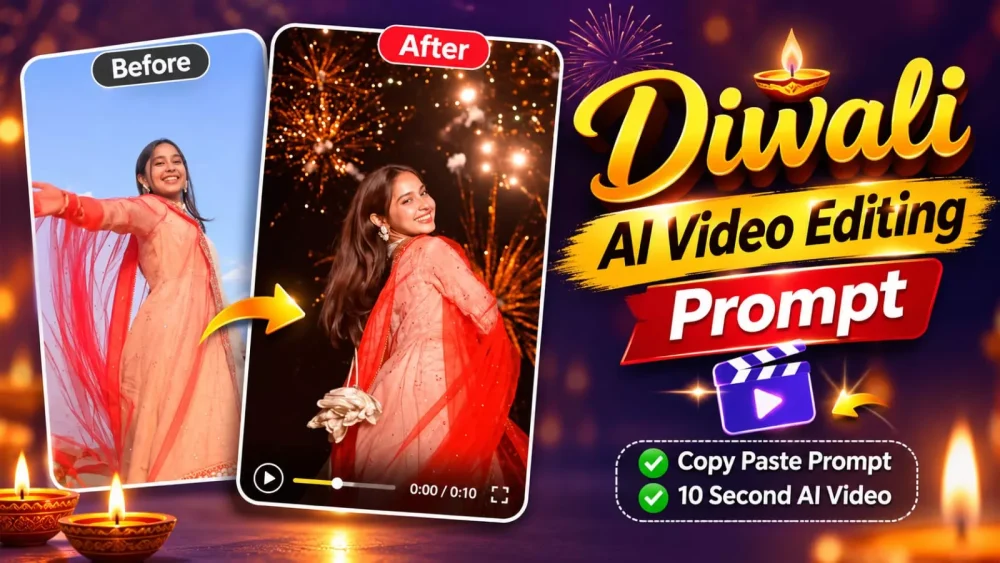
Diwali is more than just a festival; it is a celebration of joy, light, decorations, and vibrant colors. If you browse platforms like Instagram, YouTube Shorts, or other social media, you will notice that AI-generated videos are becoming increasingly popular. In particular, videos that transform ordinary photos or clips into stunning, festive Diwali-themed scenes are highly sought after. These AI-enhanced videos look incredibly professional—as if they were captured using high-end, professional camera equipment. If you would like to create your own professional-looking Diwali video, this article will provide a comprehensive guide on how to use Google’s tools to craft such high-quality content.
Details Of Diwali Ai Video Editing Prompt
What is Diwali AI video editing? It is a highly creative form of video editing that transforms your photos or videos into something incredibly realistic. If you provide a standard photo or video, it will be converted into a beautiful, cinematic moment. For instance, you could be shown standing in front of a home decorated in a traditional style, or the video might capture the scene from below as fireworks light up the sky—creating a truly stunning visual. The footage will feature smooth, gradual zooming, resulting in a high-quality, slow-motion-style video.
Why create AI videos using Google Vids (Google Flow)?
Creating AI videos with it is quite simple, and it offers a wide range of options—such as text-to-video and image-to-video. If you want to create a specific visual, you can use an existing video or a photo as a reference. The advantage of this approach is that it delivers a realistic, cinematic look with fluid motion. It also preserves facial identity, and you can tailor your videos for social media by choosing between 16:9 and 9:16 aspect ratios.
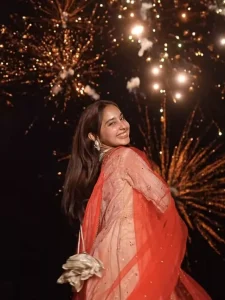
A seamless cinematic day-to-night match cut transition. The scene starts in bright daylight under a clear blue sky, showing a joyful, beautiful young Indian woman with long dark hair twirling in a slow-motion spin, wearing an elegant cream-colored embellished Anarkali lehenga with a flowing bright red dupatta. As she spins and her red dupatta sweeps across the camera, the scene seamlessly transitions mid-twirl into a pitch-black night illuminated by bursting golden fireworks and sparkling firecrackers. She continues spinning smoothly into the night scene, looking up and laughing with an ecstatic smile, holding a potli bag. Warm rim lighting from sparkling fireworks, festive Diwali aesthetic, photorealistic 8k, fluid motion continuity, seamless transition.
Who understands the process of making a video?
Look, to make a video, you first need a prompt and other details like an idea. To decide what type of video you’ll be creating, first copy the problem provided in this article. After copying it, open your Google website, the direct link of which I’ve shared here. You can create it from there. Go to “New Project.” Click on the “plus” option above and upload your reference photo, as it will generate the video using your photo. Then, paste your prompt and generate a 9:16 aspect ratio, and it will create a video exactly like the one currently going viral on social media.
How To Create Video using Gemini?
You can now use this process in tools like Google Gemini, where you can simply upload your reference photo and use the same prompt to create it. The interesting thing about Gemini is that you first need to select a video model. Only then will it be created, but the results are quite good there, and you’ll get a better result here too.
Conclusion
This way, you can create a viral Diwali video for Instagram, which will be incredibly cool and well-crafted. The results will be quite impressive. If you’re not sure about editing, contact us. Ask us, and we’ll be sure to tell you.