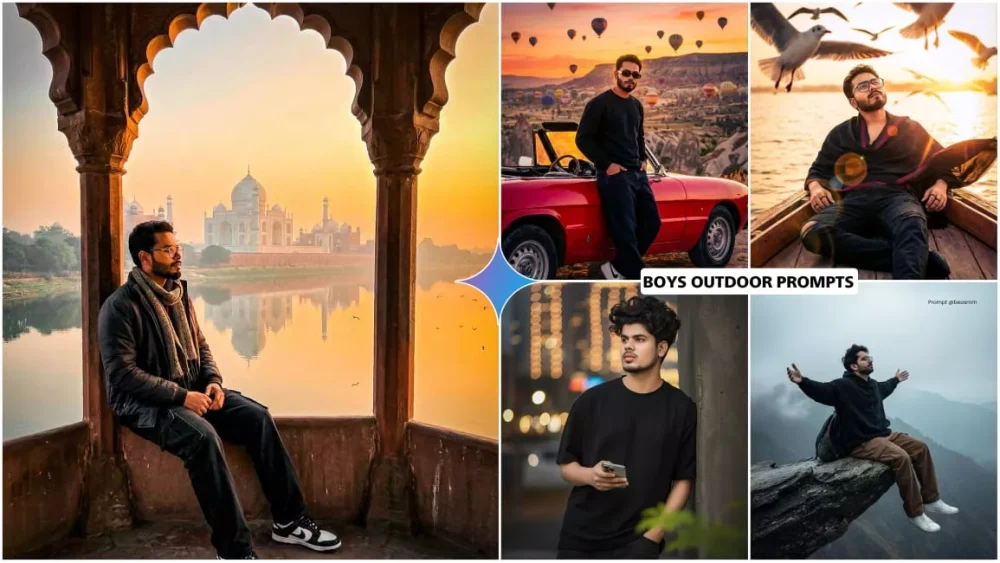
Google Gemini Boys Outdoor Ai Photo Editing Prompts – This is the biggest trend on social media these days: people are uploading a lot of outdoor photos. You’ll see many such photos being uploaded. How do they do it? If you want to know, I’ll tell you, because nowadays you can easily create these kinds of photos. These photos are created with the help of Google Gemini. You should know that Google Gemini creates our photos in a very professional way. It only requires a single selfie. Using just one selfie, you can virtually visit any popular tourist destination. If you want to know how to do all this, follow this article where all the details will be shared.
Google Gemini Boys Outdoor Ai Photo Editing Prompts
Check out the outdoor concept here. Google Gemini automatically adjusts your photo’s pose, lighting, and everything else to an outdoor location, making it look completely natural. The features include: natural skin lighting, perfect blurring effects, and a perfectly rendered atmosphere and colors. It will show you shadows and travel stories so realistically that you’ll think you actually took the photo at that location. You won’t even realize that you generated these photos using a selfie. Let me explain how this works.
How It Works ?
Let’s talk about how this works. Look, I’m not talking about editing right now. I’m explaining how it works. Once you understand the process, you need to select a good photo. You need a half-body shot that clearly displays your face. The article showcases various photos accompanied by different prompts. You have to use these prompts. They determine your model and the theme, and how your photo will turn out. If you want natural light, you select the prompt accordingly, and then you generate it using Google. You can change the location according to your preference. When you select a location, its name appears, allowing you to make changes and adjustments as needed. Google generates everything perfectly. The resulting travel photos look very realistic.
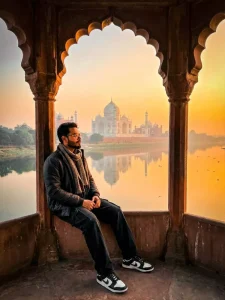
Same young man (face 100% identical to reference),

"A man sitting at the edge of an old sandstone pavilion arch, facing sideways toward a serene riverside at sunrise. Soft golden-orange sky glowing behind the iconic white marble monument with multiple domes and minarets, reflected perfectly in the calm river. Early morning mist over trees and riverbank, small birds flying over the water. The man is wearing dark winter clothes with a textured wool scarf, loose black cargo jeans, black/white Patti nike shoes, sitting calmly with hands resting near his lap, looking toward the glowing horizon. Warm soft sunrise light, peaceful mood, cinematic depth, ultra-detailed textures on stone, 8K ultra-realistic, natural colors, sharp shadows, rich contrast, 3:4 ratio."
(3:4 Vertical, DSLR Quality, Cinematic)

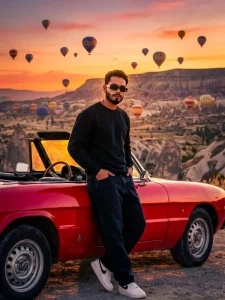
Ultra-detailed cinematic full-body portrait at sunset with hot air balloons floating across

the sky.

A young man stands beside a red convertible, one hand casually in his pocket, the other resting on the car door.

Outfit: wearing a black sweatshirt, black loose denim jeans, white Nike shoes, and slim rectangular black sunglasses Strong golden backlight outlines his silhouette.

Cappadocia rock valley visible behind him.

High-contrast, ultra-realistic colors, editorial fashion look.

face must remain 100% identical to the reference photo,
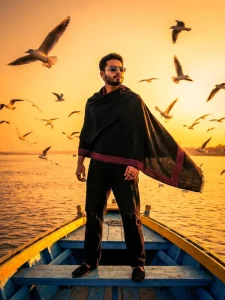
Ultra-realistic cinematic sunset portrait on a bright orange sky river scene, with dozens of seagulls flying around.

A young man stands confidently on the front bench of a blue-and-yellow wooden boat, heavy sunset glow behind him.

Outfit: black shawl with maroon embroidered border, flowing dramatically in the warm wind; loose black ripped jeans, black slip-on shoes, thin rectangular sunglasses with silver frame, black rings.

He stands tall with hands relaxed by his sides, looking toward the horizon.

Golden sunlight hits his face and shawl, creating strong rim light.

Water reflects the warm sky, birds in motion blur create cinematic depth.

DSLR 8K, high contrast, golden-orange grading face must remain 100% identical to the reference photo,
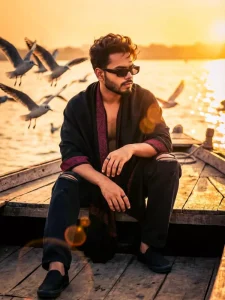
Ultra-realistic DSLR portrait of a young man sitting on a blue wooden boat during a dramatic golden sunset.

He leans forward with elbows on knees, hands clasped loosely, giving a sharp intense attitude look toward the side. Wearing a black shawl with maroon embroidered border, black ripped jeans, black slip-on shoes, minimal black rings. Soft messy hairstyle with sun highlights. Flock of seagulls flying close, warm golden sunlight creating strong rim-light and cinematic lens flares. Water sparkling behind him, shallow depth of field, 8K clarity, cinematic mood.

Outfit detalls:

luxury black shawl loosely open, maroon border flowing slightly,

-rectangle black sunglasses.

-Loose black ripped jeans, slip-on shoes, black rings visible.

face must remain 100% Identical to the reference photo,
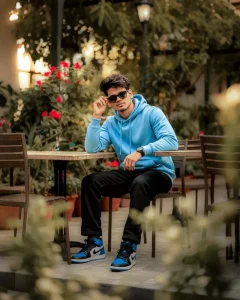
Ultra realistic cinematic full frame wide photo of a 20 years old stylish young man, (5'7", slim-fit body), with the exact same face and hairstyle as the uploaded Image, including matching nose, eyes, cheeks, and eyebrows. Only change face cxpression and hair, sitting casually at an outdoor café surrounded by lush green plants and red flowers. He is wearing a regular sized light sky blue hoodie, dark black regular sized loose fit full length jeans, and blue and black stylish nike air jordan high og shoes. He is wearing black stylish sunglasses and a wristwatch.

Pose and expression: the man is sitting stylish free style on a wooden chair
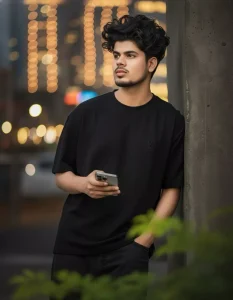
Ultra-realistic 8K portrait of a handsome slim-fit skinny young boy (face reference from image) with curly hair. Wearing a black texture oversized LV tshirt, black loose jeans. Looking thoughtfully off-camera, holding a iphone 17 Pro, leaning on a wall. Blurred green leaves in foreground. Flawless glowing skin, vibrant bokeh city lights background, warm cinematic mood Modify my uploaded photo according to this.

Keep my face 100% Same as reference image
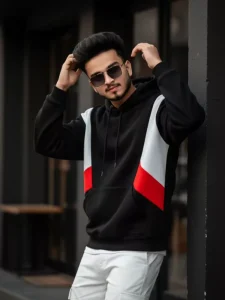
A hyper-realistic 4k cinematic portrait based of 22 year old young man half body a vibrant, high-fashion portrait of Voluminous hair, He is posing one hand in hair against a dark pillar, looking front side with smile and to the side with a pensive and cool expression.

His outfit is a black oversized hoddi in shades of white, black and Red, white cargo pant, dark-tinted sunglasses, The background is blurred, showing a building with dark tones, possibly a shop or cafe,
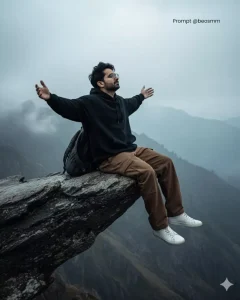
Use the same face.

Create a hyper-realistic portrait of a man sitting in a cliff a of rock in mountain, ( Used reference photo 100% for Face details) the full shot of a man from the side view, with Wavy Farming massy hair, sitting on the edge of a rocky cliff. He is wearing a Black Oversized Hoodie and Brown oversized pants and white sneakers. A rests on the rock beside him. In the full dence misty background, there is a foggy, vast mountain view with a light, overcast sky.High-quality photo, cinematic light, deep shadows and bright highlights.

Man open arms
create image with google gemini
How To Use Google Gemini Boys Outdoor Ai Photo Editing Prompts
Now let’s talk about how to create the photo, as this is the most important part of the process. People don’t understand this and then forget the generation process. Let me explain how it works. First, you need to copy the prompt. Different prompts are shared in the article. Copy the one you like. After copying, go to the Google tool – there’s a button provided for this. You can click on it to go directly there. First, paste the prompt there. After pasting, go to the plus option and upload the photo. Then, click on generate, and it will create your photo according to the prompt you used. Different prompts are provided here for different locations. All of them are of the best quality. You will see completely realistic results. For good, realistic photos, use Google’s “Thinking” mode; you’ll get even better results with it.
Conclusion
Look, you can create photos like this right from the comfort of your home. A completely normal photo transforms into a unique type of image, fulfilling people’s desire to create from home. You can create different travel-themed photos this way, all from home. This is especially great for those who don’t know anything about photo editing; even they can easily do this.