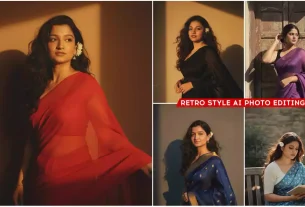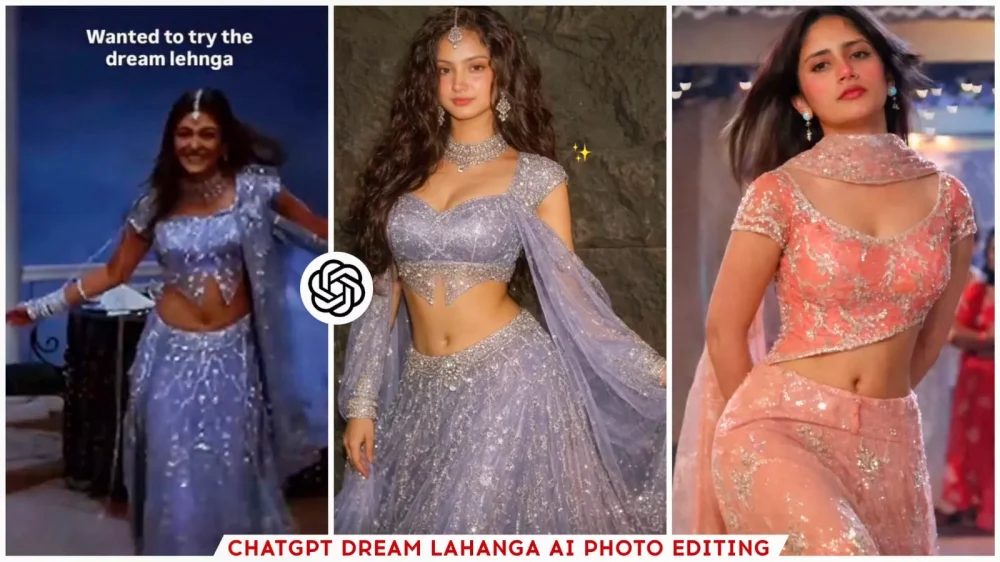
ChatGpt Dream Lehenga Ai Photo Editing Prompt – You’ve probably seen it already. A video is going viral on Instagram, featuring a popular editing trend among girls. In the video, you see a girl wearing her dream lehenga. How does this happen? It shows that an actress in an old film from the 90s was wearing that lehenga. Then, some girls wanted to try it on themselves, so they used AI. There are so many amazing things you can do with AI these days. They essentially “tried on” the lehenga using AI, and it worked! So I thought, why not tell you about it? If you want to create this kind of trending edit, it’s incredibly simple. Creating this type of edit is very easy, and you could even go viral after creating it.
Details – ChatGpt Dream Lehenga Ai Photo Editing Prompt
Look, this Instagram Reel shows a video playing at the beginning. In this video, the girl is wearing a particular lehenga. Then, it shows that she added a screenshot of that video to ChatGPT, uploaded a selfie of herself, and then generated a new photo. Her photo, with the same lehenga from the video, is ready. Everyone was surprised to see this. How is this even possible? Well, it’s actually quite easy. Let me explain. All you have to do is provide an image and use a prompt. The photo is then generated. So, I’ll show you how you can use this lehenga, along with other lehenga photos, to create a great picture of yourself.
How To Use ChatGpt Dream Lehenga Ai Photo Editing Prompt
Let me first teach you how to create photos like this. I’ll show you how to make these kinds of pictures. We’ll be using ChatGPT extensively for this. We won’t be using Gemini because all the photos that have gone viral were created using ChatGPT. All of them, and the results were 100% accurate. I’ll show you how. You can do it too. First, you need to open ChatGPT. Go to the plus option and upload your selfie and the photo of the lehenga (traditional Indian dress). I’ve provided the link to the lehenga photo on my website. Save it and upload it there. Use that photo as a reference, and then a prompt will be provided. Copy that prompt and paste it there. Generate the image, and your photo with the lehenga will be ready. You’ll find some normal lehengas here, but the problem is, what if you want to create photos with different types of lehengas? What can you do for that?
Upload the outfit reference photo

Using my uploaded photo as reference, change my outfit to the exact lavender-blue lehenga from the reference images. The lehenga has heavy silver sequin embroidery, a fitted short-sleeve blouse with a deep neckline, a flowing embellished skirt, and a sheer matching dupatta draped naturally over one shoulder. Keep my original face, body type, skin tone, and hair exactly the same with realistic proportions.

Cinematic low indoor lighting, soft blue background, elegant Bollywood night scene vibe. High realism, sharp focus, natural skin texture, detailed fabric shine. No text, no watermark

Step 1: Open ChatGPT
✨ Step 2: Upload your photo first
✨ Step 3: Upload the outfit reference photo
✨ Step 4: Write this prompt 👇

Use the 2nd image as the main reference. Keep the exact same pose, full-body framing, dress, hairstyle flow, dress movement, body proportions, and overall composition. Replace ONLY the face/identity of the girl in the 2nd image with the girl from the 1st image. Make it look like the girl from the 1st image is naturally wearing the same strapless blush-pink gown from the 2nd image. Match her facial features, smile, skin tone, bindi, and overall look seamlessly (no artificial edits). Maintain golden-hour lighting with soft warm highlights and cinematic depth of field. Keep the same flower-garden background with golden lighting, dreamy bokeh, and warm tones. Do not change the dress color, background, or pose. High-resolution, photorealistic output.
Create a portrait A young woman Place the outfit in a image 2 on the woman in image 1, Without changing my facial features and face. Create this picture 4k quality but bright image of the reference picture. It should be look like realistic. Create a photo of me in a room with white background posing elegantly afternoon sunlight. hairstyle juda featuring long, wavy, dark hair parted down the middle. She is wearing the clothes provided in the second picture.
Plzz don't change my face
Also Find Lahanga From Pinterest App
First, open the Pinterest app. You’ll find a search option there. You can search for different types of lehengas (traditional Indian skirts). Since I don’t know much about lehengas, you can just type the name of the type you’re looking for and then search. You’ll get many options. Save any of the photos you like, and as I mentioned, you can use it as a reference. Then upload your selfie and simply use the prompt feature. Your photo will be ready with different lehengas. That’s all you have to do, and your photo will be ready very quickly because ChatGPT has been updated. It now provides photos with better results.
Conclusion
By the way, you can use ChatGPT to create a viral edit. Since this type of editing is currently trending on social media, you can create it here and then screen record the entire process. Show the creation process and all the steps involved, and then create and upload a reel of it on social media. That will also go viral. Show the before and after results. People love seeing such photos and videos, and these kinds of edits tend to go viral.