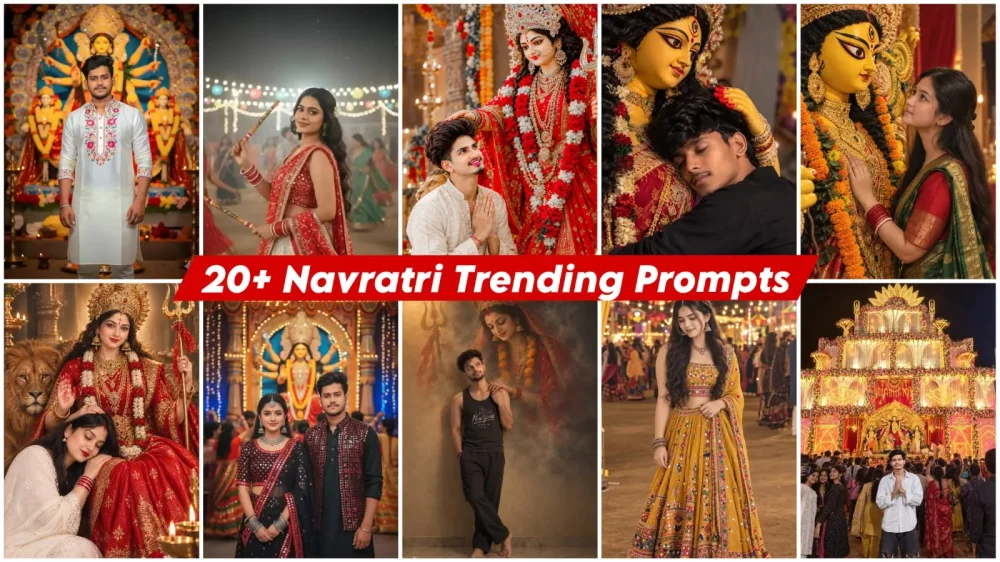
20+ Best Navratri Ai Photo Editing Prompts – You all know that during Navratri, photos featuring Goddess Durga go viral, and I’ll tell you why. Creating such photos is so easy, you never imagined. I’ll explain how to create these viral photos featuring Goddess Durga. What are the things you’ll need? And let me tell you one thing: here I’ve taught you 20+ ways to create this kind of editing. You’ve got the option to create so many photos in a single article. Just imagine how viral these photos can become. Everything will be explained step by step here. You can create them and go viral.
20+ Best Navratri Ai Photo Editing Prompts
Now, as you’ve all seen, photos like this go viral. I’m talking about 20+ editing here, so I won’t be talking about editing each photo individually. I’ll share a trick that, if you learn one method, can create all the other different types of photos in a completely different way. I’ve shared different prompts for the 20+ editing here. Now, what is a prompt? If you want to understand it, I’ll explain it further. Let me explain it briefly. Every photo you create has a description. We’ll need a specific photo, and we tell it to AI. It generates similar photos for us. So, this is what we call a prompt.
Update –
I had already shared some Navratri images with you, and you really liked the ones from last year. I am now providing some new images and updates to that collection. If you want the chance to create a video based on a viral trend, this is a fantastic opportunity for you. You will achieve excellent results, and there is a very high chance of the content going viral and being well-received. If you want to create this, simply follow these easy steps, and you will see great results.
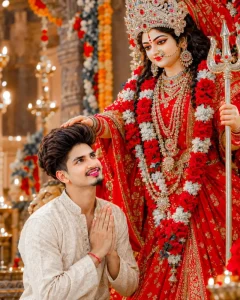
Create a highly realistic, cinematic devotional portrait inspired exactly by the reference image. Use the uploaded male photo as the exact face and identity reference. Keep the male face completely unchanged - preserve facial structure, eyes, eyebrows, nose, lips, jawline, skin tone, hairstyle, beard, facial hair and overall identity. Do not beautify, modify or replace the face.

Show the young Indian man kneeling respectfully in front of a beautifully decorated Goddess Durga idol, looking upward toward Maa Durga with a peaceful, emotional and devotional expression. His hands are joined together in Namaste/prayer position near his chest. Maa Durga is standing behind him wearing a magnificent bright red traditional saree with intricate golden embroidery, an elaborate silver-golden crown, heavy traditional jewelry, necklaces, earrings, bangles, nose ring and red bindi. She is holding a traditional Trishul in one hand, while her other hand is gently placed on the man's head in a blessing g
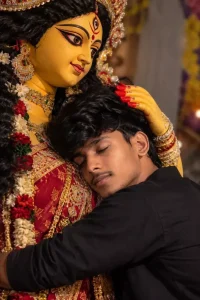
Create A cinematic, hyper-realistic 8K photograph capturing an emotional and serene moment between a young Indian man and a traditional clay idol of Goddess Durga. The man, with long, voluminous wavy black hair and closed eyes, peacefully rests her head against the idol's chest in a warm embrace. The goddess idol's hand, painted yellow with vibrant red alta on the fingertips, rests gently on the woman's head in a comforting
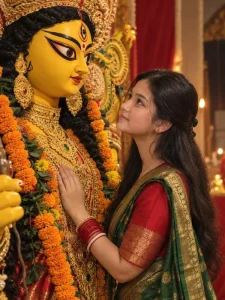
“A realistic side profile photograph of a young Indian woman standing devotionally next to a massive, beautifully crafted clay idol of Goddess Durga. The woman has long, wavy dark hair tied back in a half-up style, wearing a traditional red and green silk saree with intricate golden zari borders. She has red bangles (chooda) on her wrists and a sweet, emotional expression as she gently rests her hand on the idol. The Durga idol is painted in bright yellow tone with intense, large expressive eyes, wearing an ornate golden crown (mukut), traditional heavy gold jewelry, and orange marigold garlands. High detail, warm ambient lighting, realistic skin texture, festive Durga Puja atmosphere, 8k resolution, cinematic composition.” 3:4 ratio
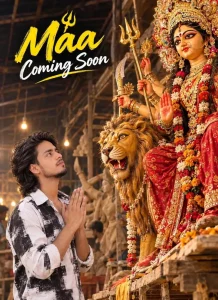
A cinematic promotional image featuring a young Indian man with his head and a white-black shirt, standing with folded hands in a devotional gesture, looking up admiringly at a
grand, intricately adorned idol of the Hindu goddess Maa Durga seated on her lion mount inside a traditional artisan workshop, with the
text "Maa Coming Soon" written in a stylish yellow and white script at the top.
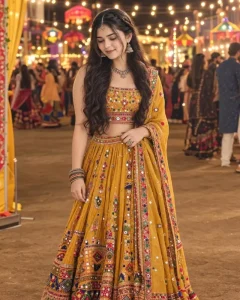
Create an ultra-realistic, photorealistic full-length portrait of a young Indian woman in an elegant Navratri/garba festive outfit, inspired by the reference image. Outfit: She is wearing a richly embroidered mustard-golden Gujarati chaniya choli. The blouse is heavily decorated with colorful mirror work, tiny floral motifs, beads, sequins, and intricate traditional embroidery. It has a square neckline and sleeveless design.
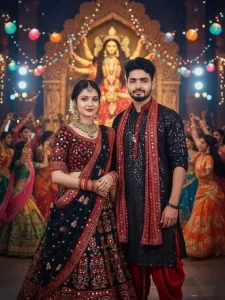
Ultra hyper-realistic 4k cinematic full-body portrait of an 20-year-old slim boy and girl same reference faces, wearing elegant black and red mirror-work Navratri outfits with jewelry details, standing side by side facing the camera with soft smiles. Behind them a grand glowing Maa Purga murti, festive Garba crowd, colorful lights, cinematic bokeh, and bold glowing text "Happy Navratri'".
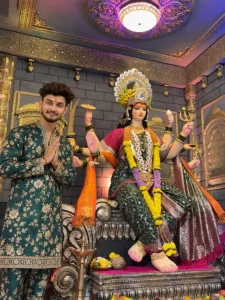
A highly detailed, photorealistic portrait of a young Indian man standing next to a grand, multi-armed idol of a Hindu Goddess. The man, on the left, has stylishly styled wavy dark hair, a neatly trimmed beard, and a red and yellow tilak on his forehead. He is wearing a dark green kurta pajama adorned with intricate gold floral embroidery and is posing with his hands folded in a respectful namaste gesture, smiling softly at the camera. On the right, the Goddess idol is seated on a heavily ornate, carved silver-toned throne. She is adorned in a green and gold sari with a pinkish-red blouse, heavy gold jewelry, a large decorative crown, and thick yellow and purple flower garlands. Her multiple arms hold divine items, including a trident and a sword. The background features a decorated pandal or temple interior with dark grey faux-brick walls, elegant gold archways, and decorative wall panels. Above them is an elaborate ceiling with a glowing circular chandelier shedding warm light, while the ambient room lighting has a rich, subtle magenta and purple glow. In the foreground, there is a traditional brass oil lamp resting on the floor alongside ritual offerings, including coconuts and flowers. Cinematic lighting, 8k resolution, highly intricate.
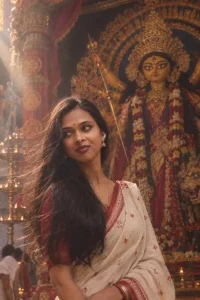
“Dhunuchi smoke, dhaak beats & that Durga Puja feeling 🪔❤️

Prompt: Generate an ultra-realistic 8K image using the uploaded person's face, perfectly blended into the body and scene. The person is a graceful girl dressed in a traditional Bengali red and white saree, holding a clay incense burner (dhunuchi) with gentle smoke rising around her. She has festive sindoor marks on her cheeks and wears gold bangles.The background features a beautifully blurred, majestic Durga idol with glowing pandal lamps.Keep my face identity 100% unchanged, but change the attire and background completely remove tip tilok , flower on head
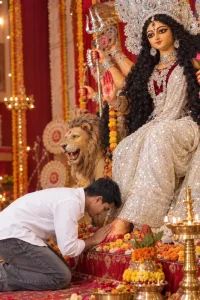
Prompt:- A realistic, high-detail photograph of a young man with dark, wavy hair, wearing a white button-down shirt and grey jeans, bowing down in deep reverence to touch the feet of a large, ornate idol of the Hindu goddess Durga. The goddess is depicted with long black curly hair, an elaborate silver crown, wearing a deep red velvet blouse and a glittering white sequined saree, with traditional red alta painted on her hands and feet.
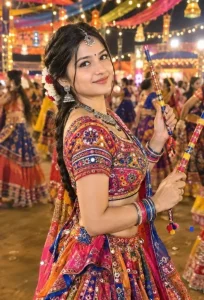
Prompt:-Ultra-realistic 8K Dandiya night portrait, South Asian woman in colorful Gujarati chaniya choli with mirror work, holding decorated dandiya sticks, traditional jewellery, flowers in hair, festive Garba lights and bokeh background, vibrant Navratri atmosphere, cinematic lighting, photorealistic. Preserve exact face and identity, do not change facial features.
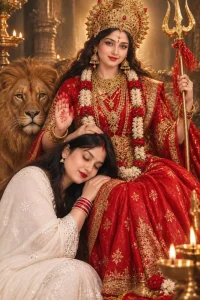
Create an ultra-realistic, highly detailed devotional portrait of Goddess Maa Durga seated majestically on a richly decorated red throne, with a majestic golden-brown lion sitting beside her on the left. Maa Durga has a serene, divine and compassionate expression, beautiful Indian facial features, long flowing dark black wavy hair, and a large intricate golden crown decorated with red and emerald gemstones.Use the uploaded woman's face as the exact identity reference. Preserve her identity, face shape, eyes, eyebrows, nose, lips, jawline, skin tone and natural facial features exactly. Do not change or beautify her face, do not alter her age or recognizable appearance. Keep the result photorealistic and natural.
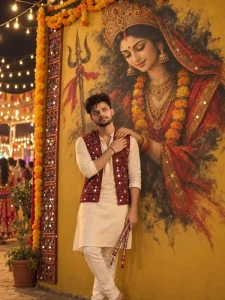
EDIT THE UPLOADED IMAGE. KEEP THE MAN COMPLETELY UNCHANGED:EXACT SAME FACE, CURLY MESSY BLACK HAIR, SHORT NATURAL STUBBLEBEARD, SKIN TONE, GENTLE SMILE WITH EYES GLANCING UP TOWARD THEDEITY, BAREFOOT STANDING POSE, DARK SLEEVELESS TANK TOP WITH ITS PRINTED TEXT, DARK LOOSE TROUSERS, WRIST BRACELET, AND HIS CROSSED HAND RESTING OVER THE DEITY'S HAND ON HIS SHOULDER.KEEP THE SAME PLAIN BEIGE TEXTURED WALL, POLISHED MARBLE FLOORFRAMING AND VERTICAL 4:6 COMPOSITION.REPLACE ONLY LORD MAHADEV WITH A GIANT MISTY PAINTED APPARITION OF GODDESS DURGA MAA EMERGING FROM THE WALL IN THE SAME'FOGGY, SMOKY, SEMI-TRANSPARENT STYLE, UPPER BODY ONLY, HEAD TILTED DOWN, EYES SOFTLY LOWERED, FAINT COMPASSIONATE SMILE, DISSOLVING INTO SMOKE AT THE EDGES. REPLACE THE CRESCENT MOONRUDRAKSHA AND ANIMAL SKIN WITH A GOLD DURGA MUKUT CROWN,RED BINDI WITH SINDOOR, GOLD JHUMKA EARRINGS, GOLD NECKLACEWITH MARIGOLD GARLAND, RED CHUNRI WITH GOLD BORDER, AND GOLDAND RED BANGLES ON HER WRIST. HER LARGE HAND RESTS ON HISSHOULDER IN EXACTLY THE SAME POSITION AND FINGER PLACEMENT ASTHE REFERENCE. KEEP THE FAINT TRISHUL ON THE LEFT, ITS RIBBON NOWRED.SOFT WARM AMBER GLOW ON THE WALL FROM THE UPPER LEFT, DEEPSOFT SHADOWS, MUTED CHARCOAL- GREY FOG WITH ONLY SUBTLERED-GOLD ACCENTS. HIS FACE KEEPS A NATURAL NEUTRAL SKIN TONE, WARM GLOW ONLY ON THE WALL AND RIM LIGHT, HD ULTRA-REALISTIC PHOTOGRAPHY, HYPER-DETAILED SKIN TEXTURE, NOT 3D RENDER, NOTCGI NO TEXT, NO WATERMARK, NO EXTRA FINGERS, NO DISTORTEDHANDS, NO FACE CHANGE.
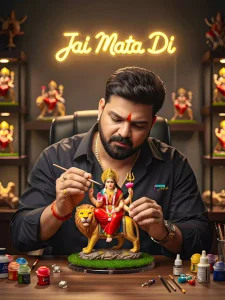
A hyper-realistic cinematic scene featuring a young man with a beard and mustache, wearing a white, long-sleeved textured shirt. He is seated at a desk, carefully painting a highly detailed, golden figurine of the Hindu goddess Durga riding a lion. He is focused intently on his work, with his eyes cast downward at the figurine. The desk is cluttered with realistic painting tools, various brushes, and hobby items, creating a creative workshop atmosphere. In the background, on a lit shelf, there are multiple figurines of different Hindu deities, including Ganesha and others. Above the shelf, a glowing sign in Hindi script reads "जय माता दी" ("Jai Mata Di"). The scene is captured with cinematic studio lighting, sharp details, and a shallow depth of field, blurring the background slightly to emphasize the subject and his work. The overall atmosphere is one of focused devotion and artistry. Base uploaded images and 9:16 ratio full scene
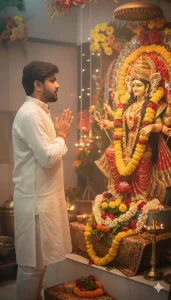
Use the provided face reference exactly without any changes.
Keep the same beard, skin tone as in the reference photo.
Create a realistic photo of the same person in side-profile, hands folded, receiving blessings from a decorated idol of Durga Mata with flowers and garlands. The surrounding area should have flowers and warm lighting. Do not alter or stylize the face.
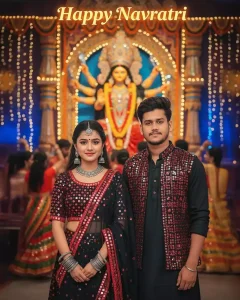
Ultra hyper-realistic 4K cinematic full-body portrait of an 20-year-old slim boy and girl same reference faces, wearing elegant black and red mirror-work Navratri outfits with jewelry details, standing side by side facing the camera with soft smiles. Behind them a grand glowing Maa Durga murti, festive Garba crowd, colorful lights, cinematic bokeh, and bold glowing text "Happy Navratri".
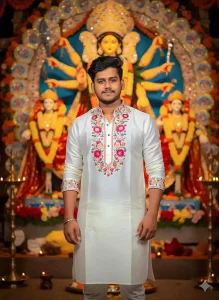
Creat a-realistic, 4k image with soft blur background and vibrant festive decorations like marigold and roses. Night scene with warm lighting highlighting textures and creating a glowing atmosphere. In the center, a stylish young Indian man with He wears a white kurta with floral, with minimal accessories like a silver bracelet and subtle earrings. He has a soft smile and elegant pose. The background features a grand Goddess Durga idol decorated with flowers, lamps, and soft glowing lights,
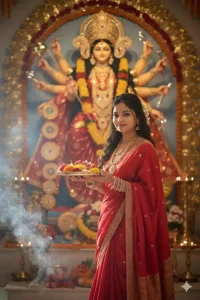
Create an ultra-realistic 8K image of a
uploaded young 22 years Indian woman
. She hold her hands beautiful plate in his hand and many beautiful flowers on the plate She is wearing a traditional
red saree with golden borders, silver
bangles, and festive jewelry. as same as the uploaded face 100% matching. In front of a grand Durga idol
with flowers , creating a festive and
vibrant atmosphere. Natural soft
sunlight enhances the smoke and golden
tones of the scene.
white flowers in your hair
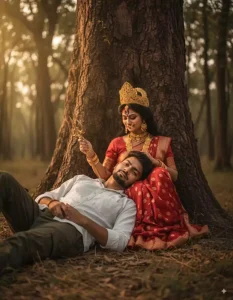
Cinematic emotional scene with a young man aged 19-20, fair skin, lightly trimmed beard, trendy medium wavy haircut, wearing a white shirt and cargo pants, head resting gently on Maa Durga's lap, looking at him tenderly, seated by a large old tree trunk in a tranquil natural forest at dusk with ancient trees and soft golden evening light filtering through foliage, 8K ultra HD, 9:16 aspect ratio. "make sure the face remains Same and 100 percent reserved"
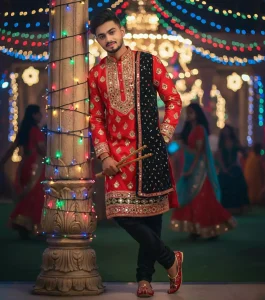
Ultra-realistic cinematic full-body portrait of a stylish 25-year-old slim man (height 5'5"), with the same original face and perfectly set hairstyle as in the reference. He is wearing a vibrant red and black traditional dandiya outfit decorated with intricate mirror work and golden embroidery, paired with matching dandiya shoes and a sleek wristwatch. The man is leaning casually against a beautifully decorated pillar wrapped in glowing festive lights. One hand rests in his pocket while the other hand loosely holds the dandiya sticks at his side. His confident gaze is directed toward the camera with a subtle stylish smile. Background: a lively dandiya night filled with colorful lights, blurred silhouettes of dancers, and a glamorous Navratri celebration ambiance."
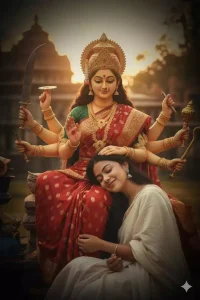
Create an image where at the center, Goddess Durga Maa, resplendent in a red sari, sitting with an aura of immense power and gentle grace. She leans forward, her hand placed softly on the head of a young girl of the reference pic.The girl, dressed in a white garment has her eyes closed in peaceful reverence. She is sitting beside ma durga and placing her head on lap of ma durga. A soft, blissful smile plays on her lips as she embraces the divine figure, her expression a perfect surrender of love
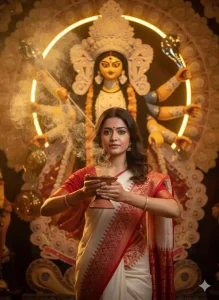
A young Bengali woman in a traditional white saree with red border and subtle South Indian patterns, gracefully holding a smoking dhunuchi with both hands. Flowing incense smoke surrounds her. Behind stands a majestic sabeki-style Durga idol adorned with intricate sholar saaj, glowing with a divine golden aura. The scene feels festive, nostalgic, and deeply Bengali, with warm golden tones capturing cultural richness
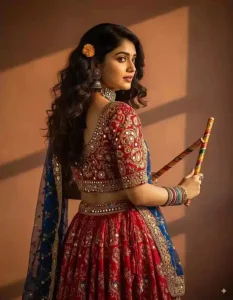
Start with the original image ensuring the facial features remain unchanged Garba dress: overlay a digital image of a traditional garba dress choose a design with intricate embroidery and vibrant colors typical of the
9Os aesthetic. Jewellery: add statement piece like a choker bangles and earrings opt for complement the dress Hairs: replace the original hair with a digital images of dark brown
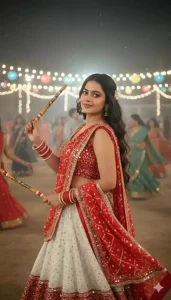
Create a retro vintage but bright image of the reference picture but draped in a perfect red and white coloured gujarati vibe lehenga with no sleeves and a dupatta with 2 dandiya in hands playing happily with a very soft smile. It must feel like a 90's movie with very long hair with a small white coloured flower tuck visibly in the curls romanticising and with bangles in hand. The girl is standing against a open ground where a lot of people playing garba in the background at night with proper
How To Use 20+ Best Navratri Ai Photo Editing Prompts
In a previous article, we provided you with a prompt that enabled you to create impressive edits, and you appreciated and utilized it well. Now, in this article, you will create something similar with the help of ChatGPT by following a simple process. You just need to copy the prompt, open ChatGPT, click the plus (+) icon to upload your reference photo, and then paste the video prompt you copied. Once you hit generate, your image will be ready. I had also previously explained the template editing process using Google Gemini, so you can create content using that method as well—if you wish to do so.
Overall
These details should be enough for you, because I’ve already provided several forms here. I’ve explained many editing techniques. Now, follow whatever you think is right and create your photo accordingly. If you don’t understand anything else, I’ll explain it to you and show you how to do it. How can you use the prompts? And if you get any other prompts, I’ll also explain how you can find them.