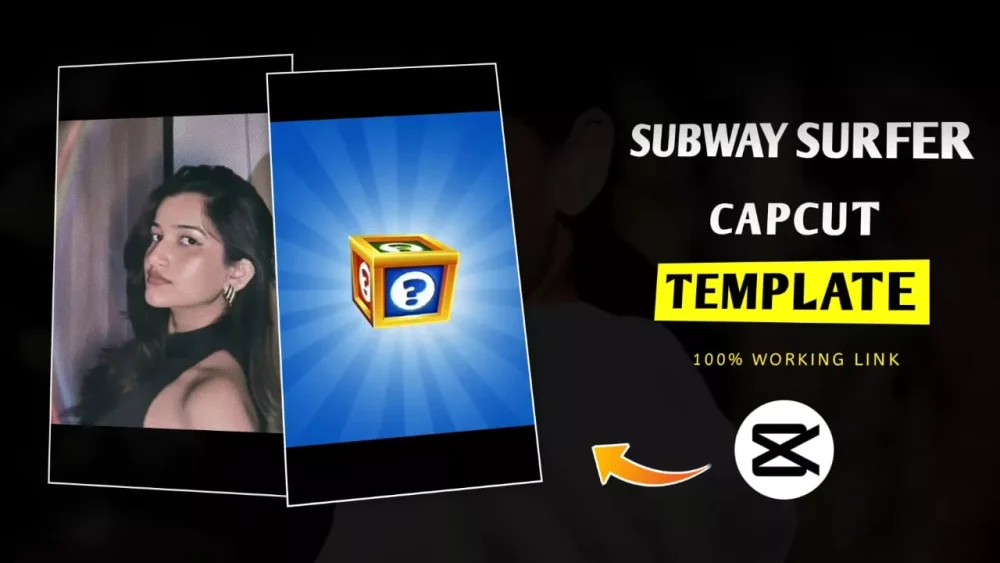
Subway Surfers Capcut Template – Some trending videos featuring Subway Surfers are going viral on Instagram right now. People are eager to create such videos, and today I’ll show you how to make one using a cup template. In this, you’ll see a gift box. If you’ve ever played the game, you’ll see it. When you achieve something, you’ll find a gift box, and as you type, something pops out of it. Similarly, a cutout of your own video will appear from within the gift box. From there, it’s so smooth. It’ll look like you’re emerging from the game itself. You’ll notice that many people are uploading videos like this on Instagram, Reels, and YouTube Shorts. If you want to create a viral edit like this, I’ll explain the editing process. What effects are applied, and how you can make it go viral.
What Exactly Is This Editing?
Right at the beginning of editing, you’ll see a Subway Surfers box on the screen. Just like in the game, you’re shown a box with the same elements. Everything is shown, including the background. You’ll always see a bit of vibration and a glow effect when you open the box. A cutout video appears. A photo appears, and then, as it takes full screen, it’s patched onto your video. From there, it starts playing in short clips and smooth slow motion, with a nice transition. This is set to the music featured in the game. It’s edited accordingly, and it’s very attractive to watch.
Why Is This Template So Viral?
The main reason for its virality is that it has an intense, game-like look, and this attention-grabbing approach draws people in. A creative approach has been employed, combining the game and you to create a video. The opening transition is very satisfying, making people want to watch the entire video. The cutout video highlights your identity. As the box opens, your video photo appears cut out, converting it into a video. The short clips here create energy, syncing perfectly with the song. The best part is that Capcut makes editing it incredibly easy. With the template, you can create it without any editing required.

How To Use Subway Surfers Capcut Template
Editing using a template is quite simple. Even if you don’t know how to edit, you can easily do it. All you need to do is: I’ve provided the template here. Now that you know how to use a template, you must have CapCut. Only then will you be able to use it. Below, you’ll find an option to use a template. Click on it, and it will open in CapCut. A preview of the video will be shown. Now, you can view it and edit it with the same result. Click on it below. Click there, and you’ll get the option to select a video. From there, you can select your video. After selecting it, click Next, and you’ll get a preview. When you find it suitable, export your video, and your editing will be complete.
Conclusion
Some templates don’t work in specific countries or regions. These are Capcut’s own restrictions, and there’s no issue on our part. If a template doesn’t work, you can visit Capcut’s official website or use its official application. You can also access the template from there. Furthermore, the template link I shared is not affiliated with Capcut. All templates and images shared here are credited to their respective owners.