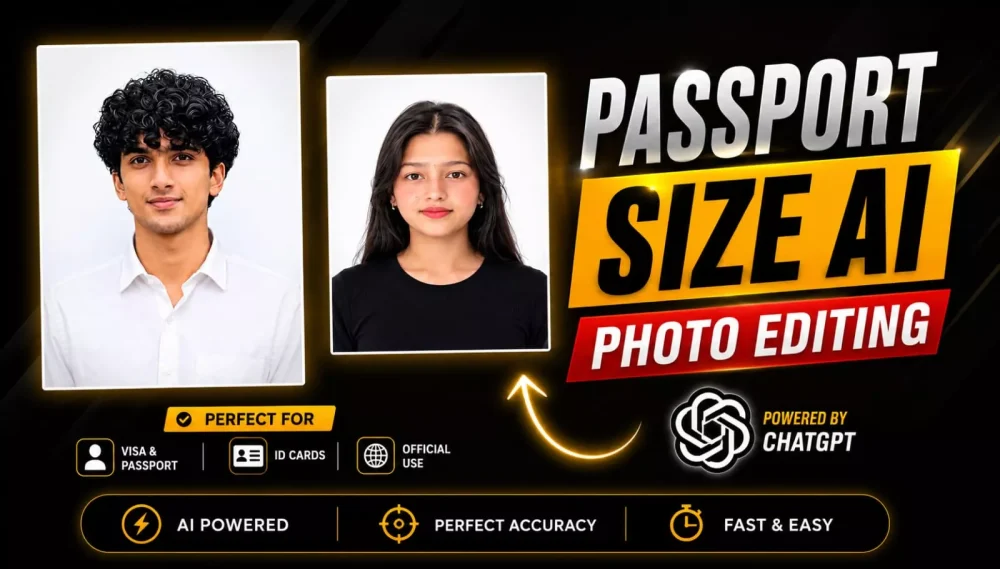
Passport Size Ai Photo Editing Prompt – Nowadays, you likely find yourself needing passport-sized photos for all sorts of things—whether you are filling out online forms or handling government-related tasks. In the past, you had to visit a studio to get these photos taken, but things have changed completely. Now, you can create your own passport-sized photos—specifically digital copies—right on your mobile phone. This has become a major trend, with people creating them and sharing them on social media. I thought it would be a great idea to share this with my subscribers and viewers so that they, too, can easily create their own passport-sized photos.
Turn Any Photo into a Professional Passport Photo with AI
You can create such photos using tools like ChatGPT or any image generator. Nowadays, people are using these tools to transform existing photos—regardless of the clothing worn or the angle of the shot—into different formats. For instance, if you have a side-profile photo and want to convert it into a passport-sized image, it is entirely possible. AI handles these tasks exceptionally well, ensuring high-quality results where your face matches the original with 100% accuracy. Just follow the correct method outlined in this article, and you will achieve excellent results.
Benefits Of This Passport Size Photo Editing
The best part is that you can convert virtually any type of photo into a passport-sized one; let me explain. You can easily transform various kinds of photos—whether taken outdoors, indoors, in a park, or even cropped from a group photo with friends—into passport-sized images. Even old photos work, provided your face is clearly visible in them. Your photo will be successfully converted into a passport-sized format.
The Key Features Of This Photo Editing:
These are the key features of this passport photo editing tool. Look, by 2026, AI technology will go far beyond just removing backgrounds; its standout capability is how it significantly enhances your photo. For instance, it can change the background to white, blue, or any other color you require—you simply need to adjust the prompt, much like you would in a studio setting. It perfectly balances the lighting on the face, and you will see a noticeable improvement in overall image quality and framing. You get results comparable to a professional studio right on your mobile phone.
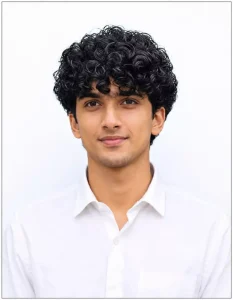
Ultra-realistic passport photo of Hasnain Alvi (exact face, 100% likeness, no changes). Wearing white formal shirt, neutral closed-lip expression, straight look, both ears + shoulders visible. Even lighting, plain white/light blue background. Output: one identical passport-size photos on one sheet, high-res studio quality.100 percent uploaded my face and enhanced Ultra HD 8K resolution.
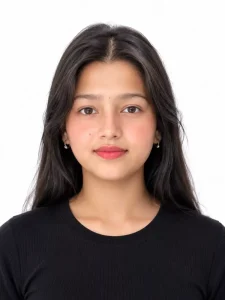
Generate a studio-quality, ultra-realistic passport-size portrait in 35mm × 45mm aspect ratio. The subject faces the camera directly with a neutral expression, both eyes open, and is centered in the frame with shoulders visible. Use a plain white background and soft, even lighting without harsh shadows. Dress the subject in plain, solid-colored formal or casual clothing with no patterns. Keep the face sharp, preserve natural skin tones, and ensure nothing covers the face except for valid religious or medical reasons. Maintain proper head spacing to meet official passport photo standards. High-resolution, photorealistic, highly detailed.
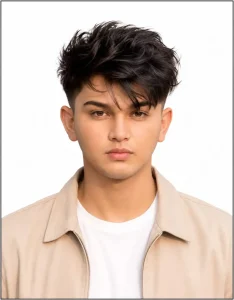
Role: Professional Document Photo SpecialistTask: Transform the uploaded input image into a highly precise, official passport-size photograph.Specifications:Dimensions & Resolution (Crucial):Set the canvas to 3.5 cm x 4.5 cm.Generate this image at 300 DPI (Dots Per Inch).The final pixel size must be exactly 413 pixels (width) x 531 pixels (height) to match standard government requirements.Complete Border:Apply a perfectly uniform, thin, sharp black border around all four edges (top, bottom, left, and right) of the final image canvas. The border should be consistent on all sides.Background:Replace the entire original background with a uniformly flat, pure white background.Facial Details & Enhancements:NO ALTERATION: Maintain the exact identity, structure, and expression of the subject's face.Sharpening: Enhance clarity and focus, specifically if the source face is slightly blurry. Color Balance: Adjust skin tones to be natural, realistic, and professionally balanced. Lighting: Apply clean, symmetrical studio lighting, introducing a realistic, subtle sheen while preserving natural skin texture and avoiding a "plastic" look.Output: A high-resolution, compliant, official passport photo. ]
How To Create This Ai Image
You have two methods for creating these photos: one using Google Gemini and the other using ChatGPT. The process is essentially the same for both—involving uploading a photo and pasting a prompt—so I will explain a universal method that works for both platforms. Here is what you need to do: open ChatGPT and click the plus (+) icon to upload a photo. The photo should clearly show your face. Then, simply upload the reference photo, paste the prompt, and hit the generate button; your photo will be perfectly ready.
Conclusion
You can easily create this trending Instagram edit. I have explained the editing steps and provided all the necessary details. You simply need to follow the process to create it and let us know how the results turn out; the better the results, the more you’ll enjoy the editing process. I have also shared additional prompts here that you can use for your edits.