
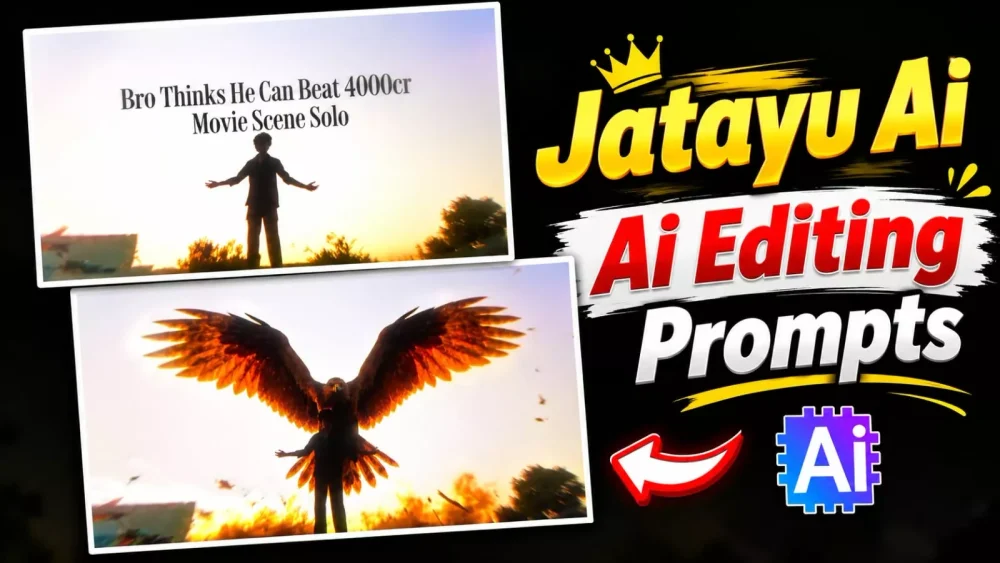
Jatayu Edit Ai Video Prompt – You’ve also noticed that the edit of Jatayu Ji is going viral on social media. People are liking this kind of editing a lot. But if you want, you can also create a video like this. I’ll tell you how to record it and how to do everything in it in the proper steps. If you follow this and create it, the result will be amazing and you will like it too. If you want to create a completely professional video, then you’ve come to the right place. I’ll guide you and explain it.
Step-by-Step Guide For Jatayu Inspired Cinematic AI Video Editing
This edit is inspired by the story of Lord Rama and is incredibly important. People should create their edits based on the recent release of such movies. This scene featured Kamal, so if you want to create such a video, first understand how to record a video. Then, after that, understand how to process it and create such a video.
Details of Jatayu Edit Ai Video Prompt
Let’s look at how such videos are made. In the video, it appears as though you are standing in one spot, simply spreading your arms, when suddenly Jatayu emerges from behind you. The editing is truly impressive—there’s a vibration effect that makes the whole thing look very attractive. People really love it, often remarking on how amazing the editing is. If you want to create such videos or photos yourself, we are here to guide you. Next, let’s explore how you can record the footage for these videos.
Use the uploaded image as the exact starting frame. Create a photorealistic, emotionally powerful Indian mythological cinematic sequence.

1. ABSOLUTE CAMERA LOCK

- Camera must remain completely stationary throughout the entire video.
- No zoom, pan, tilt, rotation, shake, or reframing.
- Preserve the exact original camera angle, framing, perspective, and composition.
- Do not change the original sky, buildings, horizon, or environment.

2. STRICT BOY POSE LOCK

The boy in the foreground must remain completely frozen in his exact original pose.

- Preserve his exact body position and silhouette.
- Both arms must remain extended sideways at exactly the same angles.
- Hands, fingers, palms, legs, head, and torso must not move.
- Do not change his posture, proportions, clothing, or position.
- No breathing animation or body movement.
- The boy must remain identical to the original reference image in every frame.

IMPORTANT: The boy is a completely static foreground subject. Only Jatayu Ji and the smaller birds are allowed to move.

3. PRESERVE ORIGINAL LIGHTNING AND LIGHTING

- Preserve the original lightning exactly as it appears in the reference.
- Do not remove, replace, redesign, or add new lightning.
- Maintain the same lightning patterns, brightness, color, and position.
- Do not change the original sky lighting or overall color grading.
- No new dramatic lighting effects.

4. JATAYU JI: DIVINE HUMAN-LIKE MYTHOLOGICAL DESIGN

Jatayu Ji must look like a majestic, divine mythological being, not an ordinary eagle.

Create an original cinematic mythological design with:

- A powerful eagle-like head and noble facial structure.
- Subtle human-like facial characteristics and expressive eyes.
- A wise, courageous, protective, and emotionally expressive presence.
- A dignified expression that conveys bravery, compassion, and sacrifice.
- A majestic humanoid-bird anatomy, combining powerful human-like proportions with enormous realistic feathered wings.
- Detailed brown and golden feathers, powerful shoulders, and a regal mythological appearance.

His face should communicate emotion and intelligence, as if he is a conscious divine guardian rather than an ordinary animal.

Keep his appearance believable, majestic, and photorealistic.

5. ONE SINGLE POWERFUL WING FLAP: FAST TO SLOW MOTION

This is extremely important. Jatayu Ji must perform only ONE powerful wing flap during the entire sequence.

- Initially, Jatayu Ji is hidden below the bottom edge of the frame.
- He suddenly rises upward from below the frame with one strong, powerful wing flap.
- His wings spread outward during this single upward movement.
- His initial ascent is fast, energetic, and powerful.
- As he reaches the upper-middle background, the movement smoothly transitions into dramatic slow motion.
- He fully extends both enormous wings into a majestic wide-wing flying pose.
- Once he reaches this position, he stops flapping completely.
- He remains suspended in the sky with both wings fully spread.
- Only extremely subtle feather movement and natural air resistance are allowed.

NO repeated wing flapping. NO continuous flapping. NO rapid bird-like fluttering. ONE FLAP ONLY, THEN HOLD THE FINAL POSE.

6. SMALL BIRDS

Several smaller birds accompany Jatayu Ji during his entrance.

- They fly upward around him naturally.
- Keep their movement subtle and cinematic.
- A few birds may pass behind his enormous wings.
- Do not overcrowd the frame.
- Their motion should complement Jatayu Ji's grand arrival.

7. TIMING

- 0–1 second: Original scene, boy perfectly frozen.
- 1–2.5 seconds: Jatayu Ji makes one powerful upward flight with a single wing flap.
- 2.5–4 seconds: His ascent smoothly slows down as both wings extend fully.
- 4–6 seconds: Jatayu Ji holds his majestic wide-wing pose in the sky. No more flapping.

8. STRICT NEGATIVE PROMPT
No boy movement, no pose changes, no arm movement, no hand movement, no body animation, no camera movement, no composition changes, no lightning changes, no repeated wing flapping, no rapid fluttering, no ordinary eagle appearance, no cartoon anatomy, no distorted human-like face, no malformed wings, and no excessive bird movement.

FINAL RESULT

A breathtaking Indian mythological motion-poster shot. The boy remains perfectly motionless in his original pose while a majestic, emotionally expressive, divine Jatayu Ji rises from below with one powerful wing flap. His movement transitions from fast to slow motion, and he finally holds a magnificent wide-wing pose in the sky, surrounded by a few smaller birds.

Camera: 100% locked
Boy: 100% pose locked
Lightning: Original and unchanged
Jatayu Ji: Human-like divine mythological appearance
Wing movement: One powerful flap only
Final pose: Wings fully spread and held still
Duration: 6 seconds
Process Of Creating Video
You need to understand the video recording process, as it significantly impacts the final result. If you don’t get the recording right, you won’t achieve the outcome you’re looking for. Here’s what you should do: stand in one spot and position your camera at a low angle—so that your body appears to be reaching upward. This will create a background effect similar to the videos that are currently going viral. Then, a few seconds into the recording, simply spread your arms wide and look upward. This will recreate the scene featuring Jatayu. Now, let’s look at how to generate the video.
How To Generate Your Video?
First, take the video you recorded and locate the part where you are extending your arms outward. Trim and delete the portion of the video that follows this moment. Then, pause at that specific frame and take a screenshot. I will now explain where to upload this screenshot. Search on Google—a link is provided; click on it to go directly to the website. Sign up, start a new project, and click the plus (+) icon to upload your photo. You will then need a prompt; I have provided one here—simply copy and paste it into the tool. Once you hit ‘generate,’ your video featuring Jatayu will be created. The final editing steps will be covered in the next part of the process.
Conclusion
For final editing, add your A-Generator video to the next part of the video from which you took the screenshot. Then, apply a check effect, setting its intensity and speed to 10% each, and then add a vibration flash effect. Adjust this as well, and your final video is ready. You can create it this way.


