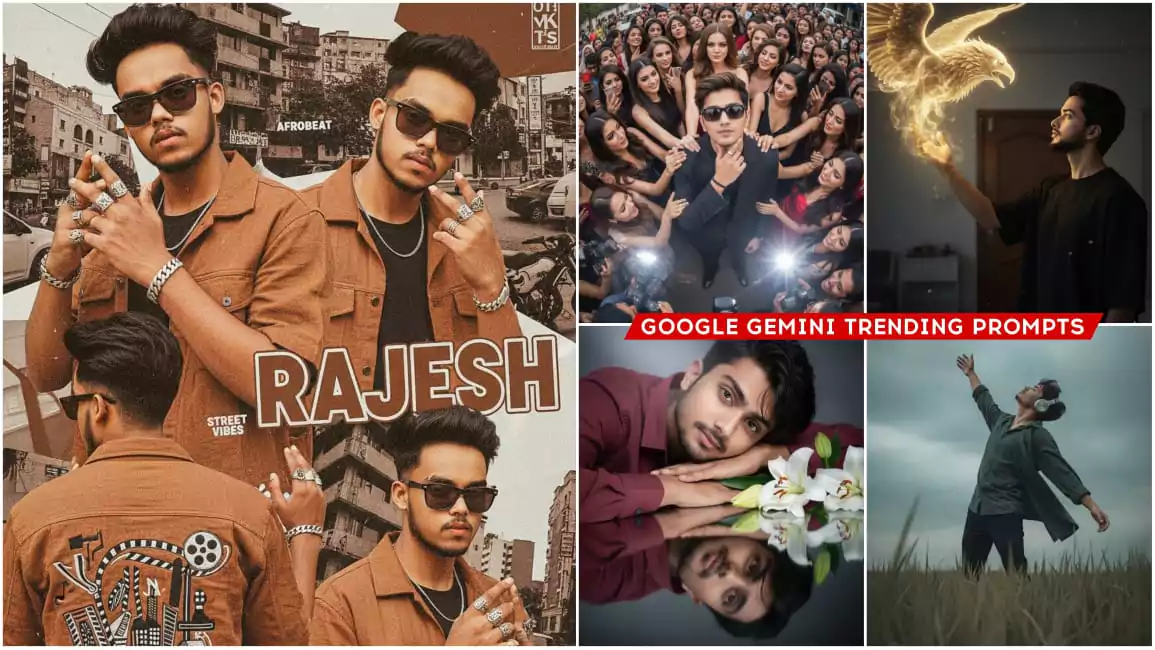
Google Gemini Trending Boys Ai Photo Editing Prompts – I will tell you all. Right now such photos of boys are going viral which are surprising people after seeing them because such photos are not created easily. But I will tell you how you can create such photos in a very simple way. To create such photos you will have to learn Photoshop and you should know editing well. Only then you can create such photos, otherwise you cannot create such photos. But let me tell you. What kind of photos can you create in such a simple way and use them in your editing that you yourself cannot understand. Come, I will tell you about that and then you tell me how is the editing?
Google Gemini Trending Boys Ai Photo Editing Prompts
Look, as I explained, I’m not going to teach you boys’ skin editing here, but training, which is absolutely true. I’ll also teach you how to edit it. But it’s important to note that there’s not just one training. There are many different styles of editing here. If you think I’ll teach you how to edit in just one style, then you’re completely wrong. If you want to learn different styles, more photos and prompts are provided in this article. Using them, you can create similar photos. The rest of the details will be explained to you in this way, which will be easily understood. “Friend, we can do such editing in such a simple way. If you need to understand anything else, please ask.”
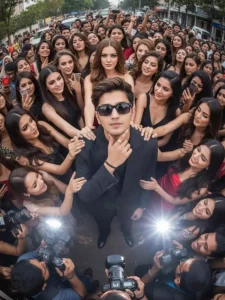
Wide-angle GoPro-style shot from a high, symmetrical bird's-eye perspective. [Reference man from the photo] stands in black sunglasses and a sleek black suit, looking casually into the camera while holding his face with his index finger and thumb in a confident gesture.

Around him, glamorous supermodels and enthusiastic fans reach out, touching his arms and shoulders, enhancing his magnetic presence. Below the frame, P paparazzi flashes and crowded j journalists with cameras create a chaotic yet dramatic atmosphere.

The ultra-wide GoPro lens exaggerates erspective, making the scene feel immersive, dynamic, and larger-than-life like a raw, energetic capture from the middle S celebrity madness.
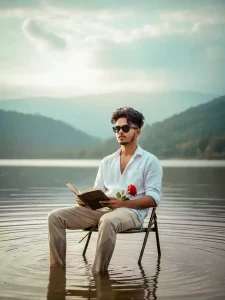
"A cinematic, realistic portrait of [uploaded image] sitting on a simple chair placed in the shallow water of a calm lake. He is wearing a slightly open white shirt with rolled-up sleeves and light beige trousers, wet from the water. He holds an open book in his hands and a single red rose resting on his arm, adding a poetic touch. His curly hairstyle is natural and stylish.

The background shows misty hills and a soft cloudy sky, creating a dreamy, moody, and aesthetic vibe. The water gently ripples around the chair, reflecting light. Highly detailed, realistic lighting, natural colors, soft depth of field."
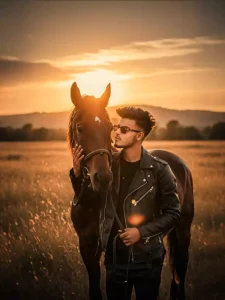
A hyper-realistic cinematic 9:16 portrait based on the uploaded image, keeping the same face and hairstyle of stylish young man posing confidently on a motorcycle. He is leaning slightly forward with one hand resting on the handlebar and the other hand touching his chin in a thoughtful pose. He has a well-groomed hairstyle with voluminous brushed-up hair, wearing dark sunglasses and a casual sleeveless black tank top. Over the tank top, he has a half-worn bomber jacket that slips off the shoulders, giving a trendy look. He accessorizes with a wristwatch and a ring. The motorcycle is modern and detailed, with visible handlebars and headlight in the frame. The background shows blurred tall buildings in soft daylight, with a cinematic depth of field. The atmosphere is urban, moody, and stylish.

High-resolution DSLR photo, hyper-realistic, 8k detail, cinematic tones
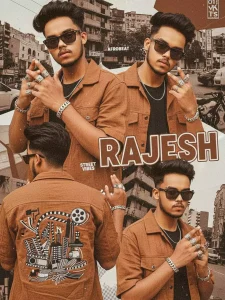
A retro-urban styled poster featuring a young refference with image artist in multiple poses. He wears a brown casual shirt and cinematic black and white background embroidered on the back., multiple silver rings and bracelets emphasize his flashy. The design is layered with close-up portraits, warm brown tones, bold typography reading “RAJESH", and a modern magazine-style collage aesthetic, representing Afrobeat and street culture.
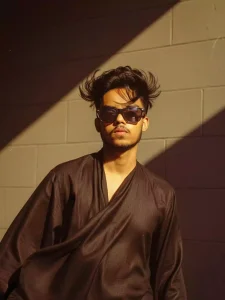
create a retro vintage grainy but bright image of the reference picture but draped in a perfect black color pinteresty aesthetic retro shirt. It must feel like a 90s movie black hair and romanticising windy environment The boy is standing against a solid wall deep shadows and contrast drame, creating a mysterious and artistic atmosphere where the lighting is warm with a golden tones of evoking a sunset or golden hour glow. The background is minimalist and slightly textured the expressi
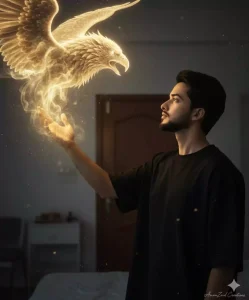
A young man (face and hair should be 100% based on the attached photo). His expression conveys admiration, focus, and perhaps a touch of reverence.

Pose: Shown in profile, looking upward and to the left toward a luminous figure. He extends his left hand, which becomes the apparent source of magic. The pose emphasizes the interaction between him and the magical creature.

Environment:

A simple bedroom with light-colored walls, a wooden door, and minimal clean-styled furniture.

Image Structure and Angle

Framing: Medium-close portrait, vertical orientation, capturing the model from chest up, leaving space above for the magical effect to unfold.

Angle: The camera is at or slightly below the model's face level, creating a natural, immersive, and intimate perspective.
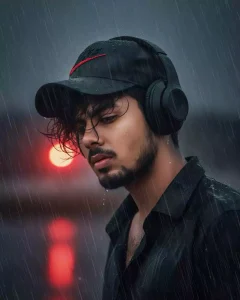
A HYPER REALISTIC IMAGE OF MINE SAME NOSE, SAME EYE, SAME CHEEK POSITION, SAME EYEBROWS WITH A MELANCHOLIC EXPRESSION. (MAINTAIN EXACT FACE AND SKIN TONE WITH SHARP FEATURES) LAM WEARING A DARK NIKE CAP WITH A RED DETAIL AND BLACK OVER-EAR HEADPHONES. HIS HEAVY DARK HAIR IS TOUSLED BY THE COASTAL WIND, FALLING LEICHT INS GESICHT, VOLLER TEXTUR UND BEWEGUNG.. RAINDROPS ARE CLEARLY VISIBLE ON HIS SKIN. THE BACKGROUND IS A HEAVILY BLURRED, WARM RED LIGHT BEHIND DARK, RAINY OUTDOOR SCENE WITH VISIBLE STREAKS OF FALLING RAIN
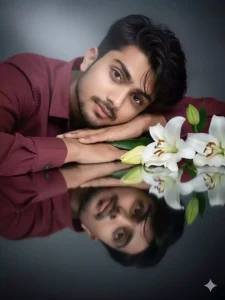
A DREAMY, ULTRA-REALISTIC PORTRAIT OF A HANDSOME YOUNG MAN LYING GRACEFULLY BESIDE WHITE LILIES, HIS HEAD RESTING GENTLY ON HIS ARMS, HE WEARING A MAROON COLOUR SHIRT, REFLECTED PERFECTLY ON A GLOSSY BLACK SURFACE. SOFT CINEMATIC LIGHTING HIGHLIGHTS HIS GLOWING SKIN AND SHARP YET DELICATE FACIAL FEATURES, WITH SLIGHTLY WET STRANDS OF HAIR FALLING NATURALLY ACROSS HIS FOREHEAD. THE MOOD IS ETHEREAL, ROMANTIC, AND ARTISTIC, WITH A SERENE ATMOSPHERE. HIGH DETAIL, PROFESSIONAL STUDIO PHOTOGRAPHY, 8K RESOLUTION.
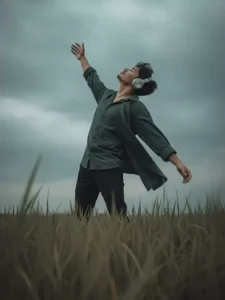
A cinematic, moody photograph of a young man standing in a lush green field of tall grass under a cloudy, overcast sky. He is wearing a loose, dark button-up shirt and dark trousers. His posture is expressive and dramatic, leaning slightly backward with one arm outstretched and palm open, as if embracing the wind or the moment. His head is tilted back, eyes closed, and he is wearing large, over-ear silver headphones, giving a sense of calm and emotional release. The perspective is slightly low-a
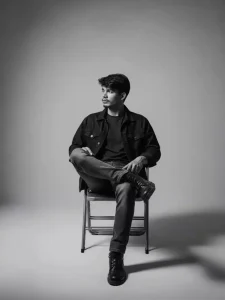
Use the model to create a black-and-white studio photo, featuring a young man sitting casually on a metal folding chair with his legs crossed. He is wearing a denim jacket, a dark t-shirt, straight jeans, and black boots. The lighting is soft and minimal, producing sharp shadows and a moody atmosphere. His body pose is relaxed, slightly leaning back with one hand on the chair's armrest, his face turned to the side. The background is plain, with a simple and modern aesthetic.
How To Select Photo?
You’ve come here to create a photo. You’re presented with photos in different styles. A single photo has different groups, like different facial features and actions. So, don’t we have to upload separate photos here? We need a single photo. See, where do we need to upload double photos? If we need a photo of ourselves and a photo of a girl, or any other photo or any style of girl, you’ll need a photo of the girl as well. I’ve noticed that none of the photos I’ve provided here support double photos. You can simply upload a single photo, a selfie, and your photo will be ready.
How To Create Google Gemini Trending Boys Ai Photo Editing Prompts
After opening Google Gemini, the first thing you need to do is paste the prompt. Now, where did this prompt come from? You might be wondering. Look, there’s a copy button below the image in the article. You just click it and it’ll be copied. Once copied, you need to go to Google Gemini and paste the prompt there. Click the “Plus” option to upload a photo and select the type of photo you want to add. You need to upload a photo of your face. There’s no need to upload any type of photo here. You should upload a photo in the style you want to generate; this will give a more perfect result. If that’s not possible, then upload a selfie where your face is clearly visible. It’s not like you’ll lose interest if you react to it. If you want a good result, just upload your selfie and then generate it.
Conclusion
I hope you understand these details, as I’ve thoroughly explained the photos here. I’ve provided all the details. If you don’t understand anything else, feel free to ask us. We’ll explain how it works and how you can improve it further. If you don’t understand anything else, please leave a comment and we’ll explain it further.