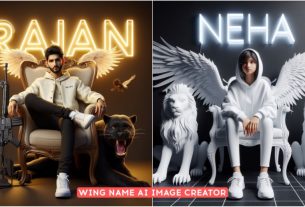
Create Friends Happy Holi 3D Ai Photos – If your friends are not with you at the time of Holi, then understand that your Holi is useless. If you do not like it or your family members do not stay with you then in today’s photo we are going to teach you that if you do not have your friends then you can fall in love with them. Because today in this article we will teach you how to create such Holi AI photo. How you can create Holi photo with your name along with your friends’ names. This is a group photo editing here. Whatever happens in Holi, we have tried to create it here. Once you see the image, you will know for yourself what kind of image we are going to learn to create here.
Create Friends Happy Holi 3D Ai Photos
You must have seen that during Holi, your friends tear your clothes or if you click any photo with your friend, then all these things like color etc. remain on your face. When you click a group photo, you don’t even know. Anyone’s face can be seen in that which we are going to edit today. This is what is reflected in the editing. I added the photo to the thumbnail. So that you also know that look brother, you have to do this type of editing. If you want to create a group photo, which normally many people have to create such photos.
But its prompt was not ready yet so I was not able to give it to you. But today in this article I have provided that because till now I have taught AI photo editing for couples and single people. Which was on Holi and now we have taught this group photo also. If anyone else has been left out, we will do that in the next article.
Friends Happy Holi 3D Ai Prompts

PROMPT :- Create a high quality realistic image, lord Krishna and a teenage boy are playing holi with each other, boy is wearing coloured white t-shirt on which his name ” Rajan ” is written boldly on top, both are smiling, environment is colourful, background is of temple, image should ultra clear, hyper realistic, 4k.

2ND PROMPT :- Created a realistic image of four-five realistic 18 year old Indian boys, holding each other’s colorful clothes and tearing them, playing Holi, with a big sign board in the background which clearly read ” HAPPY HOLI Rajan TOLI, AMAN, SUMIT, RITESH, MONU” is written, many children are playing Holi by tearing clothes, there is an atmosphere of colors, colorful atmosphere, there are colors all around, they are smiling, laughing very loudly. , realistic image,
Holi 3D Ai Images

3RD PROMPT :- 7 Friend 18 year old boy playing Holi and celebrating India festival holi with background of blue sky in Indian Street and 7 Friend wearing all t shirt with name “Rajan” t shirt colour mairun on it by the way childrens are playing around, some children also playing holi, and some uncles drinking tea at a shop. also a text written Happy Holi at top, 3D art painting realistic photo with high resolution. 4Kultra resulation real image

4TH PROMPT :- Create a 3D realistic image of a 16 year old Indian girl sitting sad with his head bowed, wearing a white kurti with “neha” clearly written on it, sad, with beautiful decorations in the background in which Holi festival is being celebrated, some people are celebrating Holi. Playing, Colorful atmosphere, Holi atmosphere, Realistic image,
Holi 3D Ai Photos Images

5TH PROMPT :- Create a realistic profile pictures for five 17 years old boys lay down with their heads together in park. They are wearing holi clothes. One boy wearing white shirt with name “RAJAN” write on clothes. Holi colours smoke, open eyes, holi colours on your clothes and cheeks, high quality picture.

6TH PROMPT :- A realistic 18-year-old boy and a girl, both separated, are playfully spraying colors on each other from a distance, and both are wearing white clothes and have colors on their clothes, the boy’s clothes have “Rajan” and the girl’s The name “Neha” is written on the clothes, and “Happy Holi” is written in big letters in the sky above, both are smiling, many people, colorful sky, it is raining colors, everyone is very happy, Realistic image, realistic colors,
Happy Holi 3D Ai Photos Prompts
All the things that happen in Holi like tearing clothes and applying colors. What do I do with all these things? I try to put it in the image and people also like this kind of image. That’s why when I taught the photo of Lord Krishna to be created, many people liked it, then I thought that I will try to do all the things that are possible for them, so that whatever things can be done by me, they will be impressed by it. I will definitely teach you editing and now you can easily create what I have taught in this article. How can you do this with your name.
If you want to know then you will know it in this article. You just have to read the article carefully and if you have any other idea in your mind like you are not able to create that photo, then for that you can tell us by commenting that brother, you can create such a photo. If it will be good. If people like it, I will definitely upload it on my website.
How To Create images
Now we teach how to create photos. Just follow the steps that I am telling you, line by line, I have explained everything easily so that you do not face any problem.
- The first thing you have to do is copy the prompt. On our website, whatever image you want to create, like in this article, you will get its prompt below the image.
- Copy the prompt. What do you do with it after copying?
- You will find a red colored button below which is of Bing Image Creator.
- Click on it to go to the website and paste the prompt there.
- Now see, here it will ask you to login, then login and if you are already there then your photo will start getting created there.
- And after creation there are four images ready. Open any of them by tapping on it. There you will get the option of 3 dots and you can download everything there.
- So anyway you can create this image, I hope. You must have understood.