
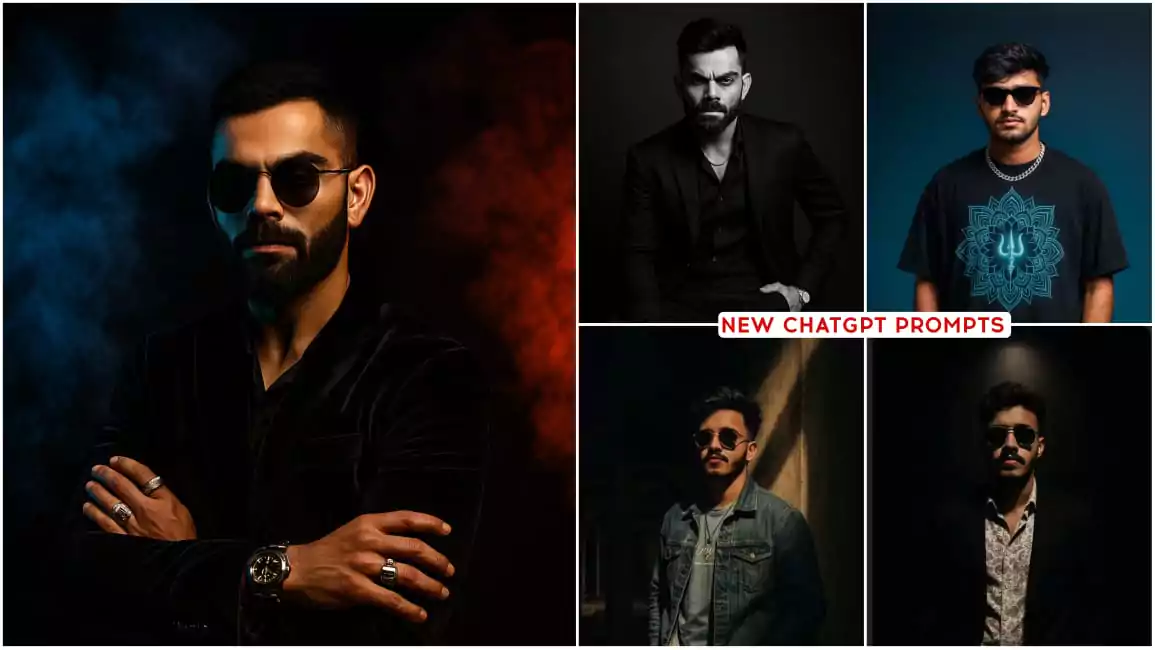
Chatgpt Studio Style AI Photo Editing Prompts – Everyone is learning to make photos. Have you all learned to make this image? If you haven’t learned, then I am going to teach you in this article. I am going to tell you that if you are not creating chat gpt ai image right now. Then you are making a big mistake. In today’s time, such images are very famous among people. Because of this, people want to create more such images because it is because of this that people are liking the images very much. You can also create such images very easily. The biggest reason for people liking it is that people just upload an image. After that they write something. An idea is shared there. Then it is generated, your image becomes exactly like that. We were demanding this thing from work.
Chatgpt Studio Style AI Photo Editing Prompts
The biggest demand of any editor is that their editing is easy. Some time back, there was an option of generative field in which we used to make a drawing anywhere and write something there. Whatever type of thing we need, it used to be provided to us there. But it was not as successful as this thing is happening now. Now what used to happen earlier was that if we draw the entire background there, whatever we would write there, it would not be prepared realistically. It would not even match well. But now things have changed a lot. Now if only your face is visible, he can prepare it in your photo. He can make you sit on a bicycle. He can show you in a suit. Anything can be possible. That is, understand that you can bring out what is in your mind in your photo.
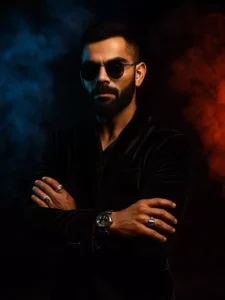
well-groomed beard and mustache wearing a dark velvet suit and sunglasses, posing confidently in a moody studio setting. The background is dramatically split with blue smoke on the left and red smoke on the right, creating a high-contrast, cinematic atmosphere. He has multiple rings on his fingers and a luxury watch on his wrist, adding a touch of sophistication. The lighting highlights the contours of
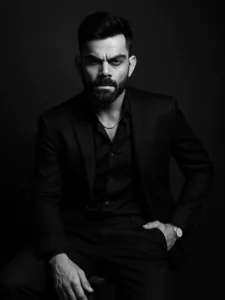
PROMPT – Use this image to create A dramatic black and white portrait of a confident looking man. sitting on a wooden stool against a dark studio background. He is wearing a well-fitted, all-black suit with a black shirt, and black pant small silver chain at naki and small silver watch slightly unbuttoned at the top, exuding a moody and powerful aura. His posture is relaxed yet dominant, with one arm resting on his leg and the other one in his pant pocket The lighting is soft but directional creating
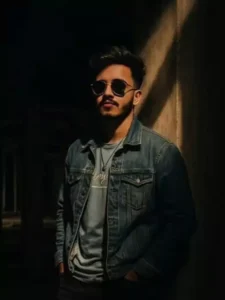
Convert this image into a asthetic 0.6 lens portrait of a boy Standing leaning against a wall under a dramatic spotlight in a construction building. with the same face as uploaded image. The boy wears a blue danim jaket with black jeans, and wear a classy sunglass. His hands are in his jeans pokets, and the light is nightmare. creating a ai". Al
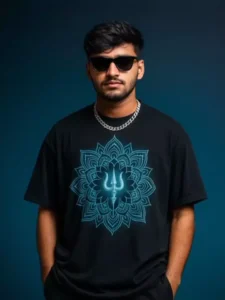
Ultra-realistic portrait of a confident young man wearing a dark navy oversized streetwear t-shirt with a glowing blue mandala parn and a silver Trishul symbol at the center, black cargo pants, black sunglasses, and a silver chain. He stands casually with hands in his pockets against a clean gradient background (deep navy to sky blue), looking straight at the camera. No text or logos in the background. Use shallow depth of field. Shot on a Canon EOS RS + RF 85mm f/1.2L lens, studio lighting. 12K resolution, cinematic editorial fashion shoot style.
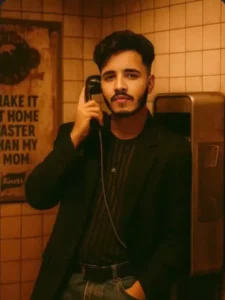
orange-yellow moody tones, soft glow with a slightly vintage or film-like filter. Background: tiled subway wall with an old advertisement and a Knorr poster saying 'MAKE IT AT HOME FASTER THAN MY MOM'. The vibe should be 90s nostalgic with a modern editorial twist. Maintain realistic proportions and replicate my facial features accurately from the selfie
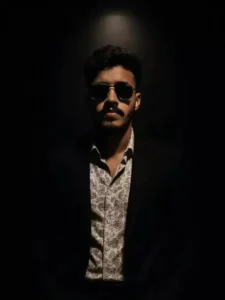
dramatic spotlight in a dark room. With the same face as uploded image. The man wears a patterned white shirt with black suit, sunglass, and has a confident, intense expression. His hands are in his pockets, and the lighting casts deep shadows, emphasizing the contours of his face and body. The background is black, creating a image with 9:6 ratio
How To Create With Chatgpt Studio Style AI Photo Editing Prompts
How can we create such an image using Chat gpt? There is an art to creating it. If you learn it, then your image will be such that you cannot even imagine. You can just imagine that we need this kind of image. Give us an idea that we need these details in our image, then it will generate the same image for you. If you do not have an idea and you are looking for a trending idea, then what I have given below the image here is an idea and we can call it a prompt. It is called our prompt. So you have to copy it. The paragraph given below the image that seems right, you have to copy it. For copying, you have to select and copy it.
After copying, you have to go to another website. Whose name is Chat gpt and you will also find its application on Play Store. You can open it from there. After that you have to upload the image there. Any type of image can be yours but your face should be visible in it properly. If your face is visible in it properly, then understand that you are going to get amazing editing. When your face is visible properly, you just have to upload it there. The prompt you copied has to be pasted there. Then generate your complete image easily in a few minutes.
How To Fix Issue In Images ?
You get to see a problem face like there is a limit of images. Like if you upload any image and generate it, then in three times you are not able to generate after that and many people get unlimited time. How does this happen, it is very simple, while uploading, you have to go to the file option there. How will you get it, like from where you upload other images. Like you will get the option of photo video. At the same time, below you also get the option of a file. Click on it and from there go to the gallery and select your photo from your file manager. After that you generate as I told, then you get more updates like this. I tried this. It worked for me, you can try it. Does it work for you or not.
Overall Tips
Lastly, I would like to tell you that here you also get to see a problem with the face, such as your face is not generated properly in it and many people had left a question for me that you can fix this also and tell me, for this I have uploaded a video on my YouTube channel. You can solve it by watching from there but still I would like to tell. For this you have to use face swap and there are many websites for it where you can go and fix your face by swapping it.


