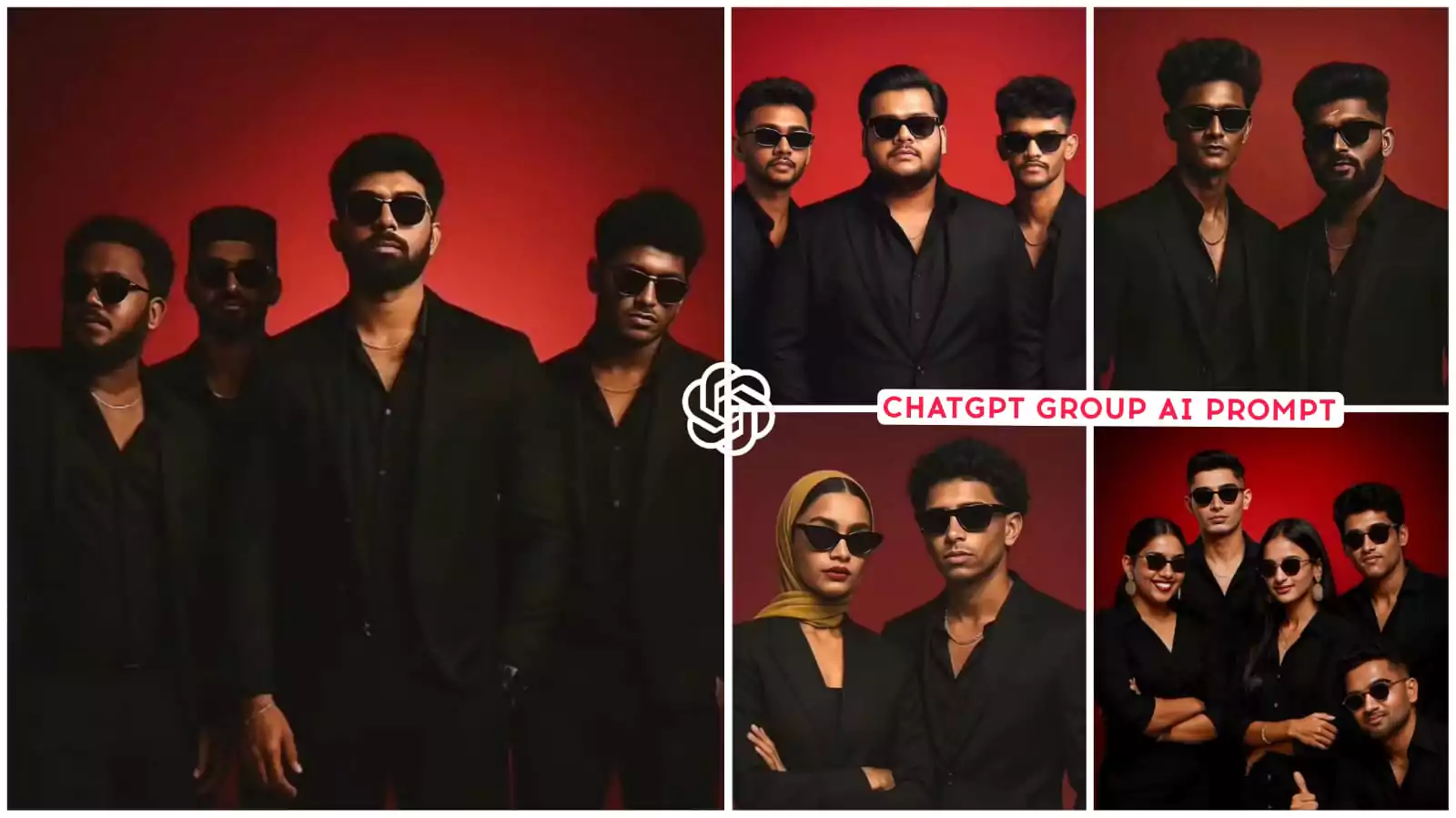
Chatgpt Group Ai Photo Editing Prompts – Friends, now I have taught you a lot of different photo editing in which I have taught on many different categories like movie poster biker and told about many other editing, but I have never told in such a way. In which you can do editing of your group. And you can do this editing with your friends, now what type of photo will you need for this. How will you be able to generate it, will we use chatgpt in this or not, its details will be explained to you further in the article. With which you can easily make such photos. By the way, you have been shown in the thumbnail that what type of your photo is going to be generated. If you are interested then you can read the article further here.
Details – Chatgpt Group Ai Photo Editing Prompts
If you see this group photo being edited, it is a professional studio type photo being edited. In which a red colour background is coming behind you. Now here it is demanded that how many friends you have. According to the number of friends you have, you can select the prompt here and do its editing. Like in the editing that is happening here right now, which of your friends do you want to add and which do not. I will definitely tell you that later. If you understand it once, then understand that editing is going to be very easy for you. After that I will tell you how to do editing using it. Understand once again that we will use chatgpt in this. A perfect video of ours will be ready with that.
1st Prompt – Studio background. A highly stylized potrait of same 4 men in image with sharp features, flawless fair skin well fitted all-black suites with a black shirts, and black pants, small gold chain at naki, and black sunglasses and small black watches slightly. Unbuttoned at top, Against a bold red gradient background confidently. high-detail, editorial photography style 4k. Resolution, symmetrical composition minimal background elements 9:16 ratio
2nd Prompt – a highly stylized portrait of same persons in image with sharp features, flawless fair white skin, wearing a black 3-piece suit, black sunglasses and standing against a bold red gradient background, confidently. the lighting is dramatic and cinematic emphasizing their facial structures and giving luxury fashion magazine vibe. ultra-realistic, high detail, editorial photography style. 4K resolution symmetrical composition, minimal background elements 9:16 ratio
How To Use Friends Photo ?
Yes, now what kind of photo do you want to prepare. Now you can have four or five friends. You can have as many friends as you want their photos and if you want to use the photos in chatgpt. You should keep in mind the face area. That means you have to select the entire area of your face in square size and you just have to select the face area in the photo and upload it. If you use that, then your photo will be ready. It will be in a perfect shape and your absolutely professional studio type photo will be easily ready. I have to tell this thing because people here make a lot of mistakes. What do they do? They upload photos without size, someone will upload full size. You have to crop someone’s normal size photo and take their face photo. In which they are not wearing glasses and then use that.
How To Use Chatgpt Group Ai Photo Editing Prompts
We will talk about how to generate the image. You should know a way to generate the image. How to generate it, first of all you should have a prompt which I have provided you here. Different prompts are given to you in this, so you can make images with different styles. Here is a group editing, I am learning, so do not keep one thing in mind that here you will see the editing of a single image. Whatever number of photos you create. If you create only those of your group, then what do you have to do. Whichever prompt you find right. You have to copy and open chatgpt. Now here you can go to the upload option and demand the image. You must have copied the winning prompt, like if there are four friends. There you have uploaded the photo of the faces of all the four, what kind of face do you have to upload. I have just explained in the paragraph above. After uploading it, you have to paste that prompt. Then generate it and your image is ready.
Conclusion
These details which I have just explained, if you want to create a group photo then you can easily do it this way. By the way, if you want to make any other type of photo like if you want to make a photo with one of your friends. Here if you do not understand its frame then copy any one friend and you can customize it in point. If you want to create a photo with 10 friends here, you can do that. You need customization in the prompt. If there is a mention of four people in the prompt. Write 10 in place of tax there and its styling is there. If you want, you can do it according to your wish. You can also make the dress you want to wear.