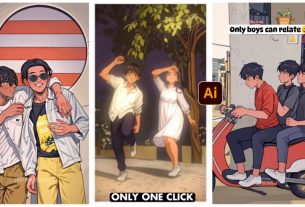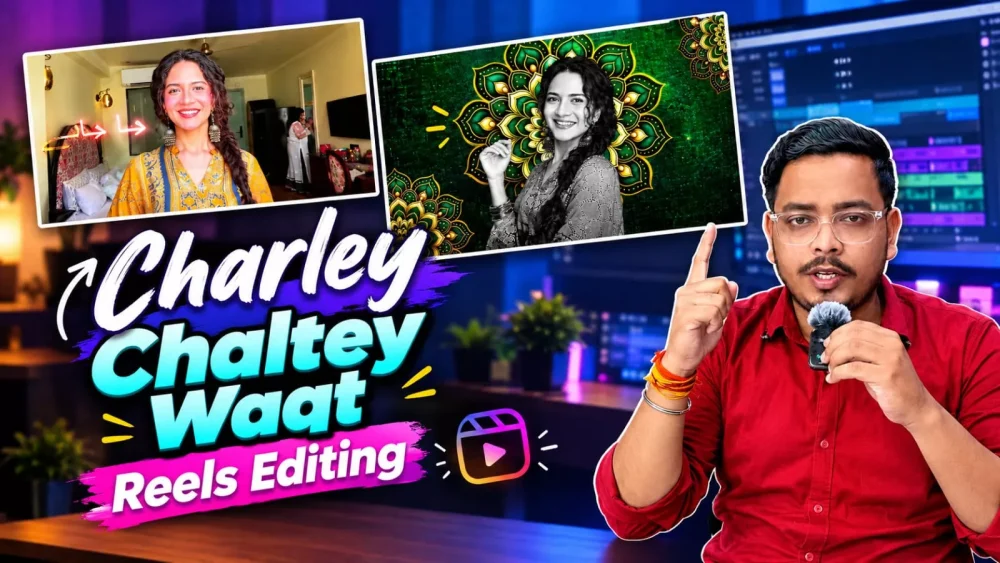
Chalrey Charey Waal Ai Video Editing – Such videos are becoming very viral on social media as well and let me tell you, you cannot create such videos easily without big software, but we have a trick by which you will be able to do such editing easily in your phone and this is called video editing and how to create it by following these things. If you want to know, if you want to create videos then in this article I will tell you the exact process of how to create them and if you want to create them then follow this article and tell us by commenting or share whatever suggestion you have.
Details Of Chalrey Charey Waal Ai Video Editing
I will share the details of this editing with you. Look, in the beginning, a completely normal video is shown which makes the audience think that it is a simple video. Then, as soon as editing effects and background changes etc. are done in it, they look very aesthetic. Our video is presented in a different look and this is what people want. How should our video be created? It should be converted from a completely normal to an aesthetic one. In this article, you will be given a proper guide on how to easily make this amazing video. If you want, you will easily create it. Be it a boy or a girl, anyone can make such a video.
Process Of Creating Video
For this video editing process, we won’t be using any traditional editing techniques or standard editing software. Instead, we will use ‘Google Flow.’ Let me explain how it works: you will need to prepare a reference video—I have already provided one for you—and then use your own photo as a reference. The tool will then replace the character in the video with the person from your photo. I will explain later how you can do this effectively to achieve the best possible result.
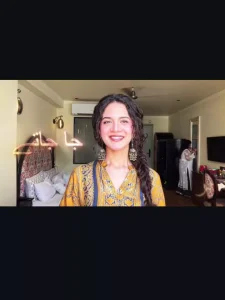
Recreate the uploaded reference video as closely as possible, using my uploaded photo as the ONLY identity and appearance reference. MAIN INSTRUCTION: Analyze the entire reference video frame by frame and recreate its visual sequence, transitions, effects, timing, camera movements, background changes, animations, and overall editing style. The final result should look as close to the reference video as possible, but with me as the subject.
FACE AND IDENTITY — STRICTLY PRESERVE Use my uploaded photo to preserve my exact identity. Maintain my natural face shape, eyes, eyebrows, nose, lips, skin tone, facial proportions, natural asymmetry, and skin texture. Do not beautify, reshape, smooth, age, or replace my face. Do not generate a different person.
OUTFIT AND ACCESSORIES — DO NOT CHANGE Keep exactly the same clothes, colors, patterns, hairstyle, and accessories visible in my uploaded photo. Do not copy the reference video's outfit onto me. If I am wearing glasses in my photo, preserve them naturally. If I am not wearing glasses, do not add them.
RECREATE THE REFERENCE VIDEO Follow the reference video in its original sequence, including:
The original opening shot and framing.
The same subject positioning, poses, expressions, and natural movements wherever applicable.
The same decorative backgrounds, graphic overlays, colors, animated elements, and visual effects.
The same transitions between the original footage and stylized scenes.
The same zooms, cuts, timing, and ending sequence.
The same text and typography shown in the reference, recreated as accurately as possible where applicable. Replace the original person with me while preserving my identity and outfit throughout every scene. Blend me naturally into each background with consistent lighting, realistic edges, and accurate proportions.
MOVEMENT AND EXPRESSIONS Reproduce only the movements and expressions demonstrated in the reference video. Keep the subject's movement natural and consistent with the original footage. Do not invent new gestures, lip movements, or facial expressions. 5. AUDIO AND SPEECH Do not make me speak. Do not generate dialogue, voice-over, narration, lip-sync, or artificial mouth movements. If the reference contains music or sound effects, preserve the original audio when supported. Otherwise, generate the visuals without adding speech.
VIDEO FORMAT AND QUALITY Maintain the reference video's original aspect ratio, duration, scene order, and pacing. Use high-quality, realistic facial rendering, stable identity across all frames, smooth transitions, and clean visual effects. Avoid flickering, face distortion, extra fingers, duplicate subjects, unnatural movements, and inconsistent clothing. FINAL RESULT: Create a faithful recreation of the reference video featuring me, not a new interpretation or a loosely inspired version. My face and outfit must remain unchanged throughout the video. The reference video controls the editing, effects, and scene sequence; my uploaded photo controls my identity and appearance. If any detail conflicts, prioritize preserving my face and outfit while matching the reference video's visual style as closely as possible.
How To Generate Video?
Now to make this video, first of all you should have Google Flow website. If you don’t have it, then open it. Sign up there. What you have to do first there. You have to click on New Project. There you will find the Plus option at the top. If you click on it, you will get the Gallery option. From there you have to select a video clip and upload a photo as a reference. After that you have to present your from. By clicking on the Plus option below, first select the video and then the photo and you have to paste the prompt and generate it, then your viral video will be made and ready. It will take only some time and it will make a really good video for you and make it ready.
Conclusion
You can follow this same process using Google Gemini as well; simply select the video option, upload the video first, followed by the photo. Then, just enter the same prompt and hit generate. It will create an equally accurate video for you.