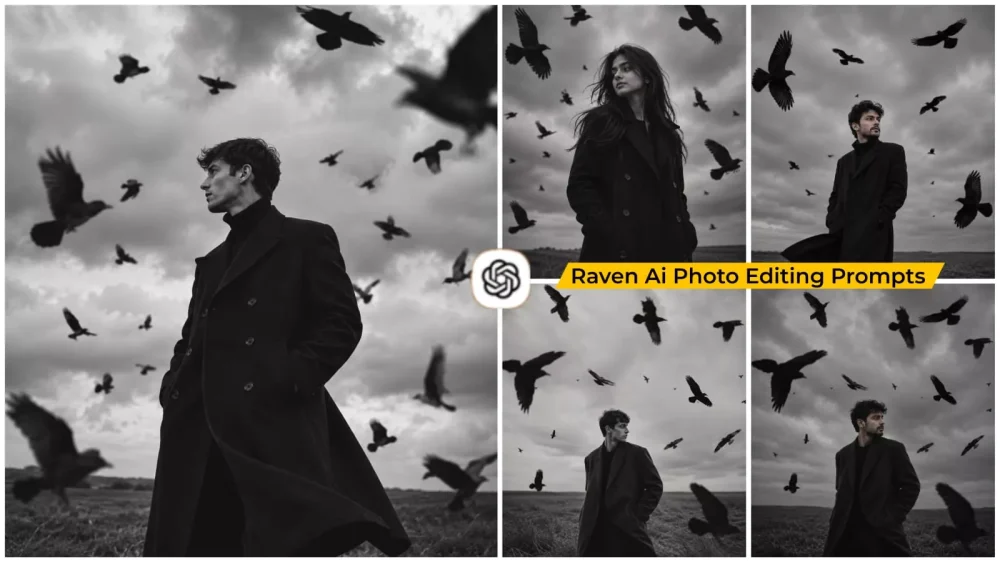
Aesthetic Raven Ai Photo Editing Prompts – Some photos simply garner likes, while others just look good. However, I am talking about a specific type of image here—one that makes you stop scrolling altogether just to gaze at it. For a while now, Instagram has been flooded with content featuring luxury lifestyles and natural-looking edits, yet nothing truly unique had really stood out. In this article, I am going to introduce you to the “Raven style” of editing. It is currently trending, and everyone wants to create it because it offers a professional look. Nowadays, thanks to various tools, anyone can become a professional editor. If you want to learn how to create this viral editing style, I will walk you through the steps.
Style :- Aesthetic Raven Ai Photo Editing Prompts
Let’s understand this “Raven editing” trend—what it is and why people are so crazy about it. You might have come across photos like this: a guy wearing a jacket, gazing into the distance amidst a specific setting. It creates a stunning, dark, and moody aesthetic. It’s not just a standard photo; it establishes an atmosphere and tells a visual story, evoking a sense of mystery. You can create this kind of image yourself by following these steps.
Why is this trend going so viral?
You see, on social media, simply posting beautiful photos isn’t enough. While using beautiful photos is great, you need to step things up. You should use images that convey a story—something that sparks curiosity in viewers the moment they see them, making them pause and take a closer look. Getting people to stop and look at your photos is a huge win on social media; it boosts your impressions and significantly expands your reach.
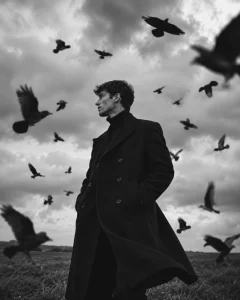
Keep my exact facial features and identity unchanged. Standing alone in a massive empty field. Wearing a long black wool trench coat. Hundreds of crows circling around me. Strong wind. Dark storm clouds. Black and white cinematic photography. Powerful mysterious energy. Looking toward the horizon. Fashion magazine quality. Ultra realistic.
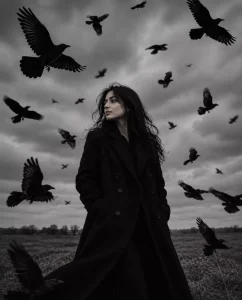
Keep my exact facial features and identity unchanged. Standing in a windswept field. Long elegant black trench coat.
Messy windblown hair. Flock of crows surrounding me. Overcast sky. Black and white photography. Dark romantic gothic mood. Looking to the side. Cinematic realism. Photorealistic.
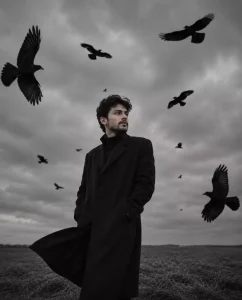
Keep my exact facial features and identity unchanged. Standing motionless in a dead grass field.
Large black coat. Wind blowing through hair. Crows flying past camera lens. Heavy clouds overhead. Black and white film photography. Melancholic mood. Cinematic depth.
Photorealistic.
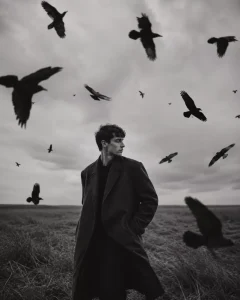
Keep my exact facial features and identity unchanged. Standing alone in a massive empty field.
Wearing a long black wool trench coat. Hundreds of crows circling around me. Strong wind.
Dark storm clouds. Black and white cinematic photography. Powerful mysterious energy.
Looking toward the horizon. Fashion magazine quality. Ultra realistic.
How an ordinary photo transforms ?
Imagine using a standard photo taken in normal lighting. Here is how the elements change: you are dressed in black—perhaps wearing a black jacket—and the background is transformed into a dark, atmospheric setting; even the area that would normally be green is rendered in dark tones. You are then depicted as if you are airborne, giving you the appearance of a cinematic character. While it might seem extraordinary at first glance, this is something you can actually achieve yourself.
How To Use Aesthetic Raven Ai Photo Editing Prompts ?
We have already shared the prompt you can use to create such photos; using it ensures a smooth process. Simply copy the prompt and open ChatGPT. You will see a ‘plus’ option there (available once you sign up); click on it and upload a photo where your face is clearly visible and distinct. After that, paste the prompt and hit generate. It will create a fantastic photo for you—one with truly amazing results.
Overall
I hope the editing technique I shared with you was impressive. I explained the aspects that are useful for your editing work, and to help you understand even better, I will walk you through additional steps that will enable you to create amazing edits in the future.