
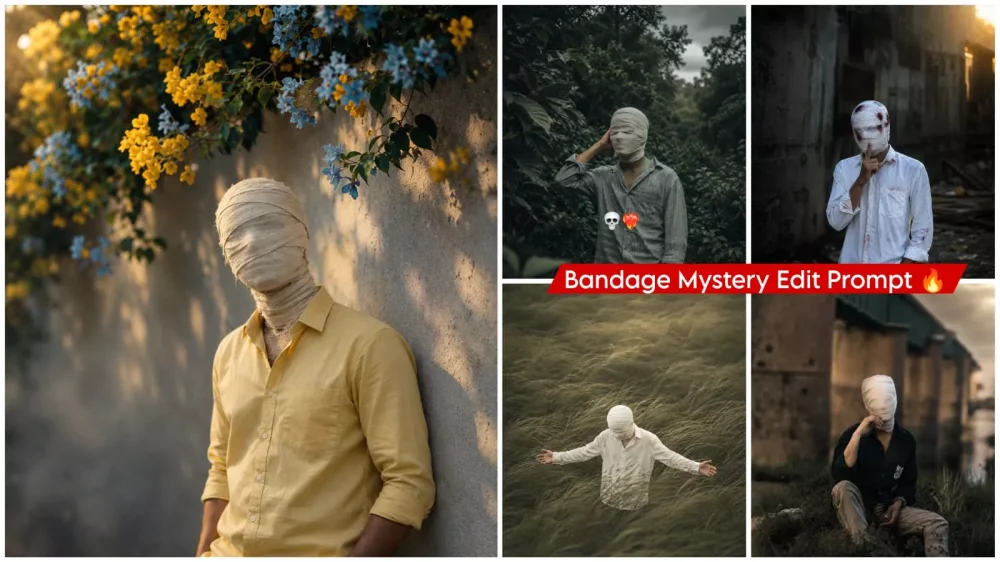
Bandage Mystery Face Ai Photo Editing Prompt – You must have seen that a new trend has come up on social media sometime in which people create and upload their photos with face masks which are recognizable. The second photo is the one in which the photo looks completely different. The mask comes as if you have bandaged yourself completely. The entire face gets covered. The day before yesterday you are alone, people cannot see you there, but they like that photo. People are liking this kind of editing which is going viral, how can you make it now because it is very easy to create it. If you follow these correct steps then your editing will go hundred percent viral. Today I will tell you how to create it. You just follow us and create.
Details Of Bandage Mystery Face Ai Photo Editing Prompt
Where does such a dramatic transformation in an ordinary photo come from? Imagine standing before a camera for a simple shot—wearing everyday clothes and maintaining a completely neutral facial expression. Now, picture a mask being applied that covers your entire head and face—much like the bandages wrapped around a head injury. Suddenly, the photo takes on a unique look. Add cinematic color grading to that image, and it becomes truly extraordinary. That is exactly what we are going to discuss in this article. If you want to create professional-looking photos with cinematic colors, this article is for you; it will show you how to achieve that look.
This is where things get interesting with ChatGPT:
It attempts to completely transform your photo through the editing process. Whether you want to add a traditional mask while keeping your identity recognizable, or prefer to have the mask cover your entire face, the tool handles this with ease. However, when it comes to cinematic color grading, you need to provide specific instructions—explaining exactly which colors should appear where and how they should be distributed across the image. You have to be precise about these details. As for the mask itself—its type, placement, and how much of the face it covers—the necessary information is already included in the prompt provided in the article; you simply need to use it. Another point to consider is that even minor tweaks to the prompt can significantly alter the final result of your photo.
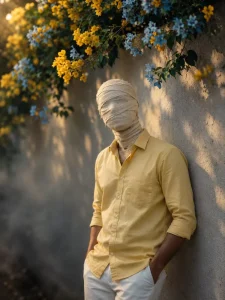
Create an ultra-realistic cinematic portrait using the uploaded photo as the exact reference. Preserve body proportions, pose, posture, hands, arms, clothing, accessories, camera angle, composition and framing unchanged. Completely wrap the entire head and face in thick, opaque off-white cotton bandages with overlapping layers. Fully cover hair, forehead, eyes, eyebrows, nose, cheeks, mouth, jawline, chin and ears. No facial features, skin, gaps, openings or recognizable face shape should be visible. Keep the original background unchanged. Apply a dark moody cinematic color grade in the photo, deep shadows, subtle warm highlights, atmospheric haze, natural HDR, contrast and film grain
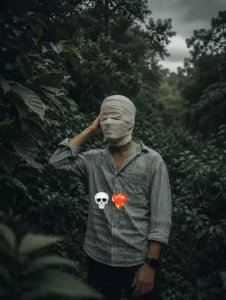
Create an ultra-realistic cinematic portrait using the uploaded photo as the exact reference. Preserve body proportions, pose, posture, hands, arms, clothing, accessories, camera angle, composition and framing unchanged.
Completely wrap the entire head and face in thick, opaque off-white cotton bandages with overlapping layers. Fully cover hair, forehead, eyes, eyebrows, nose, cheeks, mouth, jawline, chin and ears. No facial features, skin, gaps, openings or recognizable face shape should be visible. Keep the original background unchanged. Apply a dark moody cinematic color grade in the photo, deep shadows, subtle warm highlights, atmospheric haze, natural HDR, contrast and film grain.
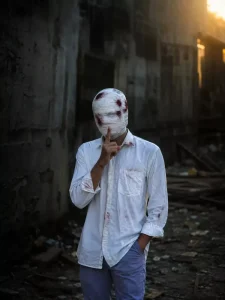
My face is completely covered in bandag there are patches of blood, and my fingers are pressed against my mouth backgrou change

8k realistic
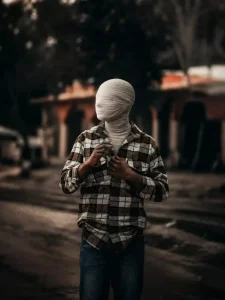
Create an ultra-realistic cinematic portrait
using the uploaded photo as the exact
proportions, pose, posture, hands, arms, clothing, accessories, camera angle, composition and framing unchanged.
grain.
reference. Preserve body cotton bandages Completely wrap the entire head and face in thick, opaque off-white with overlapping layers. Fully cover hair, forehead, eyes, eyebrows, nose, cheeks, mouth, Jawline, chin and ears. No facial features, skin, gaps, openings or recognizable face shape should be visible. Keep the original background unchanged. Apply a dark moody cinematic color grade in the photo, deep shadows, subtle warm highlights, atmospheric haze, natural HDR, contrast and film size 3,4
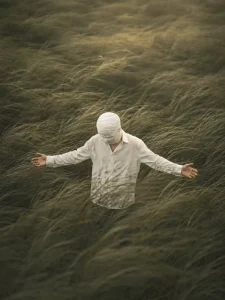
Create an ultra-realistic cinematic portrait using the uploaded photo as the exact reference. Preserve body proportions, pose, posture, hands, arms, clothing, accessories, camera angle, composition and framing unchanged.
Completely wrap the entire head and face in thick, opaque off-white cotton bandages with overlapping layers. Fully cover hair, forehead, eyes, eyebrows, nose, cheeks, mouth, jawline, chin and ears. No facial features, skin, gaps, openings or recognizable face shape should be visible. Keep the original background unchanged. Apply a dark moody cinematic color grade in the photo, deep shadows, subtle warm highlights, atmospheric haze, natural HDR, contrast and film grain.
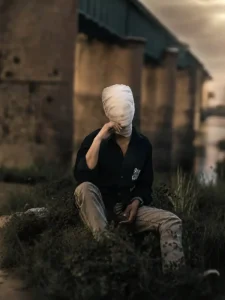
Create an ultra-realistic cinematic portrait using the uploaded photo as the exact proportions, pose, posture, hands, arms, clothing, accessories, camera angle, composition and framing unchanged.
grain. reference. Preserve body cotton bandages Completely wrap the entire head and face in thick, opaque off-white with overlapping layers. Fully cover hair, forehead, eyes, eyebrows, nose, cheeks, mouth, Jawline, chin and ears. No facial features, skin, gaps, openings or recognizable face shape should be visible. Keep the original background unchanged. Apply a dark moody cinematic color grade in the photo, deep shadows, subtle warm highlights, atmospheric haze, natural HDR, contrast and film size 3,4
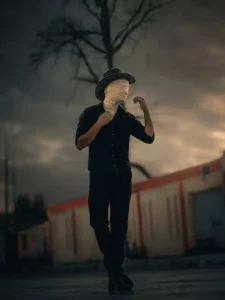
Create an ultra-realistic cinematic portrait
using the uploaded photo as the exact
proportions, pose, posture, hands, arms, clothing, accessories, camera angle, composition and framing unchanged.
grain.
reference. Preserve body cotton bandages Completely wrap the entire head and face in thick, opaque off-white with overlapping layers. Fully cover hair, forehead, eyes, eyebrows, nose, cheeks, mouth, Jawline, chin and ears. No facial features, skin, gaps, openings or recognizable face shape should be visible. Keep the original background unchanged. Apply a dark moody cinematic color grade in the photo, deep shadows, subtle warm highlights, atmospheric haze, natural HDR, contrast and film size 3,4
Create a Viral Full-Body Photo Without Showing Your Face
The most important aspect here is that, typically, your face is the key feature by which people recognize you in a photo. However, in this specific style, your entire body is included, yet your face remains completely hidden—it gets fully obscured. This concealment of the face is precisely why the photo is going viral and resonating so well with people. The colors also add to its visual appeal. So, if you want to do something unique without revealing your face, you should definitely give this edit a try.
How To Create This Image?
Let me explain the process of creating this image. If you want to create it, here is how you can do it: first, copy one of the prompts—there are various styles available. Next, open ChatGPT and upload a reference photo. After uploading the reference image, paste the prompt you copied and hit generate; it will create the final image exactly as you envisioned. You will get excellent results that you can use right away.
Conclusion
I hope this Instagram trending edit was helpful. I’ve explained all the editing details, so you can follow along and create and let us know.


