
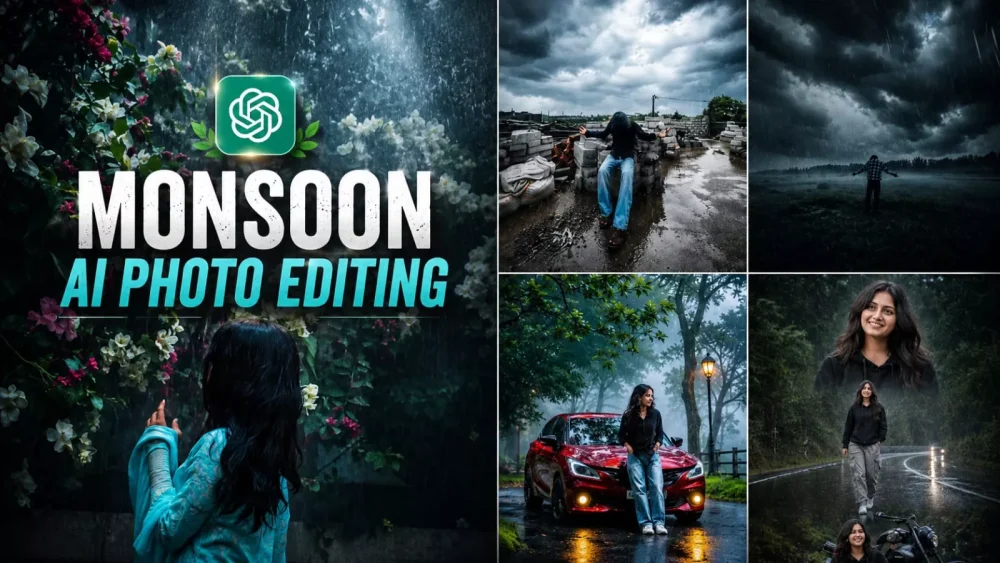
Monsoon Season Ai Photo Editing Prompt – The monsoon season is just around the corner, and if you haven’t created these viral photos yet, what are you waiting for? Let me show you how to create monsoon-style photos without actually getting wet in the rain. You can feature dramatic, dark rain clouds in the background and wear whatever outfit you like. The most interesting part is that the photos you see here are AI-generated; there is no need to get drenched. The wet clothes and the rain effect are all generated, yet the result looks incredibly realistic.
Why Do Images Of The Rainy Season Look So Beautiful?
If you look closely, the rainy season isn’t just about the weather; it is a feeling. The scent of the earth after the first summer rain, the glistening droplets on the trees, and the dark clouds drifting across the sky—these elements evoke a deep emotional response. AI can recreate these elements with remarkable ease. To capture all these things simultaneously in real life, you would have to put in a tremendous amount of effort; sometimes the clouds might not be right, or the rain might not fall quite as you’d like, and you can’t simply wander around with a camera waiting for the perfect moment. That is why creating these photos yourself is the best option. I will show you how to create them—and make them look incredibly realistic.
How Does An Ordinary Photo Transform?
Just imagine taking a simple photo—even a selfie—and seeing it shift into a rainy setting: a scene where it is pouring, raindrops are scattered across the road, water covers the ground, and rain is falling in the background. With lightning flashing in the clouds, the result is so unique that you will realize just how realistic your photos have become.
What Is The Most Important Element In Monsoon Photos?
It is simply the rain effect; adding it transforms a standard image into a monsoon photo. You also need a cloudy sky—without clouds, the rain looks incomplete. The atmosphere should appear damp; roads, trees, and the ground should all look wet. The raindrops should look natural, ensuring it never appears as though they were artificially added later. Finally, there should be a green color tone, as the lush greenery of trees and the surrounding environment stands out beautifully against the dark rain clouds.
How To Write A Prompt?
Here is a crucial point to remember when writing a prompt: beginners often simply include “rain effect” at the start, expecting the photo to generate based on that alone. However, experienced users define the entire atmosphere. When you add details like dark clouds, wet roads, green trees, soft mist, a monsoon ambiance, and rain reflections, your image becomes incredibly realistic.
Update – There is a new trend involving these monsoon-themed photos. I am sharing this update so that you, too, can create viral photos based on this trend. You will find the prompt for it in the article.
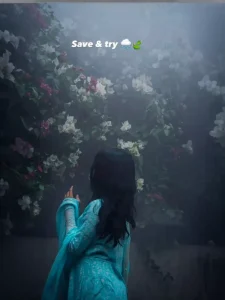
Moody Nature, Dense Fog Weather, Volumetric Lighting, HDR, Ultra Realistic, Professional Color Grading, 4K Quality, DSLR Shot, Atmospheric Depth, Photorealistic!
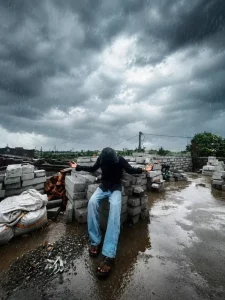
Ultra-realistic cinematic monsoon color grading, dark stormy atmosphere, deep gray rain clouds, cool moody tones, rich emerald green vegetation, wet reflective surfaces, realistic rainfall streaks, high dynamic range (HDR), dramatic contrast, soft natural light through clouds, desaturated sky, enhanced depth, realistic shadows, premium DSLR photography, natural colors, ultra detailed textures, cinematic weather mood, realistic rain reflections, crisp clarity, professional color grading, masterpiece, 8K quality.
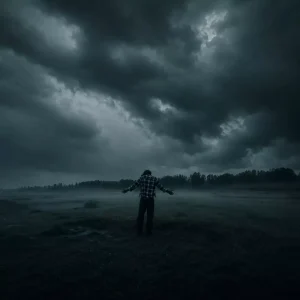
Dark teal green tones, desaturated
colors, misty atmosphere, moody forest aesthetic, cold cinematic look, rainy season vibe, soft contrast, deep shadows, realistic fog diffusion, dark emerald green background.
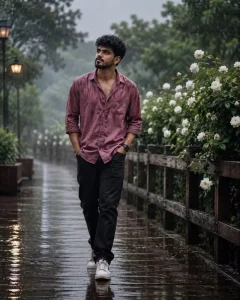
Prompt "Generate a realistic portrait of a young man walking on the street near the wooden railing, white rose plant and trees behind him, wooden street, rain, he look slightly side, front low angle shot, shot from a wide distance, wet messy and trousled hairs fall on his forehead, respective slim physics, he wear dark pink color baggy button shirt and black jeans with white sports shoes, full body shot,light and effect according to the background, fair and smooth skin. face 100% realistic as per mentioned pictures
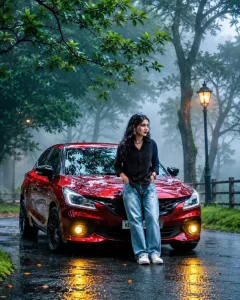
Ultra realistic cinematic rainy forest road scene, keep everything exactly the same as the original image with 100% identical environment, same glossy red hatchback car, same misty atmosphere, same wet road reflections, same trees, same glowing street lamp, same camera angle, same lighting and color grading. Replace the boy with a beautiful full-body young woman sitting naturally on the front hood of the car in a stylish pose. Use the exact face reference from the second image, with long wavy black hair, earrings, silver chain necklace and soft makeup. She is wearing an oversized black shirt, light blue baggy jeans and white sneakers. Maintain realistic proportions and full body visibility. Keep the car, background, rain reflections, fog and composition unchanged. Hyper detailed, 8K, DSLR quality, cinematic depth of field, photorealistic, highly detailed, natural skin texture, no extra objects, same mood and atmosphere, masterpiece.
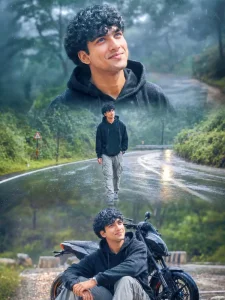
ratio 4:5, Use the person from the reference photo as the mainsubject. Keep their exact facial features, hairstyle, skin tone, and expression perfectly unchanged preserve all realism, emotional depth, and subtle facial lighting. Allow changes only in camera position, background motion, outht and atmosphere. brown skin, Create ultra-premium rainy road cinematic collage in vertical 4:5 ratio with three emotional frames during bright overcast daylight after rain. Same exact face in all frames. Wear black oversized hoodie, grey cargo pants and sneakers. Top frame looking upward at sky with raindrops on face, middle frame walking alone on wet road, bottom frame sitting beside bike thoughtfully. Brightreflective wet road, green trees, foggy atmosphere, glowing road reflections, realistic rain particles, cinematic puddles, ultra-detailed clouds, soft dreamy transitions, Nikon Z9 DSLR realism, crystal-clear skin texture, premium HDR lighting, ultra-sharp details, 20MB photo quality, viral Instagram mood.
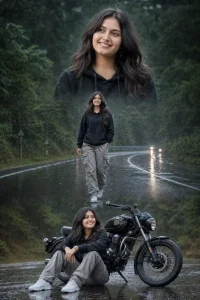
triple-exposure portrait of a handsome young Indian women during a rainy monsoon day. The composition features three artistic layers: a large close-up portrait at the top showing him gazing thoughtfully into the distance, a full-body shot of him confidently walking down a rain-soaked forest highway in the center, and a relaxed seated pose beside a black retro motorcycle at the bottom. She has styled voluminous hair, a neatly trimmed beard, and wears a black hoodie, gray cargo pants, and white sneakers. The scene is set on a winding wet road surrounded by lush green trees, with light rain falling, mist floating above the asphalt, and distant headlights reflecting on the road surface. Moody atmosphere, dramatic storytelling, cinematic color grading, shallow depth of field, ultra-realistic photography, high detail, professional editing, monsoon aesthetic, magazine-quality portrait, 8K resolution."
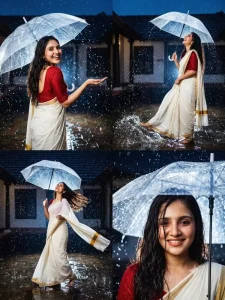
Ultra-realistic cinematic DSLR photography, 4-panel Instagram collage, beautiful young South Asian woman wearing an elegant off-white Kerala Kasavu saree with rich golden border and deep maroon blouse, standing in a lush tropical courtyard during heavy monsoon rain. Traditional South Indian ancestral house with terracotta tiled roof in the background, rain-soaked stone pathway with realistic water reflections, vibrant green plants and palm leaves surrounding the scene. Warm ambient lights glowing softly from the house veranda, creating beautiful bokeh highlights and cozy monsoon atmosphere. Natural wet skin texture, realistic rain droplets on face and saree, authentic candid emotions, no Al look, no plastic skin, photorealistic, magazine-quality photography, cinematic color grading, shallow depth of field, 85mm lens, f/1.8, HDR details.

Panel 1: Back-facing pose, arms stretched wide, embracing the rain, long wet hair flowing naturally down the back, saree pallu flying gently in the wind, full-body composition.

Panel 2: Close-up side profile portrait, face tilted upward toward the rain, eyes closed, peaceful smile, one hand touching wet hair near the neck, visible raindrops on face, warm background bokeh lights.

Panel 3: Elegant walking pose through rain puddles, looking down with a soft smile, one hand adjusting wet hair, other hand holding the saree pallu, graceful candid movement, realistic reflections on wet pathway.

Panel 4: Joyful spinning pose, looking back over shoulder toward camera, radiant smile, wet hair flying dramatically with motion, saree swirling beautifully around the body, cinematic motion capture, dynamic monsoon fashion shot.

Monsoon romance aesthetic, Kerala rain vibes, realistic fabric physics, natural lighting, warm house lights, ultra-detailed textures, professional travel photography, Instagram-ready 4-panel layout, high realism, no CGI, no cartoon, no artificial face, extremely photorealistic.
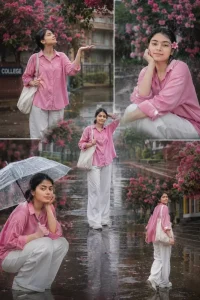
Aesthetic rainy season college portrait collage of a stylish young woman in a pink oversized shirt and white wide-leg pants, enjoying the rain on a campus road with blooming pink flowers, wet pavement reflections, soft cinematic lighting, dreamy mood, vibrant colors, multiple poses, photorealistic, Instagram poster style, shallow depth of field, 4K.
Why Is The ‘Monsoon Plus’ Cinematic Style So Popular?
When you look at the rain photos created with this style, you’ll see that they blend emotion with cinematic color grading, making the images look truly professional. A common mistake beginners make is adding too much rain, which obscures the face; conversely, if you remove the rain from the face entirely while it’s pouring all around, the result looks unnatural. The beauty of this style is that it handles everything automatically, presenting the scene in a completely natural way. If you choose to add your own cinematic color grading details on top, the photo turns out absolutely stunning. We have already incorporated all the essential elements, but you are free to add more if you wish—or simply use it as-is and post it directly.
How To Use Monsoon Season Ai Photo Editing Prompt
I have already shared several prompts with you for creating such photos, covering a variety of styles. Choose the one you like best—the one that will help you create a great image—and copy it. Next, open ChatGPT and paste the prompt I provided. You will see a ‘plus’ (+) option there; click on it to upload your reference photo. Your reference photo should clearly show your face—ensure it isn’t dark anywhere—and feature only one person. After that, hit generate, and you will see results that look exactly like the preview images I’ve shown here.


