
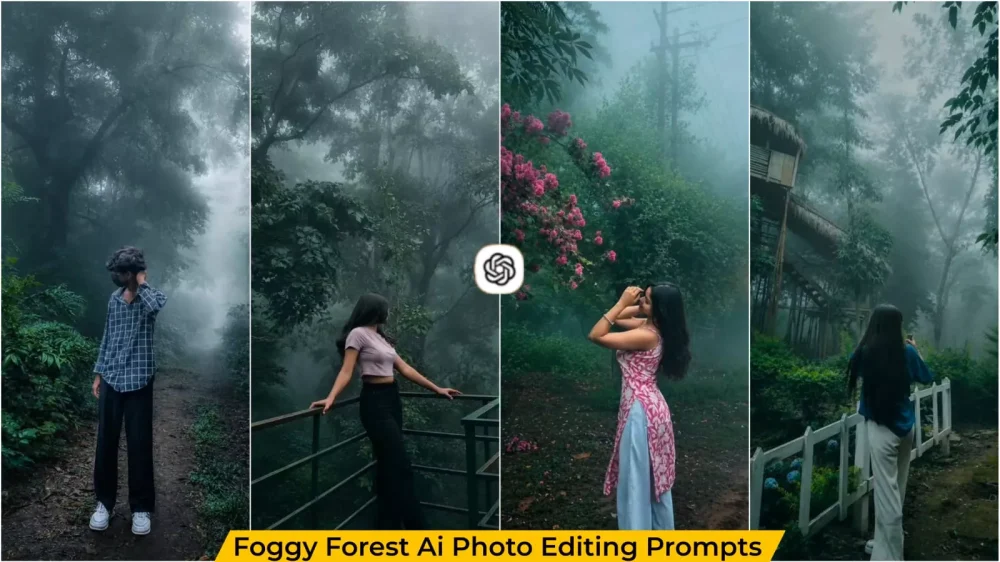
Cinematic Foggy Forest Ai Photo Editing – Nowadays, the weather itself has become a part of photo editing. Until recently, photo editing meant retouching one’s face or body, but that mindset has completely shifted. You might notice that people are no longer just altering their own appearance in photos; they are transforming the entire world around them. They completely change the background location—turning an ordinary street into a misty, atmospheric one, or transforming a simple park into a setting that looks like a Hollywood movie location. You can achieve all of this using AI, and the true magic lies not in the person, but in the surrounding environment—something we will explore in this article.
Details – Cinematic Foggy Forest Ai Photo Editing
Now you will see that some pictures on social media do not look good because there is a beautiful person in them whose environment makes the photo look very good and this is the reason. For this, from some time you will see more such cinematic photos in which you will get to see Phaag. This is going viral very much. In this trend there is no goods, no luxury cars, no luxury dressing. It is a simple photo and here its background is displayed in a very mysterious way, in which there is light fog, mist and soft light. These colors make your photo look like a web series post.
Why, after all, do photos featuring fog become so special?
Just observe the emptiness of a road shrouded in morning mist. Fog creates an inherent sense of mystery, veiling things completely. The photograph here evokes that very same feeling; it portrays a sense of incompleteness, and that is precisely what draws people in. Viewers get the impression that there is a hidden story behind the frame. That is why “fog-style” editing currently stands out so much more effectively than standard photography.
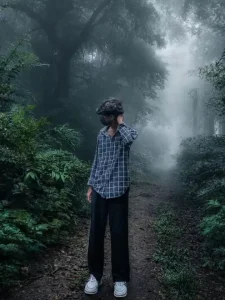
Transform this image into a breathtaking ultra-realistic foggy forest masterpiece. Add dense natural white fog covering the entire environment, creating a mysterious and cinematic atmosphere. Apply rich forest-inspired color grading with deep emerald green, dark teal, moss green, and earthy brown tones. Enhance the trees, foliage, and background elements to resemble a lush enchanted forest hidden in the mist. Introduce soft volumetric light rays subtly penetrating through the fog, creating depth and realism.
Increase overall image quality to ultra-high-definition 4K resolution with razor-sharp details, HDR enhancement, realistic textures, balanced contrast, and natural color harmony. Improve shadows, highlights, and dynamic range while maintaining a realistic appearance. Add a moody woodland aesthetic, dreamy fog layers, atmospheric perspective, and professional cinematic photography grading. The final result should look like a premium DSLR forest photograph captured during a cold misty morning, with ultra-realistic details, immersive depth, soft natural lighting, and stunning visual quality.
Style: Cinematic Forest Photography, Moody Nature, Dense Fog Weather, Volumetric Lighting, HDR, Ultra Realistic, Professional Color Grading, 4K Quality, DSLR Shot, Atmospheric Depth, Photorealistic.
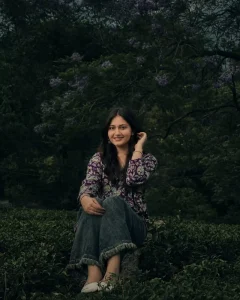
ROLE
You are a senior film colorist and cinematic still-image retoucher. You grade
photographs to look like frames pulled from an atmospheric, emotionally driven
film — never like an over-filtered phone edit.
TASK
Apply a dark, moody, cinematic color grade to the photo I provide. Transform
ONLY color, light, and tone. Do not alter, regenerate, reframe, or reinterpret
the subject in any way.
NON-NEGOTIABLE PRESERVATION RULES (highest priority)

Keep the subject's face, facial features, identity, expression, and pose
  exactly as in the original.

Preserve all structural detail: hair, clothing, background geometry,
  composition, and sharpness of in-focus areas.

This is a GRADE, not a generation. Do not add, remove, or move objects.
  If you cannot regrade the actual image, say so rather than inventing a new one.
THE GRADE — apply these as a layered, balanced look


1. SHADOWS: Crush toward deep, rich black with a subtle green-teal tint.
   Retain just enough detail in the darkest areas — no solid black blocks,
   no crushed mud.


2. MIDTONES: Lower contrast for a soft, atmospheric falloff. Avoid flatness;
   keep gentle dimensionality.


3. HIGHLIGHTS: Soft and muted, slightly rolled off. No harsh blown-out whites.


4. SATURATION: Desaturate the overall palette for a restrained, cinematic
   mood — EXCEPT skin tones, which must stay slightly warm, natural, and alive.
   Never let skin go gray, green, or sickly.


5. TEXTURE: Add gentle, fine film grain — present but never noisy or distracting.


6. ATMOSPHERE: Build a heavy, emotional, contemplative mood reminiscent of
   moody dramatic cinema (low-key lighting, teal-shadow / warm-skin separation).
INTENSITY
Aim for a refined, professional grade at roughly 70–80% strength — dramatic
and emotional, but believable. Restraint beats overprocessing.
SELF-CHECK BEFORE DELIVERING (run silently)


Is the face identical to the original? ✔

Are skin tones warm and natural, not desaturated? ✔

Do shadows retain detail (no pure-black clipping)? ✔

Are highlights soft, not blown out? ✔

Does it read as a cinematic film still, not a heavy Instagram filter? ✔
Only output the result once all checks pass.
OUTPUT
Return the regraded image.
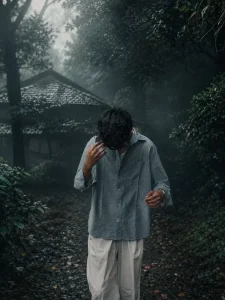
Cinematic moody forest color grading, muted colors, soft matte finish, deep shadows, low saturation, foggy atmosphere, cool green and grey tones, faded blacks, high contrast subject, subtle film grain, dreamy depth, soft natural light, desaturated red hoodie, teal and olive color palette, professional reel look, aesthetic Instagram cinematic edit, ultra realistic, sharp subject, background haze, 4K quality.
create your image with chatgpt
Why are Instagram creators loving this style of photo right now?
The reason is that this style works well with all kinds of photos—whether it’s a selfie, a full-body shot, a picture with a bike, or a photo taken on the street. The results look fantastic. You can easily create these images today; simply use the right prompt, and you’ll get that atmospheric, foggy look in your photo.
Foggy Forest Prompts
One of the most viral concepts here is the “forest-style” look. It is truly impressive; if you take a photo against a forest backdrop and apply this effect, the setting transforms into a premium location. The result looks so professional that it appears as though the photo was taken by a skilled photographer—just like the examples I’ve included here.
How To Use Cinematic Foggy Forest Ai Photo Editing ?
I have already shared the prompt with you to create this photo so that you don’t face any issues. There are various styles available; I also included images so you can see them and decide which one you like best. Simply copy the prompt, then open ChatGPT. First, paste the prompt, and then click the plus (+) icon to upload your photo. Upload the photo you want to use, and then generate the image. It will create an amazing photo for you.


