Happy Holi Ai Photo Editing Prompts – During Holi, you’ll see cinematic, colorful photos go viral on social media. If you know that Holi is a festival of colors, where colors are used extensively, I’m going to share a way to create a photo that looks completely professional and realistic without applying color to your face or clothes. You can use tools like Chat GPT, Google Gemini, or Groups to create such photos. In this article, I’m going to share some ready-made frames that can help you create such photos, and I’ll also share some tutorials. These photos are very popular right now. You should create photos like this. My suggestion would be this.
Details Of Happy Holi Ai Photo Editing Prompts
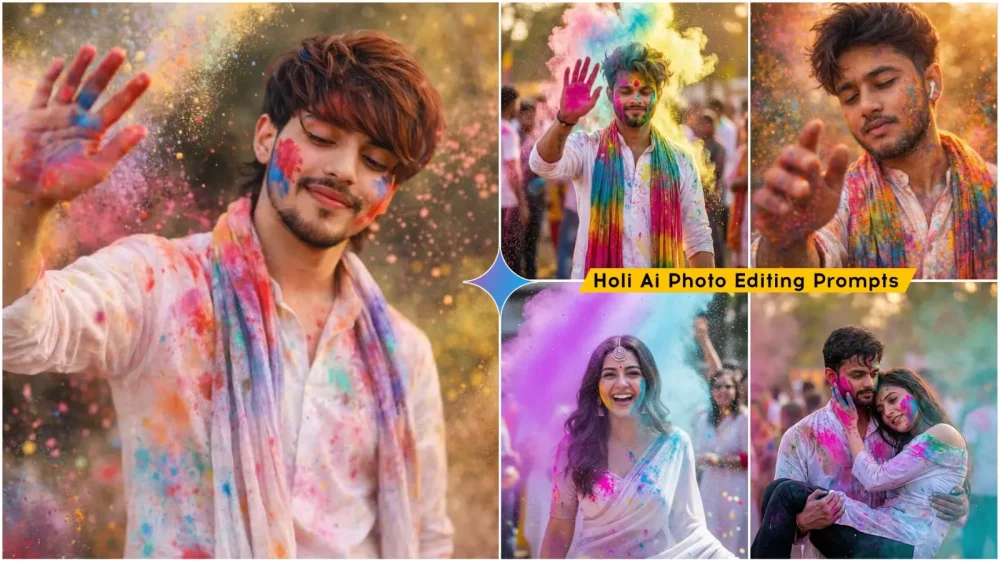
This prompt places the subject squarely in the center, keeping the focus on them. Furthermore, you’ll see splashes of color in the background, and these include realistic gulal colors and natural lighting. Blur is used effectively. While the subject remains in focus, everything else is blurred. However, if a Holi scene is depicted here, people are definitely shown in the background, playing Holi and applying color to each other. After that, you’ll see a temple or street area with a soft, colorful background. The final output looks like a cinematic, realistic, Instagram-ready Holi portrait. You can make adjustments if you wish. But if you don’t want to, this photo is enough. You can post it on social media.
How To Create Your Own Ai Image
Everyone has their own way of creating it. Everyone creates it in their own way, but many people struggle with it. I want anyone who wants to create such a photo to be able to do so easily. In this article, I’ll teach you how to create it using Google Gemini, as people widely know and widely use it. It’s also easy to use. I’ve provided you with a prompt in the article. Choose whichever prompt you like best. Different prompts in different styles are provided here. Copy them. Copying is essential, as we’ll be creating them using them. Then, you’ll find the “Create Image” option below. It contains a link to Google Gemini. Clicking on it will open a website on the next page. First, paste the prompt you copied into Google Gemini. Paste the copied prompt. A “Write” option will appear below. From there, you’ll need to select the “Create Image” option. Then, go to the “Plus” option and upload a photo, any photo, that you want to convert to the Holi format. Then, click “Generate.” Just wait a few seconds and it will give you a great result.
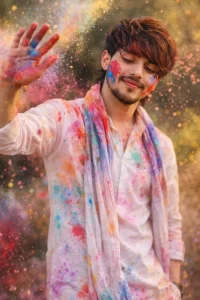
A cinematic, ultra-realistic portrait of a young Indian man celebrating Holi. He is wearing a traditional light kurta with a cotton dupatta around his neck. Bright red, blue and pink gulal colors are smeared on his face and beard, with colorful powder flying in the air. Joyful confident smile, slight side look, one hand raised. Natural outdoor background, soft daylight, shallow depth of field, sharp focus, realistic skin texture, vibrant yet natural colors. Face not change, original face only.
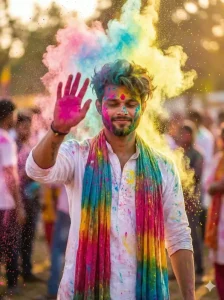
Ultra-realistic cinematic Holi portrait of a young man (early 20s) wearing a white kurta and a long scarf/dupatta, covered in colorful gulal powder. He raises one hand forward as bright color dust explodes in the air around him. Soft smile with eyes slightly closed, stylish messy hair, light beard. Outdoor background with dreamy bokeh, warm golden lighting, vibrant colors, shallow depth of field, dynamic particles, high contrast, 8K photorealistic, festival vibe. Use same refrence
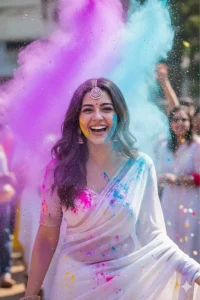
High-speed photography shot. The woman is laughing joyfully as a cloud of vibrant neon purple and sky-blue powder explodes around her. Her white saree is becoming a canvas of colors. Water droplets glistening in the air like crystals. Candid expression, eyes sparkling with happiness. Background is a blurred festive crowd. Hyper-detailed textures of skin and fabric.
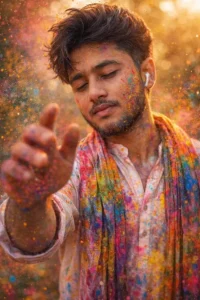
Ultra-realistic cinematic Holi portrait of a young man (early 20s) wearing a white kurta and a long scarf/dupatta, covered in colorful gulal powder. He raises one hand forward as bright color dust explodes in the air around him. Soft with eyes slightly closed, stylish messy hair, light beard. Outdoor background with dreamy bokeh, warm golden lighting, vibrant colors, shallow depth of field, dynamic particles, high contrast, 8K photorealistic, festival vibe.
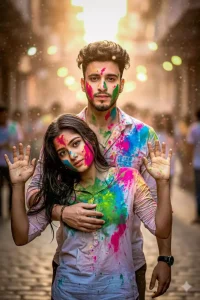
Ultra-realistic cinematic photography of a young Indian romantic couple (early 20s, identical symmetrical faces: man with chiseled jaw, deep brown eyes, short messy black hair; woman with matching facial structure adapted femininely, flowing black hair, same expressive eyes) during Holi festival, defeated tired poses after wild color play—she slumped against his chest with arms weakly raised in playful surrender, vibrant gulal powders in pinks, blues, greens, yellows splattered on soaked white
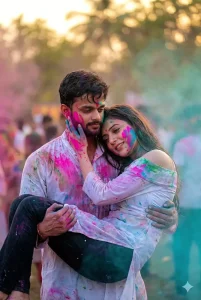
Use this reference image 100% face
Cinematic photorealistic Holi image of same couple, him cradling her slumped form in arms like post-battle surrender, her hand on his heek weary smile, electric pinks/blues/greens on soaked outfits, mid-air color haze, bokeh festive scene, flawless face consistency, 8K vertical -ar 4:6 -v 6-style raw
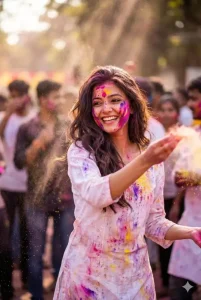
A beautiful young Indian girl playing Holi with joy and energy, colorful gulal flying in the air, bright smile on her face, wearing traditional white kurti with colorful stains, hair slightly messy, vibrant atmosphere, crowd celebrating in background, sunlight rays, soft bokeh effect, ultra HD, realistic details, cinematic lighting, high contrast, 8k resolution, professional photography, festive mood, sharp focus, modern AI art style, 2026 trending look face don’t change.
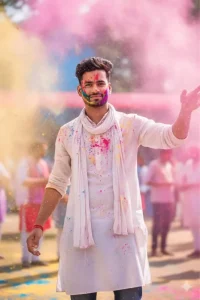
"action_input": "An ultra-realistic Holi portrait of the young boy from the reference image, maintaining his exact facial features and 100% face consistency. He is 22 years old, wearing a traditional white kurta and a lona scarf around his neck. He is outdoors, surrounded by a vibrant shower of colorful gulal powder (red, pink, yellow, and blue) exploding in the air. He has a soft smile, eyes slightly closed in joy, with one hand rais
Some Photo Customization Tips
Here are some photo customization tips that will always come in handy. If you ever want to create a Holi photo, you can definitely use this suggestion. You can change the color type here, for example, there will be a few colors, like red, green, yellow. If you want, you can remove that color and add your favorite color. You can remove street temples or crowds from the background. You can add them; you just have to write the item there and it will be added. After that, you can add cinematic soft light or whatever you want for a festive environment. You can also add the camera type here, such as whether you want a DSLR or what lens you want for portraits. If you also specify the lens, the photo will generate accordingly. For example, if you want a 50mm lens, you can add that. So, these are some customizations that will come in handy whenever you create Holi photos.
Difference Between Normal Editing And AI Editing
Let me give you a comparison of the vast difference between normal editing and AI editing. You’ll be amazed. The biggest thing is your time duration. If you do normal editing, it can easily take at least 30 to 60 minutes. Whereas this editing can be easily completed in 10 to 20 seconds, because I’ve already given you the prompt. If you do normal editing, skill is very important. If you don’t have a scale, you can’t do it. However, this also requires skill, but with just a little knowledge, you’ll be able to do it easily. If you talk about realism, whether it’s accurate or not, it’s absolutely medium. Meaning, the chances are very low, whereas here it’s absolutely high. It detects and adjusts things accordingly. Then we talk about effort. This is where we apply manual effects. If we do normal editing, then AI automates everything.