
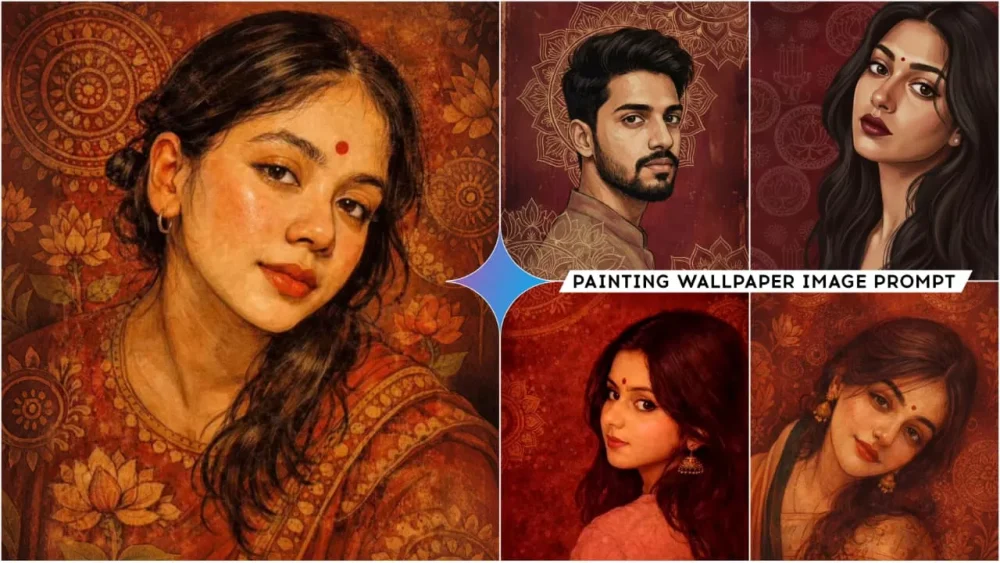
Google Gemini Painting Wallpaper Ai Photo Prompts – In today’s digital age, you’ll see people uploading all sorts of photos on social media. Among them, photos that look like paintings are quite popular. And let me tell you, you can create these kinds of painted-style photos very easily. These photos are created using your regular photos. You might not know about it, but this trend is currently going viral. I’ll show you how you can create this trending type of photo editing in a very simple way. You’ll get 100% best results. So let’s see how we can create these viral photos with the help of Google Gemini.
What Is This Editing Technique?
It transforms your normal photo into a painting, and many people are now using it as their wallpaper. There are several styles available, including one that depicts a painter on a wall, painting your portrait. The painter is shown in your likeness, and the painting is rendered with realistic textures, making it look quite lifelike. Another style transforms your regular photo into a realistic painting. You can use this as your wallpaper, as many people on Instagram are using it and posting videos created with this effect.
What Is Google Gemini AI?
It’s a powerful tool that is currently one of the best in the field of editing. Whether you want to edit photos or videos, or generate videos, including text-to-video and frame-to-video, all options are available. You can also create text-to-photo images, as we’re about to demonstrate. The great thing is that you can provide a reference photo, and then when you give a prompt, it will generate an image using your photo as a reference, ensuring that the person in your photo is included in the generated image. This is its best feature because when generating photos, it’s crucial that your face matches. The results it provides are the best and most accurate. It’s ideal for beginners because they can easily create such images with the help of prompts.
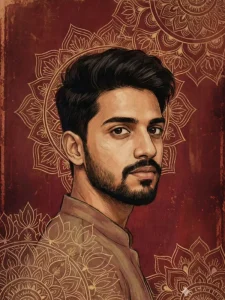
A vertically framed artistic wallpaper inspired by classical Indian miniature and folk art aesthetics. A close-up portrait of an Indian men with his face gently tilted sideways, viewed from above, creating an intimate and serene composition. He has expressive almond-shaped eyes with a calm yet intense gaze, bold natural eyebrows. His dark hair is softly textured and partially loose, adding organic flow.

The background is a rich deep maroon and crimson red textile-inspired surface, filled with intricate hand-drawn circular mandala and lotus motifs, resembling ancient Indian murals and temple art. The background texture appears aged, distressed, and parchment-like, with subtle scratches, grain, and worn paint details. The skin is rendered in a painterly, illustrated style with visible brush strokes and fine linework, not photorealistic. Color palette dominated by deep reds, maroons, gold undertones, warm browns, and muted beige highlights
Vertical artistic portrait using the uploaded image as a hard identity lock. Preserve exact face:
same facial structure, skin tone, eye shape, eyebrows, nose, lips, hairline, hair texture,
beard/stubble if present. No beautification. No face change.
Vertical frame 9:16. Medium close-up to close-up. Subject turned slightly sideways, head gently
rotated back toward the camera, over-the-shoulder feel. Eyes looking directly at the viewer with
a calm, composed gaze. Expression neutral to soft. Natural masculine posture.
Foreground subject sharply defined. Skin rendered in a painterly illustrated style, not
photorealistic. Visible brush strokes, fine linework, soft texture. Maintain realistic facial planes
adapted to a male face.
Hair unchanged from the uploaded image, softly textured, natural fall. Clothing simple and
traditional-toned, blending with the artwork (no modern logos).
Background: deep maroon and crimson red, textile-inspired surface with intricate hand-drawn
mandala and lotus motifs, Indian miniature / folk mural style. Aged parchment texture,
distressed paint, subtle grain and wear.
Color palette: deep reds, maroons, warm browns, muted beige highlights, soft gold undertones.
Lighting: soft ambient, evenly diffused, gentle shadows, matte finish. No harsh contrast. No
glow.
Art style: Indian classical art fusion, folk art texture, vintage mural aesthetic, digital painting.
Ultra-high resolution, vertical wallpaper format, cinematic composition.
No text. No watermark. Clean edges.
Negative constraints: no photorealism, no HDR, no plastic skin, no symmetry correction, no
pose exaggeration, no added jewelry, no modern props, no background blur, no typography.
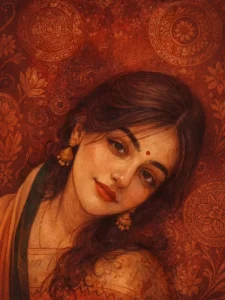
A vertically framed artistic wallpaper inspired by classical Indian miniature and folk art aesthetics. A close-up portrait of an Indian woman with her face gently tilted sideways, viewed from above, creating an intimate and serene composition. She has expressive almond-shaped eyes with a calm yet intense gaze, bold natural eyebrows, deep red lips, and a small red bindi centered on her forehead. Her dark hair is softly textured and partially loose, adding organic flow.

The background is a rich deep maroon and crimson red textile-inspired surface, filled with intricate

hand-drawn circular mandala and lotus motifs, resembling ancient Indian murals and temple art. The background texture appears aged, distressed, and parchment-like, with subtle scratches, grain, and worn paint details.

The skin is rendered in a painterly, illustrated style with visible brush strokes and fine linework, not photorealistic, Color palette dominated by deep reds, maroons, gold undertones, warm browns, and muted beige highlights. Soft ambient lighting with gentle shadows, no harsh contrast.
Art Style: Hand-illustrated, digital painting, Indian classical art fusion, folk art texture, vintage mural aesthetic.
Ultra-high resolution, vertical wallpaper format (9:16), cinematic composition, no text, no watermark
clean edges, suitable for mobile wallpaper.
Optional Style Enhancers:
High detail illustration
Matte finish
Museum-quality artwork
Traditional Indian art meets modern digital illustration
Hard Rule: Do not change her face from the given reference image
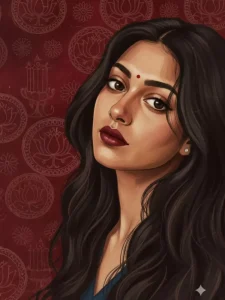
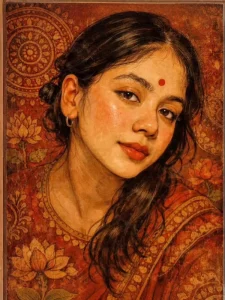
A vertically framed artistic wallpaper inspired by classical Indian miniature and folk art aesthetics. A close-up portrait of an Indian woman with her face gently tilted sideways, viewed from above, creating an intimate and serene composition. She has expressive almond-shaped eyes with a calm yet intense gaze, bold natural eyebrows, deep red lips, and a small red bindi centered on her forehead. Her dark hair is softly textured and partially loose, adding organic flow. The background is a rich deep maroon and crimson red textile-inspired surface, filled with intricate hand-drawn circular mandala and lotus motifs, re mbling ancient Indian mui dis and temple art The background texture appears aged, distressed, and parchment-like, with subtle scratches, grain, and worn paint details.
The skin is rendered in a painterly, illustrated style with visible brush strokes and fine linework, not photorealistic.
Color palette dominated by deep reds, maroons, gold undertones, warm browns, and muted beige highlights.
Soft ambient lighting with gentle shadows, no harsh contrast.
Art Style: Hand-illustrated, digital painting, Indian classical art fusion, folk art texture image mural aesthetic
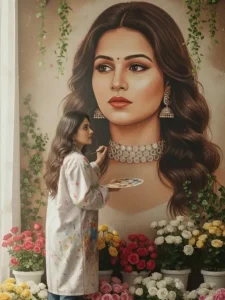
An indoor scene of a woman painting a giant hyper-detailed portrait of herself (the picture that is uploaded) on a tall concrete wall.
She stands on a small wooden platform surrounded by lush roses in white, cream, pink, and soft yellow. She wears a pink top, high-waisted blue jeans, and white sneakers. She holds a paint palette in one hand and uses a brush with the other, touching up the facial details of the portrait.
Green leafy vines and white flowers frame the wall above, and soft butterflies float around the artwork.
Warm natural light enters from a large window on the left, creating a calm, artistic atmosphere. keeping her face exactly same
What Kind Of Photos Should You Select
What kind of photos should you select to create images with Google Gemini? Which photos will work best for you? Let me explain a few things. Understanding this will help you get much better results. First, you need to use photos where your face is clearly visible and well-lit. If you use photos that are too artistic or stylized, the results won’t be as good. Your face won’t be properly recognized. The lighting in the photo should be good and evenly distributed. Keep the background simple. If the background is too busy or cluttered, it won’t create the image correctly. Using photos like this will give you much better results.
How To Create Google Gemini Painting Wallpaper Ai Photo Prompts
Now, to create a photo, first open Google Gemini. You can use the website or the application. There you will find the “Create Image” option. You need to select it; selecting it is essential if you want good results. Then, go to the plus icon and upload a photo. I’ve shared details about the kind of photo that will give you the best results, so choose accordingly. After that, paste the prompt here. Select the best prompt for your needs and then paste it. Then, generate the image, and you will get a great result as always. When you save it, make sure to save it in full HD resolution.


