Google Gemini Retro Indian Couple Ai Photo Editing Prompts – We’ve been providing these prompts to boys and girls for quite some time, but now I’ve decided why not teach you couples’ editing as well. If you’re interested in this, you can read this article. As an advisor, if you only want to create photos of boys and girls, you’ll find plenty of other articles on our website for that, which aren’t available in this article. You can find them there. For now, I’m going to teach you couples’ editing. I’ve tried to incorporate trending editing in different styles. Many people are telling you to use this normal approach, but we work a little more professionally. So that if you see this photo, you’ll like it the moment you see it. It’s not like you ignore it after seeing it. Everyone who sees this photo is going to like it. So, let me explain the details of this photo and how to edit it.
1000+ Google Gemini New Prompts
Details Of Google Gemini Retro Indian Couple Ai Photo Editing Prompts
This photo is going to be created for couples only. All the photos used in this will be created in a somewhat professional, retro Indian style. If you want a more foreign look, you can leave a comment. We’ll teach you how to edit it and provide a prompt. For now, try this Indian look once. It will look very professional. To see it, all you have to do is use a photo of yourself and your partner, and your photo will be ready with exactly the same result. If your face doesn’t match, we have a solution for that too. It will be explained to you in the next few paragraphs. Everything is explained. Just follow along!
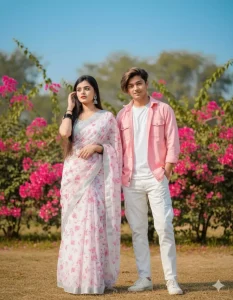
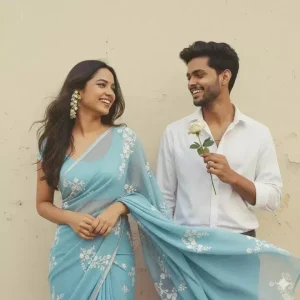
A young couple outdoors. The woman with long dark hair wears a white saree with pink floral patterns, silver earrings, gently touching her hair. The man wears a sky-pink shirt, white cargo pants, and. Behind them, bright pink flowers, green foliage, and a clear sky. Ultra-realistic, cinematic lighting, 100% same face match as reference.* Don't change the facial expression. #viral #trend #photo #view #cauple #prompt #gemini #ai #google #threads
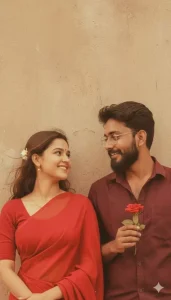
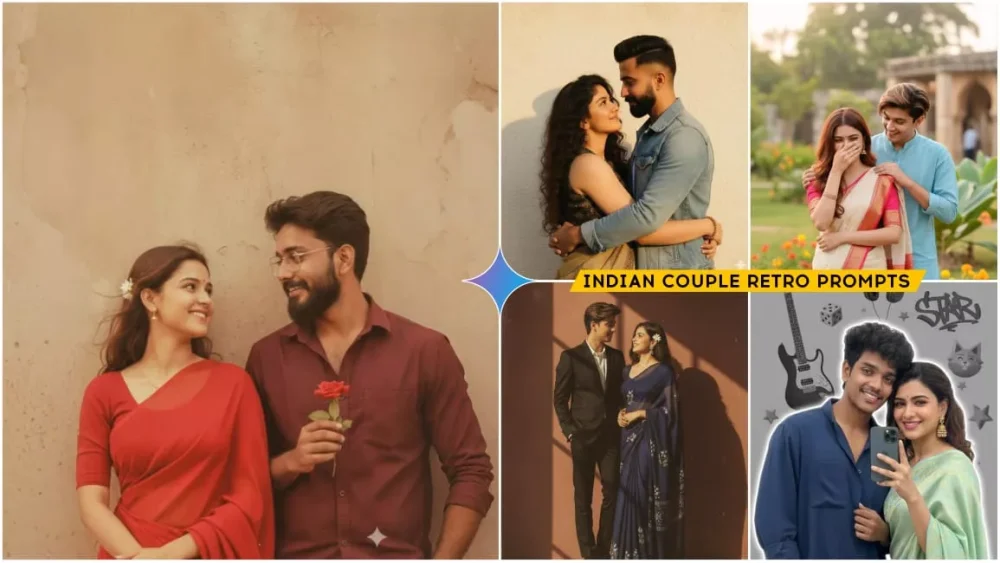
Create a retro Vintage-inspired image, grainy yet bright - based on the reference picture. The girl should be draped in a perfect red Pinterest-style aesthetic retro saree and boy should standing beside her in maroon shirt smiling at her, having a rose in his hand, The vibe must capture the essence of a 90s movie brown -haired baddie, with shiny hair and a small white flower tucked visibly into her hair, enhanced by a windy, romantic atmosphere. Both are standing against a solid wall
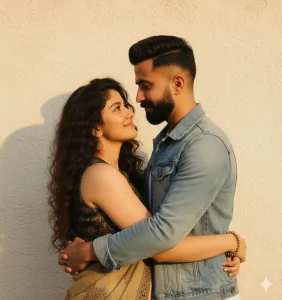
A realistic, retro vintage, bright yet grainy Pinterest-style image of the same subjects (faces exactly retained), embracing tightly, eyes closed, radiating love. Their hair and clothes are gently blown by wind, standing against a textured solid wall with warm golden highlights. The scene evokes motion, nostalgia, and emotional depth.
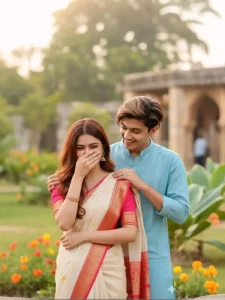
"A candid, joyful outdoor or semi-outdoor portrait of a couple sharing a lighthearted moment. The female subject is laughing or smiling shyly, covering her face with one hand, with her long, reddish-brown hair falling forward. She is wearing an elegant cream or off-white traditional Indian sari with a prominent red and gold patterned border, and a bright pink blouse. The male subject is standing beside her, smiling broadly and looking down at her, with his arm gently around her shoulder.
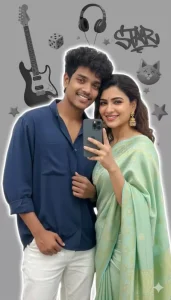
A stylish young man taking a mirror selfie, wearing a navy blue loose shirt and white pants, holding the shirt casually with one hand, minimal jewelry, curly hair, realistic lighting,
and soft white outline glow around him.The background is a
modern grayscale aesthetic collage with elements like
electric guitar, headphones, dice, cat face decor, 3D stars, and "STAR" graffiti text.portrait photo.Keep my face 100% same as in the reference image. Edit these photo to look like a beautiful couple.
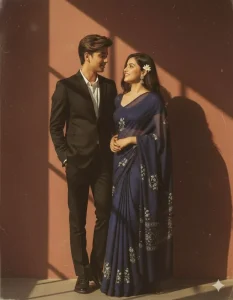
Create a print style aesthetic with retro saree Neavy georget and two piece black suit, evoking a 90s movie feel Looking each other serene smiling. The couple (same as uploaded image) should wear Nevy and white outfit, with a flower tucked in a girls hair, standing against a deep wall with sunlight shadow in golden tones.
Create a retro Vintage-inspired image, grainy yet bright - based on the reference picture. The girl should be draped in a perfect red Pinterest-style aesthetic retro saree and boy should standing beside her in maroon shirt smiling at her, having a rose in his hand, The vibe must capture the essence of a 90s movie brown
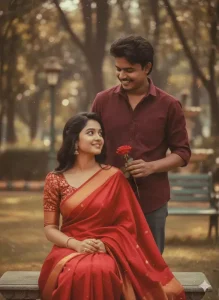
Make our photo like aCreate a retro Vintage-inspired image, grainy yet bright - based on the reference picture. The girl should be draped in a perfect red Pinterest-style aesthetic retro saree and boy should standing beside her in maroon shirt smiling at her, having a rose in his hand, The vibe must capture the essence of a 90s movie brown
How To Make Thumbnail With Google Gemini
You can also create your own YouTube thumbnails with Gemini right now. This is the best thing I’ve seen. If I want to create any kind of thumbnail, I don’t need much effort. I can create it with just one click. First, we’ll need a prompt. You can create one yourself. Let me explain. First, choose any thumbnail you like. If you want to copy someone’s style, create your own photo in that style. First, upload it and the thumbnail. Then, tell Gemini to give you the prompt. Once the prompt appears, you can use that prompt, along with your photo or whatever you want to add. Upload it and then generate your photo. The thumbnail will be ready.
How To Use Google Gemini Retro Indian Couple Ai Photo Editing Prompts
Now let’s understand how to create it. We have the prompt. Now, using it, we’ll create a photo. First, we’ll copy it. You’ll find a button for copying. Simply clicking it will copy it, or you can select it and copy it. After that, you’ll have to go to Google. To access Google Gemini, you’ll be provided with a button below. Clicking on it will take you to the website. First, you’ll need to paste the prompt. You can paste your copy there. Then, go to the “Plus” option and upload a photo. You can upload any photo of yours. However, it must match yours exactly. Only then will it work. After that, you’ll need to click “Next,” then “Generate,” and it will prepare your photo.
Gemini Ai Prompt Mistake
If you’re using Gemini, avoid this mistake when using this prompt. First of all, if you’re using the prompt, don’t write “Make My Photo.” If you’re writing anything, explain it in detail: what lighting you need in your photo, what mood you need, what angle you need. You need to add all these things. Also, if you see anyone editing you, share details about what should be in the background. Show them clearly, saying, “Brother, this should be in my background.” After that, explain the type of your photo. What kind of photo should it be? Whether it’s portrait or cinematic. Now, if you add all these things, like lighting, color grading, your photo will give the best result.