
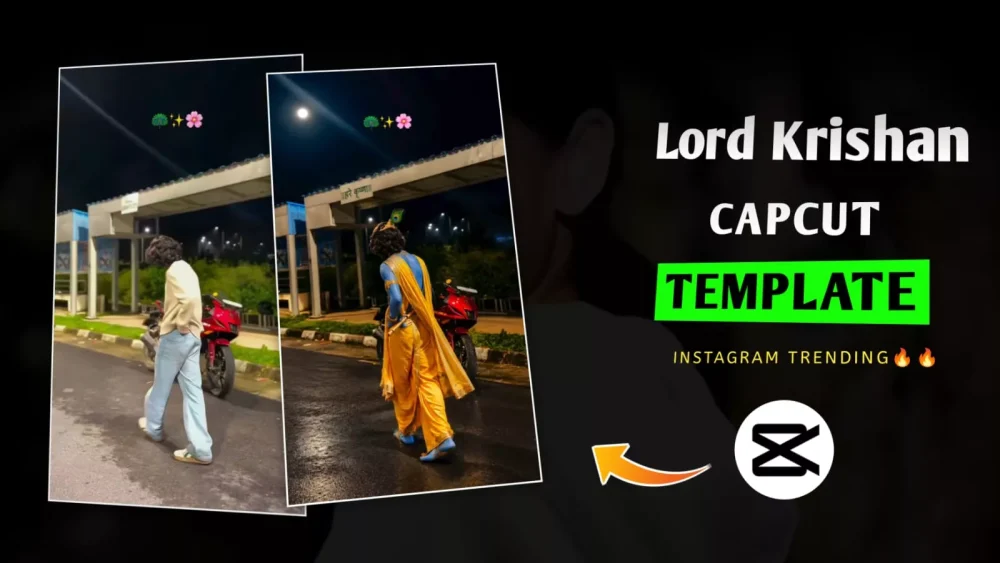
Lord Krishna Capcut Template – The viral Lord Krishna edit that is currently trending can be created very effectively, but people aren’t explaining the right way to do it; everyone is suggesting different methods. Let me explain. Nowadays, this is entirely possible for you. If you follow the correct method—which I’m about to share—you can easily create it. You can use tools like CapCut templates, VN codes, or AI editing to achieve this. I will walk you through the steps and the process. Just follow along, and you won’t face any issues. Give it a try, and let me know if you get the desired result or if you encounter any problems.
What Is A Capcut Template?
Nowadays, editing this using CapCut has become quite easy. However, there is a specific process you need to learn to do it right—such as creating the initial photo and then converting that photo into a video. I will explain this entire procedure to you in detail. You will only be able to complete the editing successfully if you grasp these steps properly. You can use either a CapCut template or a specific code—whichever you find easier to work with—and follow that method to create your edit without facing any issues. You will achieve excellent results, and your edit could even go viral.
How To Create Krishna Ai Image?
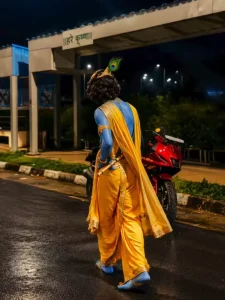
First, look at the prompt provided right at the top of the article. Copy that prompt and then open ChatGPT, as that is where we will create the image. Paste the prompt there, and then—paying close attention to the specific photo you want to use—upload it. You need to add a video that you wish to edit in this style; take a screenshot of the video’s final frame (the clip will be about two to three seconds long). You can capture the entire frame or just a specific part of it. Next, upload that photo to ChatGPT. Once you generate the result, your photo will be transformed into the likeness of Lord Krishna, and you can then save it.
Use my uploaded photo as the exact base/reference image. Preserve the original photograph and composition as much as possible. Transform ONLY the person’s appearance into a highly realistic Shri Krishna-inspired traditional look. IMPORTANT:– The person must remain the exact same person.– Preserve the original face, facial features, identity, expression, hairstyle, hair texture, body shape, height, proportions, pose, hands, fingers, legs, camera angle, framing and perspective.– Preserve the original photographic realism, lighting, shadows and depth of field.– DO NOT modify the background in any way. Keep the original road, trees, buildings, signs, sky, wires, vehicles, objects and scenery exactly unchanged.– Do not add or remove anything from the environment.ONLY change the person’s appearance:1. Change the visible skin/body complexion to a natural, realistic deep Krishna-inspired blue complexion while retaining realistic skin pores, texture and natural highlights.2. Replace the existing outfit with an elegant traditional Krishna costume:– rich golden-yellow dhoti– realistic fabric folds and texture– royal-blue decorative drape– intricate traditional golden embroidered borders3. Add authentic, elegant Krishna-style traditional jewelry:– layered gold necklaces– armlets– bracelets– waist ornament– traditional earrings– subtle additional golden ornaments4. Add a beautiful traditional Krishna mukut/crown with detailed gold craftsmanship and one prominent natural peacock feather.5. Add a traditional wooden flute naturally in the person’s hand/alongside the body ONLY if it can be done without changing the original pose, hands or fingers.CRITICAL FOOTWEAR REQUIREMENT:– ABSOLUTELY NO FOOTWEAR.– Remove/replace the original shoes completely.– The person must be completely barefoot.– Both feet and all toes should look natural, anatomically correct and realistic.– Do not add sandals, shoes, slippers, socks, anklets that look like footwear, or any other footwear.– Preserve the original walking pose and leg position while making the feet naturally barefoot.STYLE:Photorealistic real-life photograph, not painting, not illustration, not CGI, not cartoon, not fantasy render.Realistic Indian traditional styling, authentic fabric texture, realistic gold jewelry reflections, natural skin texture, physically accurate lighting and shadows, seamless clothing transformation, highly detailed, natural photographic finish.MOST IMPORTANT:Do not alter the original background or composition. Do not change the person’s identity or pose. Only transform the person’s skin color, clothing and traditional Krishna accessories, with completely bare feet.
Process Of Creating Video
Now that you have created the photo, I will explain both methods for making the video one by one so that you don’t face any issues and the editing process becomes easy for you. First, you will learn the CapCut template method, and then you will understand the VN code method.
VN Code-

How To Use Lord Krishna Capcut Template?
The CapCut template method is quite simple. Here is what you need to do: first, use the template provided in the article. Clicking on the “Check Template” link will take you directly to CapCut, where you can view a preview of the template. When setting it up, make sure to add the original photo—the one you initially uploaded to ChatGPT—as the first image. Follow this by uploading the AI-generated version. Continue alternating between the normal and generated photos for all the clips. Once you have uploaded them in this sequence and clicked “Next,” the app will show a preview of your final video, allowing you to see that the editing is perfect.
How To Use VN Code Template
It is quite easy to create this using the code I’ve provided. First, install the VN Editor app; that is where we will create it. Within the app, you need to scan the project file code to access the full project, which you can then download and use. Once you click on it, you can add your clips. Here is what you need to do: for the starting frame, select the photo you originally uploaded to ChatGPT, and for the second frame, upload the generated photo. Just keep repeating this process. Finally, click ‘Next,’ and your video will be ready.
Conclusion
You can easily create Instagram trending edits like this. I’ve explained all the steps involved. Follow along and create them.


