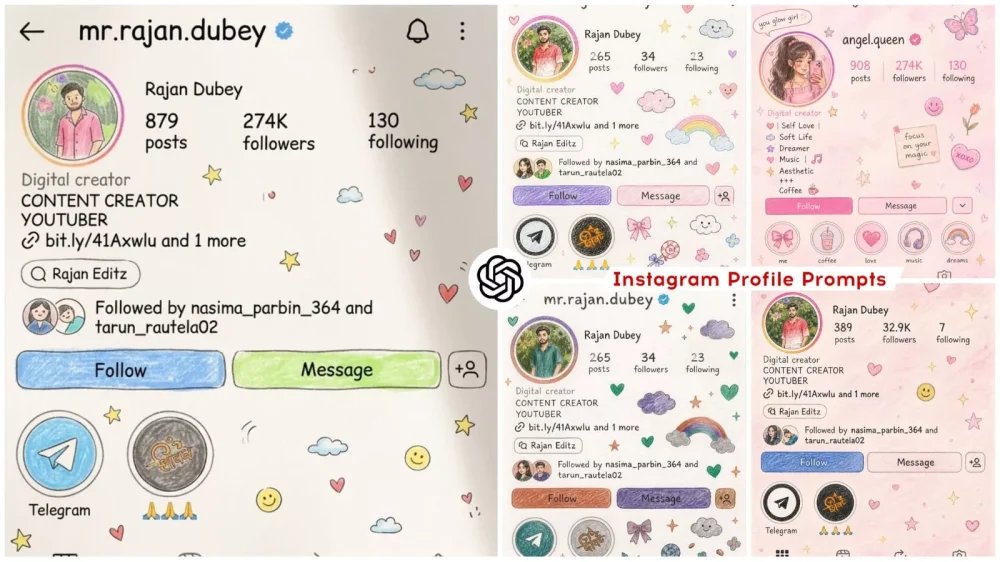
Instagram Profile Crayon Drawing AI Editing Prompts – You may have noticed a new trend currently circulating on Instagram. It allows you to transform your standard profile picture into a stylized version—one that looks exactly like a hand-drawn sketch or a crayon-colored illustration. The effect gives the impression that you took a screenshot of your profile and then sketched it out in a notebook. This unique style of profile picture is proving to be quite popular with many users. Since so many people are eager to create such profiles for themselves, this article will walk you through the process. I will explain how to create these kinds of creative edits—specifically, whether they can be generated using AI, and if so, how long the process takes. We will also discuss how to make your profile go viral once you have created this unique edit.
Why Is This Trend Gaining Such Popularity?
For starters, it is particularly popular on Instagram because it transforms one’s profile into a truly unique style. If you wish, however, you can apply this transformation to any of your social media profiles. It generates a completely unique rendition of your photos, delivering a distinctively soft and aesthetic look. Most notably, it edits images in a “crayon” style—making it appear as though your photos were hand-drawn by you personally—and it is precisely this combination that has made the trend go viral. Let me show you exactly how you, too, can create this look for your Instagram profile and share it.
Details Of Instagram Profile Crayon Drawing AI Editing Prompts
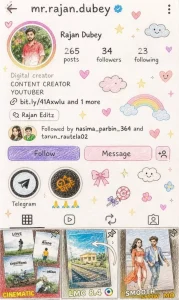
What is crayon style editing? If you’ve ever been to school, you’ll see crayons being used for drawing. They’re small and come in different colors. What happens is that as you draw, some of the elements are left out. Meaning, you’ll see a bit of a white background in the background. The color isn’t completely deep. You can do this as a hand drawing, or convert it to a sketch style. Your face will remain exactly the same, as your profile, with the text written on it. It will look exactly like a drawing. It will appear as if it was drawn and then written. This is our crayon color style edit.
What You Will Need To Do This Editing
If you intend to create a photo like this, you require the right instructions. First and foremost, you will need access to the ChatGPT application or its website. I have provided the link to the website right here, so you can visit it directly. The application is also available for download on the Play Store. Next, you will need to use the correct prompt—I have already shared this prompt within the article, so please make use of it. Finally, you will need a suitable image. Specifically, you should take a screenshot of your profile—not just your profile picture, but your actual profile page—where details such as your followers, following list, and other information are visible. You need to capture a full screenshot of that entire page.
Transform this image into a cute, hand-drawn
pencil + crayon illustration like made by a
talented 10-vear-old
Sketchy pencil lines, soft crayon coloring,
visible paper texture
Slightly imperfect, natural hand-drawn feel Use original colors but in soft pastel, slightly vibrant tones
Simplify Ul into doodle-style shapes
Faces cute, expressive, slightly cartoonish
Text handwritten style (childlike but readable)Keep same layout with slight playful tilt and spacing
Add doodles: stars, hearts, clouds, sparkles,
smiley, candy
Soft natural lighting with subtle paper
shadows
Cozy, scrapbook, cute aesthetic Aspect ratio: same as original
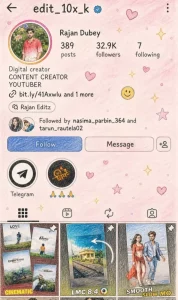
Create a cute hand-drawn Instagram profile illustration based exactly on the provided reference screenshot, keeping all original profile details, text, username, bio, stats, highlights, layout, and post previews 100% identical (same-to-same, no DM for collaborations & Pchanges at all).on

Style: childlike pencil + crayon sketch illustration with soft hand-drawn imperfect edit lines, slightly messy but aesthetic coloring, scrapbook doodle style. Add

Canvas / Background:

Soft pastel pink blush gradient with subtle watercolor paper texture, dreamy soft 21.5L views in the last 30 dacozy feminine aesthetic.
Love

Profile UI:
Exact Instagram profile interface from reference image, preserving every element exactly:
Username: mr.rajan.dubey
Stats: 389 posts, 32.9K followers, 7 following
All exact buttons, icons, dashboard text, bio text, telegram link, highlight names, post arrangement, profile picture placement, navigation icons, and overall spacing/layout exactly unchanged

Character:
Keep the profile picture and all visible girls/photos in the same position
How To Create Image With Prompts
Now, let’s see how to create the photo. First, you need to open ChatGPT. In the instructions section, you will be prompted to provide your photo to give it a “crayon drawing” style. You will need to paste the specific prompt into the designated area; I have included this prompt in the accompanying article, so you can copy it directly from there. Next, you will find a “plus” icon option available. Click on it, and then select the option to access your gallery or photos; from there, choose the specific photo you wish to use—ideally, a close-up shot or profile picture of yourself. Once you select the image, an option to paste it will appear. After pasting the photo, proceed to click the “Generate” button. It will take just a few seconds to process, and ChatGPT will transform your original image into a ready-to-use, crayon-style illustration—a result you are sure to absolutely love!
Conclusion
You are going to really love this particular Instagram edit, as it is currently gaining immense popularity among users. Once you decide to create and post it, ensure that you follow the correct instructions precisely. Additionally, Instagram now offers the option to add audio to photos; therefore, you should select a trending audio track—specifically, the one used in photos that have gone viral. By utilizing that same audio, you can effectively create and post your own version, thereby increasing your chances of going viral as well.