
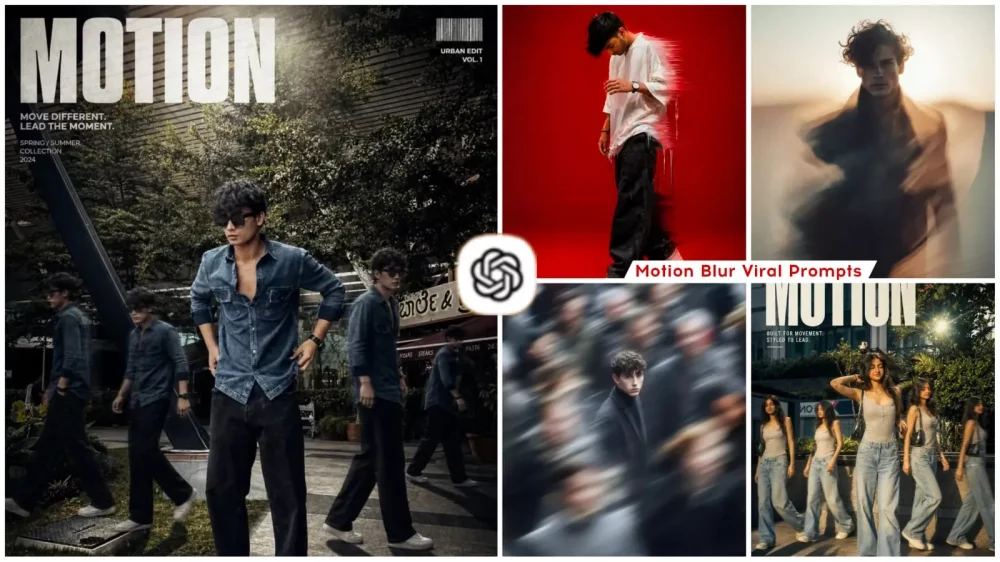
Motion Blur Ai Photo Editing Prompt – Photo editing is no longer limited merely to applying filters. Nowadays, photo editing techniques can effortlessly transform ordinary images into cinematic, professional-looking masterpieces. One such trending technique is “Motion Blur” editing. In this style, the primary subject—typically a person—remains perfectly sharp and stable. While the surrounding elements—such as people walking in the background—are rendered with a distinct blur effect. This particular effect is currently trending significantly on Instagram. In this article, we will explore how to generate this effect using the assistance of ChatGPT. And how to achieve a flawless result—ensuring that there are absolutely no imperfections in your final photograph. Let’s dive into all the details within this article to understand exactly how to do this and how you can produce truly outstanding results.
What Is Motion Blur Editing?
This editing technique renders moving objects with a blurred effect, creating the illusion that they are rushing forward at high speed. Simply put, it simulates the visual experience of standing still while the world around you appears to be in motion. This type of editing lends a distinct cinematic feel to a photograph. We intentionally blur the surrounding elements—specifically, we apply a blur effect to them. While the full forms or faces of these subjects remain visible, they appear as though they are moving rapidly. When you stand as the stationary subject—and the elements captured by the camera are subsequently blurred using this motion blur technique—the result is a polished, professional aesthetic.
Why Motion Effect Is Going Viral?
There are numerous reasons why the motion blur effect has gone so viral. A great many people are finding this style highly appealing. It imparts a truly cinematic look—much like the results you would achieve if you were to capture a real-life photograph using a professional camera. It serves to establish a distinct identity for you amidst the crowd, making your photos stand out as the most attractive of the lot—they will instantly catch the eye among a sea of other images. It is absolutely ideal for use in Reels and thumbnails; if you incorporate this effect, you can expect to generate a significantly higher volume of clicks.
Update – I had already provided you with this motion-blur aesthetic—a resource you utilized to create some truly excellent photos. Now, I have added several new edits to this article that are currently gaining significant popularity. You can use these as well to create your own viral edits, simply by following the exact same process. By leveraging ChatGPT, you can generate these viral images.
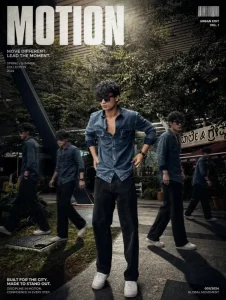
editorial poster. Keep my face, body, pose, outfit, and original background recognizable, but enhance everything into a luxury fashion campaign aesthetic. Add 4 realistic duplicate versions of me across the frame placed naturally like motion-captured walk sequences. Keep the main/front version largest, sharpest, and most detailed, while side clones are slightly faded or motion blurred. Use dramatic overhead lighting with a subtle glow, deep shadows, long floor shadows, cool-toned cinematic color grading, strong contrast, glossy highlights, and soft film grain. Make the outfit textures crisp and premium. Add bold oversized magazine-style typography in the top corner with one powerful word related to movement or style (example: MOTION, STATIC, RUSH, ECHO). Include smaller minimal text such as collection year, slogan, barcode, or campaign details.
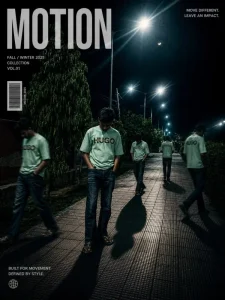
A cinematic streetwear photoshoot of a teenage boy standing on an outdoor basketball court, don't change out fit, face,, head slightly down covering face with hand, natural pose, multiple motion clones of the same person walking around him creating a motion blur effect, dramatic lighting, dark moody sky, high contrast, sharp focus on main subject, depth of field, fashion editorial style, urban environment, trees in background, realistic shadows, 4k ultra realistic, nike style campaign, poster design
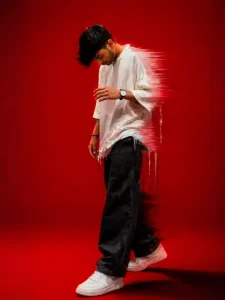
A stylish young man standing in a dynamic pose, looking down, wearing oversized shirt and loose pants, minimal aesthetic fashion, solid bright red background, dramatic lighting, motion blur dripping effect around the body, glitch smear effect, soft shadows, high contrast, cinematic look, ultra realistic, 4K, sharp details, editorial fashion photography style
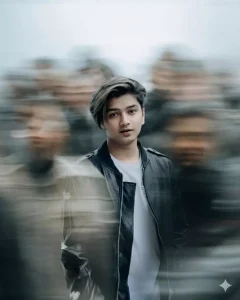
Ultra realistic cinematic portrait of a young man standing still in the center of a crowded street, using the reference image for exact face and identity preservation, sharp focus on the subject’s face, neutral expression, detailed skin texture, natural lighting, shallow depth of field,
surrounded by a busy crowd of people moving rapidly around him, strong motion blur effect on all surrounding people, dynamic long exposure style, streaked human figures, sense of chaos and movement,
the subject is wearing a dark charcoal overcoat with a black inner shirt, modern minimal fashion, cold color tones, soft diffused daylight, urban environment background,
center composition, subject perfectly still and in focus while everything else is blurred, 85mm lens, f/1.8, high dynamic range, 8K ultra HD, cinematic color grading, moody atmosphere, professional photography, extremely detailed, photorealistic
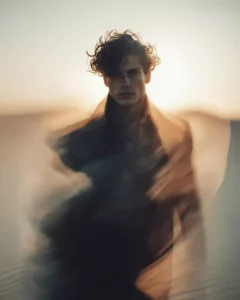
Ultra realistic cinematic scene of a decorated outdoor garden setup filled with green plants, fairy lights, hanging decorations, warm glowing ambiance, using the reference image for environment composition and structure,
heavy motion smear and glitch distortion effect across the frame, stretched and warped visual elements, duplicated fragments of objects and people, horizontal tearing effect, abstract displacement,
partial visibility of human legs and shoes, distorted and elongated due to motion blur, subject not fully visible, focus on environment aesthetics and glitch effect,
warm golden lighting with soft highlights, bokeh fairy lights, festive aesthetic, depth and layering,
cinematic composition, motion blur streaks, digital glitch artifacts, long exposure distortion, 8K ultra HD, highly detailed, photorealistic yet surreal
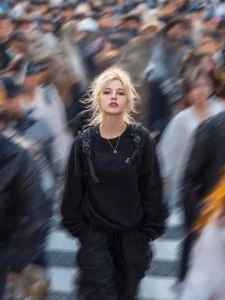
Ultra realistic cinematic portrait of a young woman walking forward in a crowded city street, using the reference image for exact face and identity preservation, subject perfectly sharp and in focus, confident neutral expression, detailed natural skin texture, soft glowing face,
she is wearing a loose black sweatshirt, black cargo pants, minimal streetwear fashion, black backpack with straps visible, small pendant necklace, hands in pockets, casual walking pose,
surrounded by a dense crowd moving quickly in all directions, strong radial motion blur effect around the subject, long exposure photography style, blurred faces and bodies of people passing by, dynamic sense of motion and chaos,
soft golden hour lighting mixed with cool tones, slight hair movement, cinematic depth of field, urban crosswalk background, center composition, 85mm lens, f/1.8, HDR, 8K ultra HD, filmic color grading, highly detailed, photorealistic
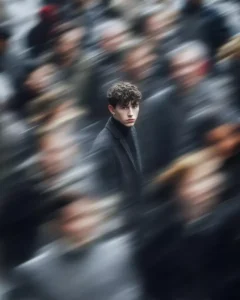
Abstract cinematic glitch collage composed of multiple layered images sliced horizontally, using the reference image for composition style, fragmented visuals showing partial human skin textures, blurred motion strips, and mixed digital artwork elements,
horizontal band slicing effect across the frame, each strip showing different distorted visuals, motion blur streaks cutting through the image, smeared transitions between layers,
combination of real photo textures and digital illustration interface elements, chaotic composition, overlapping frames, partial visibility of objects and body parts,
glitch distortion, datamosh artifacts, frame tearing, visual noise, digital corruption aesthetic,
soft lighting mixed with random highlights, experimental modern art style, cinematic look, 8K ultra HD, highly detailed, surreal and abstract
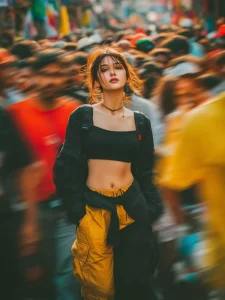
Create using the uploaded reference image. Keep the subject’s face, identity, hairstyle, and facial features EXACTLY the same. Do not change or beautify the face.
A young woman standing still in the center of a crowded street, looking directly into the camera with a confident and calm expression.
She is wearing a black cropped top, loose black jacket hanging off her shoulders, yellow and black cargo pants with a streetwear style, and a small necklace around her neck. Slightly messy tied hair with natural strands falling on the face.
The subject is in ultra-sharp focus with highly detailed skin texture, natural tones, and cinematic lighting with warm highlights on hair and face edges.
Surrounding her is a dense crowd of people moving rapidly in all directions. Apply strong motion blur to all surrounding people, creating streaked and ghosted human figures with long exposure effect.
The background should feel busy and chaotic, like a street market or festival, with vibrant colors blending due to motion.
Use shallow depth of field, 85mm lens look, f/1.8 aperture, HDR, ultra-realistic 8K quality, cinematic color grading.
Lighting should be natural golden hour with warm tones, soft shadows, and slight glow on highlights.
Do not distort the subject. Maintain realism and sharpness on the face only.
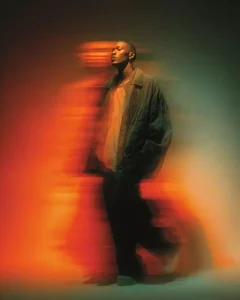
Ultra realistic cinematic portrait of a young man walking slowly, using the reference image for exact face and identity preservation, subject partially sharp with slight motion softness, calm confident expression, detailed skin texture,
he is wearing an oversized dark green jacket over a light beige t-shirt, loose black pants, minimal streetwear style, relaxed walking pose,
strong horizontal motion blur and neon light streaks passing across the subject from left to right, vibrant orange and red light trails, glowing streak effect, dynamic long exposure photography style,
background dark and minimal with gradient tones of green and black, dramatic lighting with warm highlights on the face, high contrast cinematic look,
motion trails wrapping around the subject, smooth light diffusion, depth of field, 85mm lens, HDR, 8K ultra HD, filmic color grading, highly detailed, photorealistic
How To Create Motion Blur Ai Photo Editing Prompt
It’s quite simple. If you wish to use ChatGPT, simply copy a prompt in your preferred style from here—copying is very easy, as you will find a dedicated “Copy” button. Next, you need to open ChatGPT. I have provided a direct link for this purpose, which you can access by clicking right here. Please note that this is not a promotional link; it is provided solely to help you perform your edits with ease. Upload your standard photo to serve as a reference. Then, paste the prompt you copied and hit “Generate.” You will only need to wait a few seconds, and your motion-blurred photo will be ready—looking completely professional. You can then save the image and post it on social media.
Basic Requirements for Motion Blur Effect
To create a photo with a motion blur effect, you will need a few things—specifically, a clear photograph of your own and a tool like Google Gemini or ChatGPT. These tools allow you to generate the image easily and completely free of cost. Additionally. You will require a specific prompt. The article has already shared this prompt. So you can simply follow the straightforward steps to create your own photos.
How To Create Realistic Motion Blur
To create realistic motion blur, you will always need to incorporate specific elements. For instance, your subject must consistently appear sharp and in focus; you need to add atmospheric effects and lighting; and you must specify the depth of field. Furthermore, you should utilize keywords such as “4K” and “realistic.”The prompt often automatically includes all these elements, if you wish to do something different—to create something truly unique and personalized—I have provided these additional suggestions specifically for you.


