Google Gemini 2026 New Year Ai Photo Editing Prompts – The trend of New Year’s photo editing is growing every year. You’ll see that there was a little less of it last year, but this year it’s even more popular. People are creating a lot of New Year’s photos, and you’ll notice that while people used to use other tools, now they’re using Gemini. Every year a new tool comes out, and people use it to create something new and creative. That’s why this editing is special, because you can easily create New Year’s images in different styles, which are also going quite viral on social media. Creating them is also quite easy. I’ll explain it to you step by step. Just follow along and create it; you’ll get great results.
Details Of Google Gemini 2026 New Year Ai Photo Editing Prompts
It’s a style of photo editing where your photo is created in this style for 2026. There will be fireworks in the background. There will also be text, and a countdown will be displayed, showing the transition from 2025 to 2026. The photo will have a celebratory and happy, fresh feel. It will look like your photo was taken in a completely realistic way, but you should know that it’s created with the help of Google Gemini. Nowadays, you’ll see that most people, especially with the current New Year trend or any other trend, use Google Gemini for the photos they upload on Instagram. Google Gemini analyzes your normal photo and transforms it into these creative looks. If you want to do it, I’ll explain how you can.
new trend gemini image prompts
Different Style Of Editing
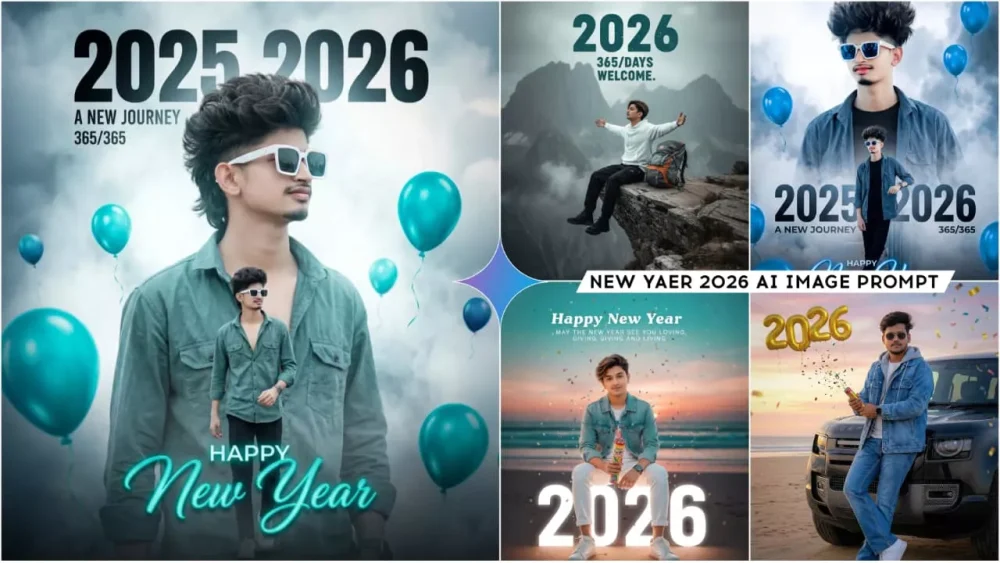
We’ll tell you about the different styles you’ll see, their features, and the overall look. There’s a fireworks celebration style where fireworks are going off in the background. There’s also a “2026” text displayed, which glows, and a party-like scene at the bottom. This stylish photo will be perfect for your Reels and your profile. There’s also a night city style where you’re standing on the street at night, and the “2026” text is displayed. There are also some photos with double exposure editing. This means there’s one photo at the bottom and another in the sky above, with “2026” written in between. This is another unique style. If I were to talk about each style individually, it would take a lot of time, and we wouldn’t get the desired results. It’s better to use this prompt and generate a great photo.
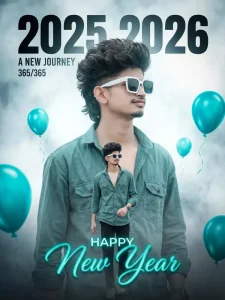
A stylish, cinematic New Year's greeting photo manipulation. A young, cool-looking man with trendy hair (mullet-style) and sunglasses, wearing a teal/dusty green open button-down shirt. The composition is double-exposure style: a large, dominant portrait of the man in the background, with a smaller, full-body version of him layered in the foreground. Dominant text in a modern, bold font reads "2025" fading into "2026" with the subtitle "A NEW JOURNEY" and "365/365". At the bottom, stylized, glowing cursive text says "HAPPY New Year". The color palette is cool and desaturated, featuring teal/dusty green and a smoky, ethereal background of white and faded blue/grey. Several bright, teal helium balloons float around the frame, adding contrast. Cinematic lighting, high-detail photo, volumetric fog.no face chenge
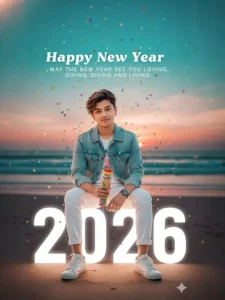
Ultra-realistic 8K portrait of a stylish young man, sitting confidently and posing on large 3D '2026' text. He is sitting upright and smiling slightly at the camera. Background: Sunset on a beach, teal-pink sky gradient, soft twinkling lights. In the sky above, bold text: "Happy New Year" and just below: "MAY THE NEW YEAR SEE YOU LOVING, GIVING AND LIVING". He is wearing a trendy light blue and white outfit, modern hairstyle, a slight smile and sneakers. A smattering of colorful confetti is slowly falling, cinematic shadows, shallow depth of field, Instagram-style digital art. Use the same face as a reference. He is holding a Manrav Party Popper.
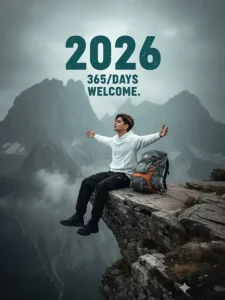
Give the exact same face 8k ultra image. used photo 100% Face Matching A full shot of a man from the side, with Wavy Farming massy hair, sitting on the edge of a rocky cliff. He is wearing a white Hoodie and black pants and black senakras. A rests on the rock beside him. In the Full wavy background, there is a foggy with "large style text overlay reads"2026"bold, slightly distressed teal font. Smaller text below it says"365/DAYS" and "WELCOME"." text, vast mountain view with a light, overcast sky. High-quality photo, cinematic light, deep shadows and bright highlights." Men a Open arms.
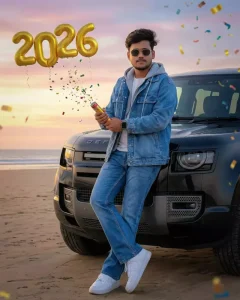
Ultra-realistic creative portrait of a 20-year-old Indian man, exact same face features as my reference image, same hairstyle

He is standing close in front of the bonnet of a black Land Rover Defender, gently leaning against it, body lightly touching the bonnet, one leg slightly crossed, holding a party popper in his hand, confident relaxed expression.

Same exact beach background with identical cinematic color grading: sandy beach foreground, ocean horizon behind, soft pastel sky. Large golden number balloons "2026" floating clearly above his head, festive confetti flying in the air.

Wearing the light blue washed denim jacket layered with a grey hoodie and white inner t-shirt). Lower outfit is matching blue denim jeans. Wearing white Nike shoes and a smart watch on the wrist. Wearing premium black sunglasse.

Black Defender car detailing must be hyper realistic with glossy black paint, sharp reflections, realistic grille, headlights, bonnet lines, tires, and natural shadows.
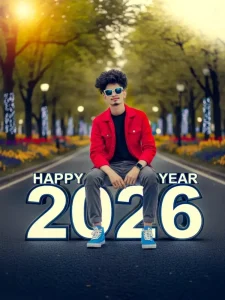
Young stylish man sitting confidently on large "Happy New Year 2026" numbers placed on a road in a beautiful park. The numbers have a futuristic black outline.

He is wearing a black shirt, red denim jacket, gray cargo, and blue sneakers.

The background shows green trees, colorful flowers, and a soft lights.

The atmosphere feels modern, cinematic, and positive - symbolizing a fresh new year and new beginnings, ultra realistic, depth of field, perfect lighting. No face chenge
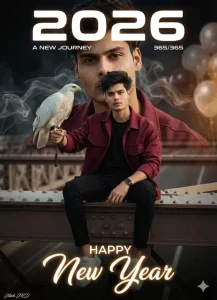
Uploaded man wearing a open marun shirt with black t shirt and cargo. The composition is double exposure style: a large, dominant portrait of the man in the background, with a smaller, full body version of him layered in the foreground. Dominant text in a modern, bold font "2026" with the subtitle "A NEW JOURNEY" and "365/365". At the bottom, stylized, glowing cursive text says "HAPPY New Year". Baground dark and lighting, flowing baluns, smoke behind his. A small Jitesh signature in left corne
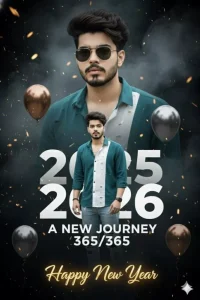
A stylish, cinematic New Year's greeting photo manipulation., cool-looking man with trendy hair (mullet-style) and sunglasses, wearing a teal/dusty green open button-down shirt. The composition is double-exposure style: a large, dominant portrait of the man in the background, with a smaller, full-body version of him layered in the foreground. Dominant text in a modern, bold font reads "2025" fading into "2026" with the subtitle "A NEW JOURNEY" and "365/365".
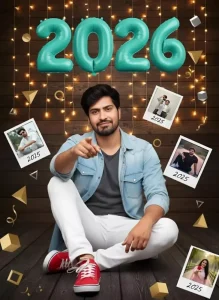
"A highly detailed New Year celebration portrait of a confident young man sitting on the floor in a relaxed pose, pointing toward the camera. He is wearing a light blue denim shirt, dark gray t-shirt, white pants, and red sneakers. Behind him is a wooden textured wall decorated with warm fairy lights and teal ‘2026’ balloon numbers. Around him are floating polaroid-style photos labeled 2025 and geometric golden shapes such as cubes, triangles, and ribbons. The scene has a festive, modern studio
Which Type Of Photos We Should Select
Now you’re ready to do the New Year’s editing, but you need to select the right photo for the best results. Your photo should be clear and of good quality, with normal lighting. Your face should be smiling and have a confident expression, like a normal photo. You should use a front-facing photo and make sure you don’t wear a mask over your face – absolutely do not do that. Also, avoid using a completely plain background. This will help the software detect your face properly and generate a good result.
How To Use Google Gemini 2026 New Year Ai Photo Editing Prompts
Most people don’t talk about how to create these photos, but I’ll tell you. You can create them in a very simple way. We have a prompt. With its help, we can do our editing and get a great result. What do we need to do? We need to copy this prompt. After copying it, go to Google’s AI tool (Google Mini). First, paste the prompt there. Then, go to the plus option and upload the same photo whose details I explained in the previous paragraphs. I told you what elements you need to include in your photo. You need to include those elements, then click on “Next.” Now it will give you the perfect result, and your editing will be absolutely perfect. I hope you understood the details of the editing process. You will also get good results.