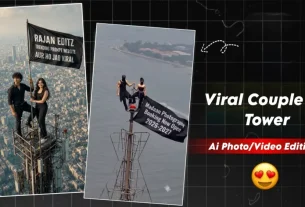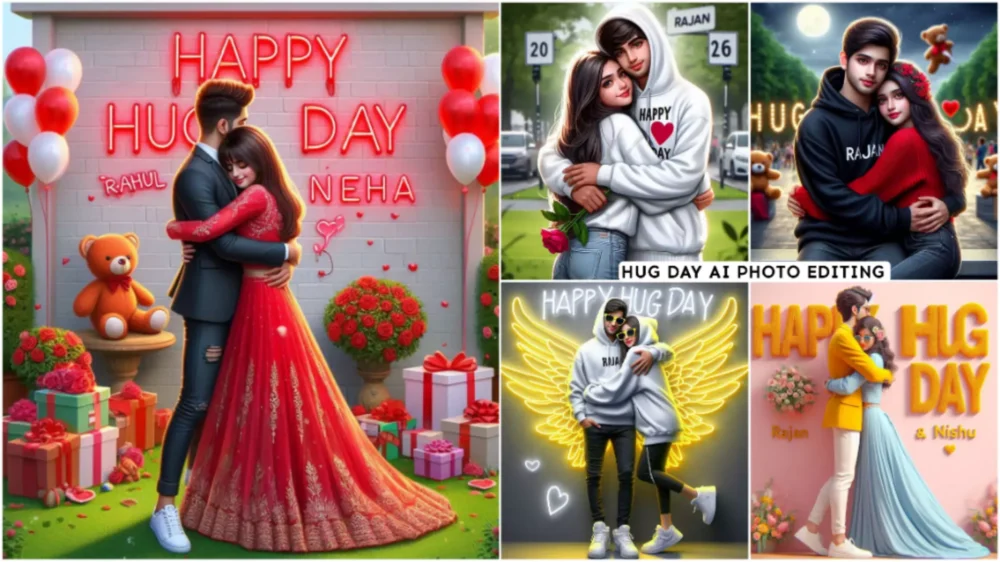
Hug Day Name Ai Photo Editing – During this Valentine’s week, I told you about AI photo editing and that I will teach you its editing. I have just taught you some of its editing. Our next editing that is going to happen now is this. It means that you will be hugging each other and after that someone will be clicking the photo. We will create this with the help of AI. This is not going to happen in real life. If you do this, then it is okay but you can do it. By using your imagination. In which there is your name and location as per your wish. This image will be quite good. If you post this on your Instagram on Hug Day, it will be quite good, people will be very happy to see this.
Hug Day Name Ai Photo Editing
What kind of image do you want to create on the occasion of Hug Day? As the name suggests, we should create an image accordingly, so here is the next one. It means that both the friends would be hugging each other or the girl would be going and hugging the boy. It looks quite nice. After seeing this, a name is written behind one of them. The names of both could be mentioned there or it could be the name of just one of them. You can put whatever type of background you want in the background. Here we have placed a park. After that, a text has also been added behind it: Happy Hug Day, and it looks quite cool. It looks like it has been created for Hug Day only.

1ST PROMPT – Create a 3D realistic illusion image a 20 year old boy and girl in a white hoodie and standing comfortably wearing sneakers and sunglass. the boy is hugging ” Happy Hug Day” is written in white and yellow neon lights in the romantic background, the background is dark gray and is shaded in a the background. “Rajan” is written on the boy’s hoodie and “Anjali” is written on the girl’s hoodie And he has wings which makes she look like an angel
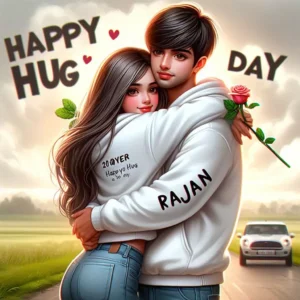
3RD PROMPT – realistic indian 20 Year old cute boy and 16 year beutifull girl hug in chest to chest with parking in hug with boy white colour hot top and jeans on the park with happy hug day an rose and a on, wearing a white hoodie with name “Rajan ” boy, with back background with big capital letter nam”HAPPY HUG DAY”

realistic indian 20 Year old cute boy and 19 year beautiful girl hug in chest to chest with Park in hug with boy white colour hot top and jeans on the park with happy hug day an rose and a boy wearing a red hoodie with name "Rajan" with back background with big capital letter name"HAPPY HUG DAY ", loving mood, realistic
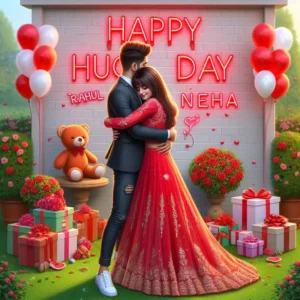
Realistic a pic a Indian couple's. A 18-year boy hug a 18 year girl. boy wear formal dress with sneakers.
and girl wear red lehnga. Garden decorated to red white bloons roses, gifts, teddy, "Rahul and Neha" written on the balloon, Happy Hug day written on Wall,in red neon colour, spelling mistake
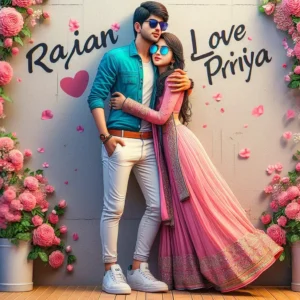
Create a 3D realistic profile pictures of Indian 21-year-old boy Hugging to beautiful girl with. The boy is wearing a Blue Shirt and white pant with belt, with white shoes And the girl is wearing a Pink lehenga and sunglasses, bold text Rajan Love Priya on wall with flowers. beautiful lonely picture, pretty girl standing so happy picture, profile pic, beautiful realistic photo.
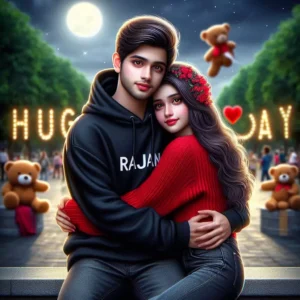
realistic indian 19 Vear old cute boy hug 15 year beuti full girl with red top and jeans chest to chast on the park with wearing red black hoodie write name "Rajan " boy, with background park with big capital letter "HAPPY HUG DAY", love mood, real istic photo,ultra real istic pic ture, Teddy day. very beauti ful photo. hyperea listic photo, it is parked. at dark night with moon and background beauti ful bird's

"Create a 3D realistic profile pictures of Indian 21-year-old boy Hugging to beautiful girl with . The boy is wearing a yello blazer and white pant with white shoes and sunglasses. And the girl is wearing a Sky blue lehenga and sunglasses.the Name wall "Rajan and Nishu" are written happy hug day in big and capital font on the white pink wall. with many flowers. beautiful lonely picture, pretty girl standing so happy picture,profile pic, beautiful realistic photo."
How To Create Image And Video
Look, creating this photo is not a big deal. Look, you can easily create the photo. Like I said, there is a process of copy pasting and how to do it. I am telling. You received prompts. They gave prompts below all the photos. They kept them in bold. I have said this because if it remains highlighted then you will know that yes, this is a problem. If you understand this then you can use it easily. Now see what you have to do. You have to copy that prompt. Select and copy, the copy option will appear there.
After copying, I have also given you the link to the website below. You will find a button just above your template, you have to click on the button there. You have to go to that website and paste the prompt and then click on Create. The image becomes ready and then you can download the image. I have added a link below to make a video. You can also make a video of capcut template from there.
Overall
And to create these images you must have used being as I have just explained to you in today’s article that you can create this image by visiting this website. It is a very best website. Where we can create good images in HD for absolutely free. Its application is also available. I will tell you about the application some other day. For now, how do you like this article and how do you like the method mentioned in it. Do tell us.